Welcome to a beginner-friendly guide to Java 21 variables, data types and operators for beginners. If you are a student or new to programming, this page will help you understand what variables are, how Java’s data types work (primitive vs reference), and how to use common operators correctly. We use clear examples you can run and include small “gotchas” to save your time.
What is a variable and why do we use it?
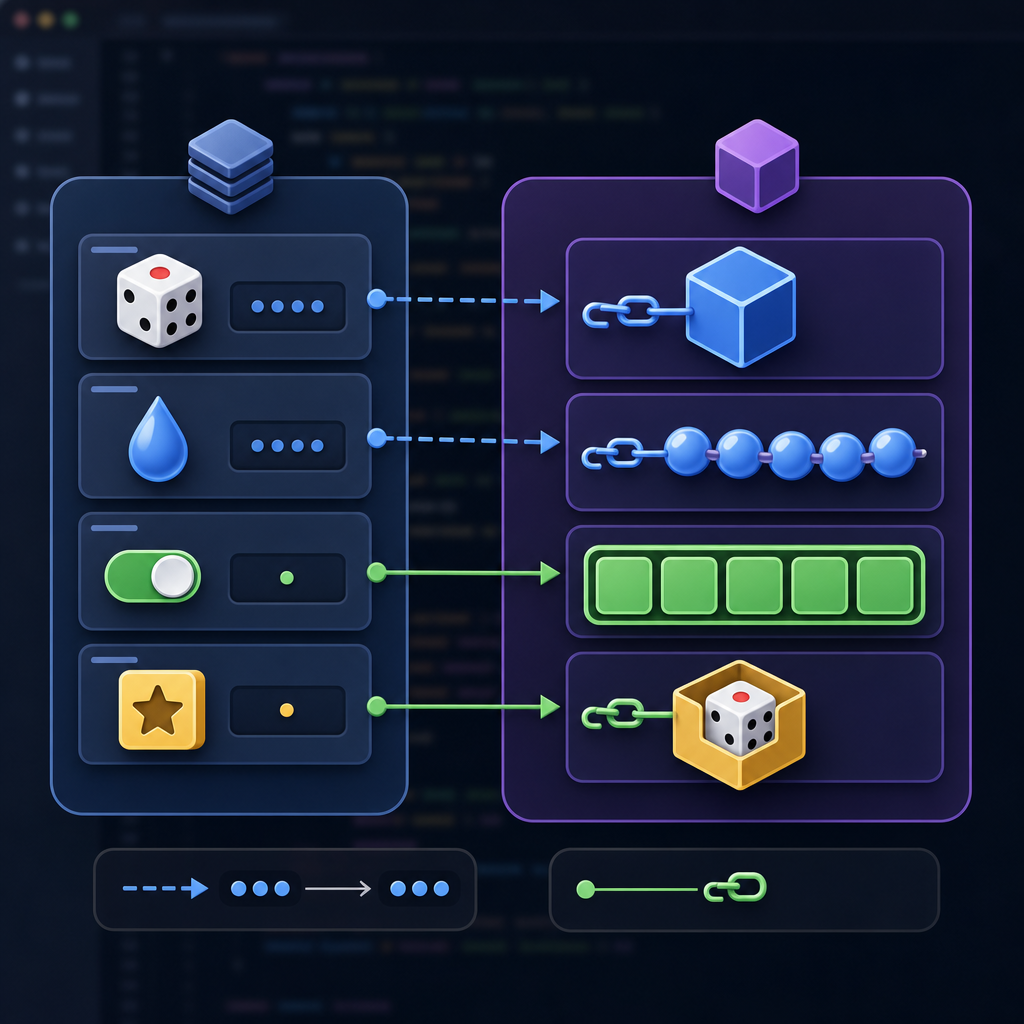
A variable stores a value in memory so your program can use or change it later. Java is statically typed, which means every variable has a declared type that the compiler checks. This helps prevent many runtime errors and makes your code easier to understand.
Basic syntax
- Declare:
type name; - Declare and initialize:
type name = value;
class="cd-keyword cd-access">public class Basics {
    class="cd-keyword cd-access">public static void main(String[] args) {
        int age = 18;
        double price = 499.99;
        boolean isStudent = true;
        char grade = 'A';

        System.out.println("age = " + age);
        System.out.println("price = " + price);
        System.out.println("isStudent = " + isStudent);
        System.out.println("grade = " + grade);
    }
}age = 18
price = 499.99
isStudent = true
grade = AKinds of variables and scope
- Local variables: Declared inside methods/blocks. Must be initialized before use; no default value.
- Instance variables (fields): Belong to an object; get default values (for example,
0for numbers,falsefor boolean,nullfor references). - Class variables (static fields): Belong to the class; one copy shared by all objects.
class="cd-keyword cd-access">public class ScopeDemo {
    static String schoolName = "CodDesire Academy"; // class (static) variable
    String studentName;                              // instance variable

    class="cd-keyword cd-access">public ScopeDemo(String name) {
        this.studentName = name;
    }

    class="cd-keyword cd-access">public void show() {
        int year = 2026; // local variable - must be initialized
        System.out.println(studentName + " - " + schoolName + " - " + year);
    }

    class="cd-keyword cd-access">public static void main(String[] args) {
        ScopeDemo s = new ScopeDemo("Anaya");
        s.show();
    }
}
Java variable naming rules and best practices for students
- Use letters, digits, underscores, and
$; cannot start with a digit. - Use camelCase for variables:
totalMarks,maxSpeed. - Be descriptive:
studentCountis better thansc. - Avoid single-letter names (except in short loops).
- Note: In Java 21,
_(underscore) is not allowed as an identifier. It is reserved and used for unnamed variables/patterns only in preview mode.
Local variable type inference with var
Java 21 lets you use var for local variables with an initializer. The compiler infers the type. This does not make Java dynamically typed—types are still checked at compile time.
- Allowed: local variables with initializers, enhanced for-loops, classic
forloop counters, try-with-resources, lambda parameters. - Not allowed: fields, method parameters (except lambda parameters).
class="cd-keyword cd-access">public class VarDemo {
    class="cd-keyword cd-access">public static void main(String[] args) {
        var count = 10;          // inferred as int
        var message = "Hello";   // inferred as String

        for (var i = 0; i < 3; i++) {
            System.out.print(i + " ");
        }
        System.out.println();

        // var must have an initializer:
        // var x; // compile error
    }
}0 1 2Java 21 data types: primitive vs reference

Java has two families of types: primitive types and reference types.
Primitive data types in Java 21
- byte: 8-bit signed integer
- short: 16-bit signed integer
- int: 32-bit signed integer (most common for whole numbers)
- long: 64-bit signed integer (use
Lsuffix, e.g.,10L) - float: 32-bit IEEE 754 floating point (use
Fsuffix) - double: 64-bit IEEE 754 floating point (default for decimals)
- char: 16-bit unsigned UTF‑16 code unit (use single quotes:
'A','u0986') - boolean:
trueorfalse(storage size is not defined by the language)
Quick reference: Primitive types vs wrappers (Java 21)
| Primitive | Example literal | Wrapper class | Field default | Typical use |
|---|---|---|---|---|
| byte | 127 | Byte | 0 | Small integers; I/O buffers |
| short | 10_000 | Short | 0 | Memory‑sensitive integer arrays |
| int | 1_000_000 | Integer | 0 | Counts, indices (most common) |
| long | 9_000_000_000L | Long | 0L | Large counters, timestamps |
| float | 3.14F | Float | 0.0f | Large arrays of approximate decimals |
| double | 2.71828 | Double | 0.0d | Default for fractional numbers |
| char | ‘A’, ‘u0986’ | Character | ‘u0000’ | Single UTF‑16 code unit |
| boolean | true, false | Boolean | false | Flags, conditions |
Difference between int, double and boolean in Java 21
int holds whole numbers, double holds decimals, and boolean is for logical truth values. Integer division truncates the result; double division keeps the fraction.
class="cd-keyword cd-access">public class TypesDemo {
    class="cd-keyword cd-access">public static void main(String[] args) {
        int a = 5, b = 2;
        System.out.println("int division: " + (a / b)); // 2

        double c = 5.0, d = 2.0;
        System.out.println("double division: " + (c / d)); // 2.5

        boolean passed = (a > b);
        System.out.println("passed = " + passed);
    }
}int division: 2
double division: 2.5
passed = trueReference types and wrapper classes
Reference types include classes (e.g., String), arrays, interfaces, records, and enums. For each primitive, Java provides a wrapper class (e.g., Integer for int, Double for double). Wrappers are necessary for collections and generics. Java automatically converts between primitives and wrappers: boxing (primitive to wrapper) and unboxing (wrapper to primitive).
class="cd-keyword cd-access">public class BoxingDemo {
    class="cd-keyword cd-access">public static void main(String[] args) {
        Integer n = 7;  // boxing
        int m = n;      // unboxing
        System.out.println("n + m = " + (n + m));

        Integer maybeNull = null;
        // int x = maybeNull; // would throw NullPointerException at runtime
        System.out.println("maybeNull = " + maybeNull);
    }
}
Operators in Java 21
Operators let you manipulate values. Categories include unary, arithmetic, shift, relational (including instanceof), equality, bitwise/logical, conditional (?:), and assignment. Operator precedence affects how expressions are evaluated; use parentheses to make the intent clear.
Arithmetic operators and numeric promotion
Arithmetic: +, -, *, /, %. Unary: +, -, ++, --. In expressions, byte, short, and char are promoted to int. This can surprise beginners:
class="cd-keyword cd-access">public class PromotionDemo {
    class="cd-keyword cd-access">public static void main(String[] args) {
        byte x = 10, y = 20;
        // byte z = x + y; // compile error: result is int
        byte z = (byte) (x + y); // explicit cast
        System.out.println("z = " + z);

        int sum = x + y; // OK because promoted to int
        System.out.println("sum = " + sum);
    }
}
Relational, equality, and instanceof (with pattern matching)
- Relational:
<,<=,>,>= - Equality:
==,!=(for primitives: value comparison; for references: same object vs not) - Pattern matching
instanceoflets you test and cast in one step.
class="cd-keyword cd-access">public class InstanceofDemo {
    class="cd-keyword cd-access">public static void main(String[] args) {
        Object obj = "Java";
        if (obj instanceof String s && s.length() >= 4) {
            System.out.println("String length = " + s.length());
        }
    }
}
Logical and bitwise operators
- Logical (short-circuit):
&&,||,! - Bitwise:
&,|,^,~; Shifts:<<,>>,>>>
class="cd-keyword cd-access">public class LogicalDemo {
    class="cd-keyword cd-access">public static void main(String[] args) {
        int a = 3, b = 0;
        if (b != 0 && (a / b) > 1) { // right side not evaluated if b == 0
            System.out.println("won't divide by zero");
        }

        int mask = 0b0101;
        int flags = 0b0011;
        int result = flags & mask; // bitwise AND
        System.out.println(Integer.toBinaryString(result)); // ___CDPHSTR0___ (binary)
    }
}
Assignment, compound assignment, and string concatenation
Use = to assign. Compound assignments like +=, -=, *= update in place. When one operand is a String, + concatenates.
class="cd-keyword cd-access">public class ConcatDemo {
    class="cd-keyword cd-access">public static void main(String[] args) {
        int n = 2;
        n += 3; // n is 5
        String s = "Score: " + n; // concatenation
        System.out.println(s);
    }
}
Conditional operator and operator precedence
The conditional operator ?: is a compact if-else. Precedence determines evaluation order—multiplication/division bind tighter than addition/subtraction. Add parentheses for clarity.
class="cd-keyword cd-access">public class ConditionalDemo {
    class="cd-keyword cd-access">public static void main(String[] args) {
        int age = 17;
        String label = (age >= 18) ? "adult" : "minor";
        System.out.println(label);

        System.out.println(1 + 2 * 3);     // 7
        System.out.println((1 + 2) * 3);   // 9
    }
}
Pattern matching for switch (Java 21)
Java 21 finalizes pattern matching for switch and record patterns. You can switch on Object and match by type, with optional guards using when.
record Point(int x, int y) {}

class="cd-keyword cd-access">public class SwitchPatternDemo {
    class="cd-keyword cd-access">public static void main(String[] args) {
        Object obj = new Point(2, 2);

        String desc = switch (obj) {
            case Integer i -> "int " + i;
            case String s when s.length() > 3 -> "long string";
            case Point(int x, int y) when x == y -> "diagonal point";
            case Point(int x, int y) -> "point " + x + "," + y;
            default -> "something else";
        };

        System.out.println(desc);
    }
}diagonal pointNote: Java 21 also offers preview “unnamed variables and patterns” using _. They require --enable-preview and may change; most beginners can safely ignore them.
How to choose the right data type
- Counts, indices:
int(orlongif values can exceed ~2.1 billion). - Money/precise decimal: prefer
BigDecimal(reference type); avoidfloat/doublefor exact currency math. - True/false flags:
boolean. - Single UTF‑16 code unit:
char; for full Unicode text useString. - Collections and generics: use wrapper types like
Integer,Double,Boolean. - If unsure between
floatanddouble, choosedoublefor better precision.
Beginner-friendly data type picker (flow)
Common mistakes and how to fix them
- Using variables before initialization (locals): always assign a value first.
- Expecting
byte/short/chararithmetic to stay in their type: Java promotes them toint; cast or useint. - Comparing
Stringvalues with==: use.equals()for content comparison. - Forgetting integer vs floating-point division: cast or use
doubleto keep decimals. - Unboxing a
nullwrapper (e.g.,Integer): check fornullto avoidNullPointerException. - Overusing
var: keep code readable; choose explicit types when inference is unclear. - Relying on default values for locals: only fields get defaults; locals must be initialized.
- Initialize every local variable before first use.
- Pick types by intent: counts → int; large counts → long; fractions → double; money → BigDecimal; flags → boolean.
- Use .equals() for String content; == only checks if the same object.
- Add L for long and F for float literals when needed (e.g.,
10L,3.14F). - Remember numeric promotion: byte/short/char → int in expressions; cast intentionally.
- Prevent integer division truncation by using double or casting (e.g.,
(double) a / b). - Use var only when the initializer makes the type obvious.
- Avoid unboxing null (e.g.,
Integer→int); check for null first. - Clarify complex expressions with parentheses to avoid precedence mistakes.
FAQ: People also ask
What is a variable in Java for beginners?
A variable is a named storage location with a specific type. You declare the type once, and the compiler ensures you use it correctly.
What are the primitive data types in Java 21?
byte, short, int, long, float, double, char, boolean.
How do arithmetic and logical operators work in Java?
Arithmetic operators perform math on numbers; logical operators combine boolean expressions with short-circuit behavior (&&, ||). Remember operator precedence and use parentheses to make intentions clear.
What is the difference between primitive and reference types in Java?
Primitives store simple values directly (like numbers and booleans). Reference types store references to objects (like String, arrays, and custom classes). Wrappers (e.g., Integer) are reference types that correspond to primitives.
How do I choose the right data type for a Java variable?
Pick the smallest type that fits your needs: use int for counts, double for fractional numbers, boolean for flags, and wrapper types for collections. Use BigDecimal for precise money calculations.
Practice next steps
- Write a program that reads two numbers, prints their sum, difference, product, and quotient as both
intanddouble. - Create a class with instance and static fields, and practice accessing them.
- Try a
switchwith pattern matching overObjectvalues and add a guarded pattern withwhen.
Continue learning in our Java 21 basics for students series on CodDesire: Explore more Java tutorials.
Sources / Further reading
- JDK 21 Documentation Home (Oracle): https://docs.oracle.com/en/java/javase/21/index.html
- The Java Language Specification, Java SE 21: https://docs.oracle.com/javase/specs/jls/se21/html/jls-4.html
- JLS §4: Types, Values, and Variables: https://docs.oracle.com/javase/specs/jls/se21/html/jls-4.html
- JLS §5: Conversions and Contexts: https://docs.oracle.com/javase/specs/jls/se21/html/jls-5.html
- JLS §15: Expressions (operators): https://docs.oracle.com/javase/specs/jls/se21/html/jls-15.html
- Local Variable Type Inference (var) — Java 21 Guide: https://docs.oracle.com/en/java/javase/21/language/local-variable-type-inference.html
- LVTI Style Guidelines (OpenJDK Amber): https://openjdk.org/projects/amber/guides/lvti-style-guide
- Pattern Matching for switch — Java 21 Guide: https://docs.oracle.com/javase/21/language/pattern-matching-switch.html
By practicing these foundations—what are variables in Java 21 with examples, Java primitive vs reference types for beginners, and how to use arithmetic and logical operators in Java—you will build the confidence to write clear, correct code. Keep going!