
Learning Java variables, data types, and operators is the first real step from “Hello, World!” to writing useful programs. In this guide, we explain the basics in simple language with short, runnable examples and outputs. It’s written for students and beginners who want a clear start with Java variables, data types, and operators for beginners. As of Java 26 (released March 2026) with Java 25 as the latest LTS, the fundamentals you learn here remain the same, while helpful features like local variable type inference (var) and pattern matching make code cleaner.
1) What are variables in Java? Why use them?
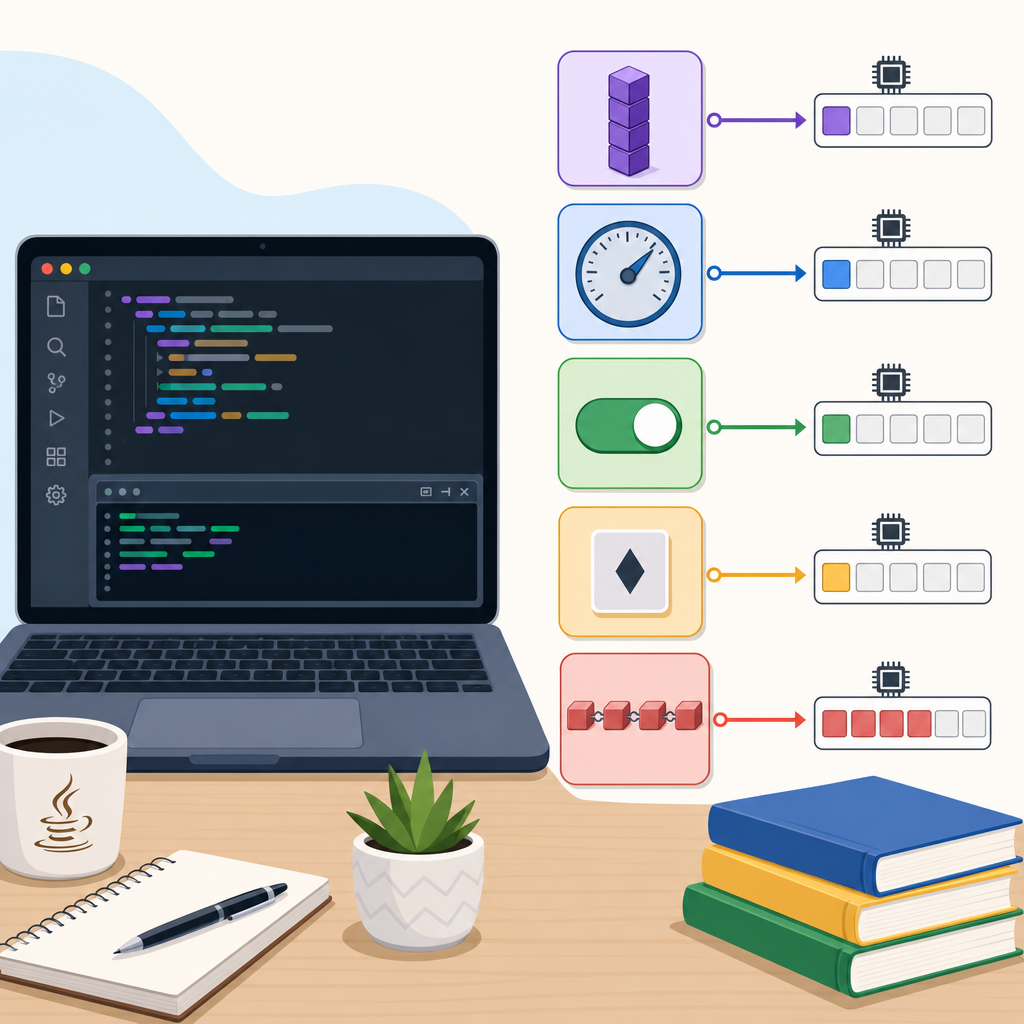
A variable is a named storage location in memory with a declared type. You use variables to store information your program needs while it runs—like a student’s age, marks, or a string message.
Think of a variable as a labeled box. The type label (int, double, String, etc.) tells Java what you’re allowed to put in the box and what operations are legal.
Visual: Variable lifecycle in Java (beginner view)
int age;
age = 18;
age + 2, println(age)
age += 1;
when method/block ends
Syntax and a tiny example
class VariableIntro {
    class="cd-keyword cd-access">public static void main(String[] args) {
        // Declaration
        int age;

        // Initialization (give it a value before using)
        age = 18;

        // Declaration + initialization in one line
        double marks = 92.5;
        String name = "Asha";

        // Printing values
        System.out.println("Name: " + name);
        System.out.println("Age: " + age);
        System.out.println("Marks: " + marks);
    }
}Name: Asha
Age: 18
Marks: 92.5Using var for local variables (Java 10+)
Java supports local variable type inference with var. It’s still statically typed—Java infers the type from the initializer. You can’t use var for fields, method parameters, or without an initializer.
class VarDemo {
    class="cd-keyword cd-access">public static void main(String[] args) {
        var pi = 3.14;      // inferred as double
        var message = "Hi"; // inferred as String

        System.out.println(pi);
        System.out.println(message);
    }
}3.14
Hi2) Java data types explained
Java has two broad categories of types: primitive and reference.
Primitive types (store simple values)
- boolean (true/false)
- byte (8-bit), short (16-bit), int (32-bit), long (64-bit) for integers
- char (16-bit Unicode character)
- float (32-bit), double (64-bit) for decimal numbers
Example of declaring and using them:
class PrimitiveDemo {
    class="cd-keyword cd-access">public static void main(String[] args) {
        boolean isStudent = true;
        byte b = 10;
        short s = 32000;
        int i = 100000;
        long l = 9_000_000_000L; // L suffix for long literals
        char grade = 'A';
        float f = 3.5f;         // f suffix for float
        double d = 3.1415926535;

        System.out.println(isStudent + " " + b + " " + s + " " + i);
        System.out.println(l + " " + grade + " " + f + " " + d);
    }
}true 10 32000 100000
9000000000 A 3.5 3.1415926535Visual: Relative capacity of Java numeric primitives
Reference types (store references to objects)
Classes (including String, records, enums), interfaces, and arrays are reference types. A String is not a primitive—it’s a class. Reference variables hold a reference (like an address) to an object in memory.
class ReferenceDemo {
    class="cd-keyword cd-access">public static void main(String[] args) {
        String title = "Java for Beginners";
        int[] scores = {90, 85, 88};

        System.out.println("Title length: " + title.length());
        System.out.println("First score: " + scores[0]);
    }
}Title length: 17
First score: 90Visual: Primitive vs Reference types — quick comparison
| Aspect | Primitive types | Reference types |
|---|---|---|
| What the variable holds | The actual value (e.g., 42) |
A reference to an object (e.g., a String or array) |
| Examples | int, double, boolean, char |
String, arrays (int[]), classes, records, enums |
| Default value for fields | 0, 0.0, false, 'u0000' |
null (no object) |
Can be null? |
No | Yes |
| Equality check | == compares values |
== compares references; use equals() for content |
| Operations | Built-in operators (e.g., +, *, >) |
Methods (e.g., length(), add()) |
| Promotion rules | Smaller integers promote to int in arithmetic |
No numeric promotion; reference conversions follow inheritance/interfaces |
Field default values vs. local variables
Fields (variables declared inside a class but outside methods) get default values. Local variables (inside methods) must be initialized before use.
class DefaultsDemo {
    int count;          // default 0
    boolean ok;         // default false
    double average;     // default 0.0
    String note;        // default null (no object)
    int[] data;         // default null

    class="cd-keyword cd-access">public static void main(String[] args) {
        DefaultsDemo d = new DefaultsDemo();
        System.out.println(d.count);
        System.out.println(d.ok);
        System.out.println(d.average);
        System.out.println(d.note);
        System.out.println(d.data);

        // Local variable rule:
        // int x; // if you try to use x before assigning, it won't compile.
    }
}0
false
0.0
null
null3) Java operators with examples
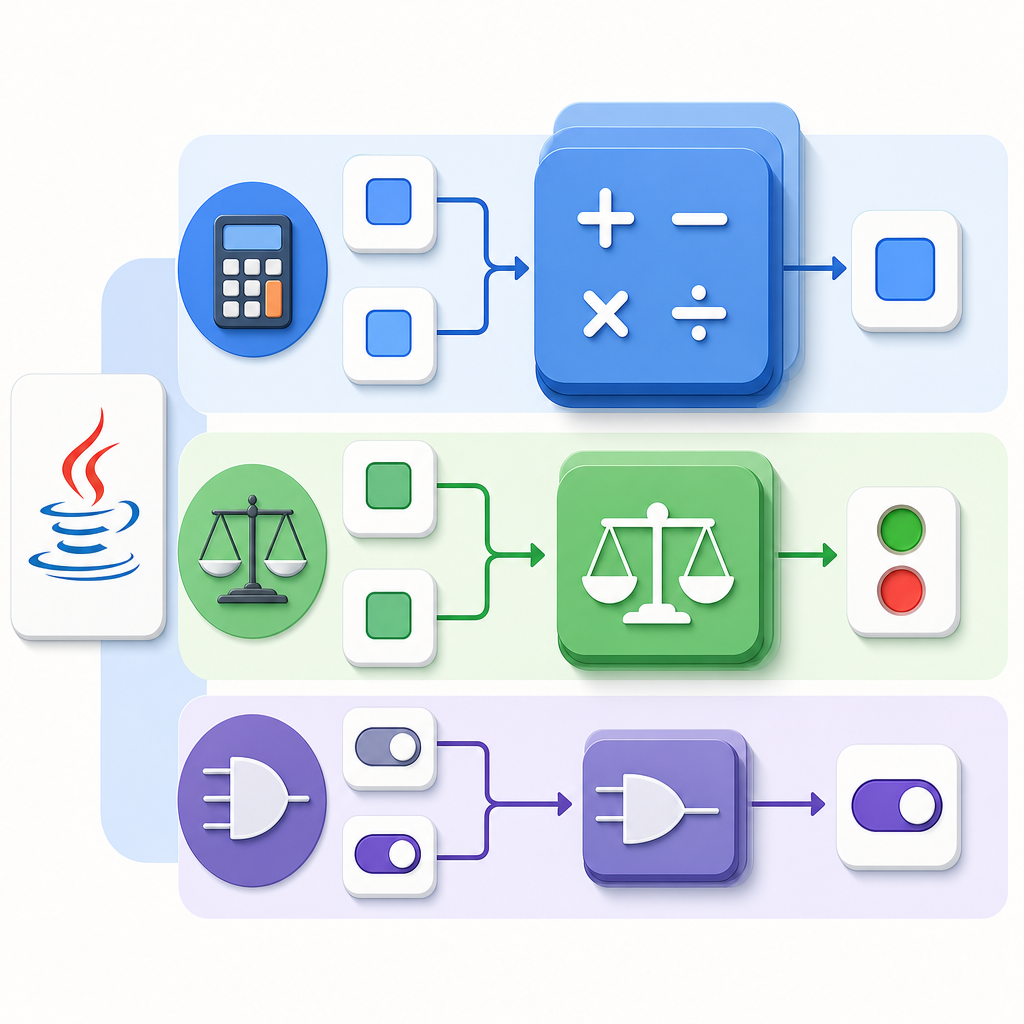
Operators let you perform calculations and comparisons on variables and values.
Arithmetic, relational, logical, assignment, and ternary
class OperatorsIntro {
    class="cd-keyword cd-access">public static void main(String[] args) {
        int a = 7, b = 3;

        // Arithmetic
        System.out.println("a + b = " + (a + b));
        System.out.println("a - b = " + (a - b));
        System.out.println("a * b = " + (a * b));
        System.out.println("a / b = " + (a / b)); // integer division
        System.out.println("a % b = " + (a % b)); // remainder

        // Relational (comparison) -> boolean
        System.out.println(a > b);
        System.out.println(a == b);

        // Logical with booleans
        boolean p = true, q = false;
        System.out.println(p && q); // AND
        System.out.println(p || q); // OR
        System.out.println(!p);     // NOT

        // Assignment and compound assignment
        int x = 5;
        x += 2; // x = x + 2
        System.out.println("x is " + x);

        // Ternary operator
        String result = (a % 2 == 0) ? "even" : "odd";
        System.out.println("a is " + result);
    }
}a + b = 10
a - b = 4
a * b = 21
a / b = 2
a % b = 1
true
false
false
true
false
x is 7
a is oddNumeric promotion and type casting
Java automatically promotes smaller integer types (byte, short, char) to int in arithmetic. Mixed-type expressions follow numeric promotion rules.
class PromotionCasting {
    class="cd-keyword cd-access">public static void main(String[] args) {
        byte m = 1, n = 2;
        int sum = m + n; // result is int after promotion
        System.out.println("sum (int) = " + sum);

        System.out.println("1/2 = " + (1 / 2));       // 0 (integer division)
        System.out.println("1/2.0 = " + (1 / 2.0));   // 0.5 (double division)

        // Explicit cast (narrowing)
        double d = 9.99;
        int truncated = (int) d; // 9
        System.out.println("truncated = " + truncated);

        // Casting overflow example
        byte overflowed = (byte) 130; // wraps around (two's complement)
        System.out.println("overflowed byte = " + overflowed);
    }
}sum (int) = 3
1/2 = 0
1/2.0 = 0.5
truncated = 9
overflowed byte = -126Overflow and how to be safe
Integer overflow silently wraps around using two’s complement. You can detect overflow using Math.addExact, which throws an exception on overflow.
class OverflowDemo {
    class="cd-keyword cd-access">public static void main(String[] args) {
        int max = Integer.MAX_VALUE;
        System.out.println("Max: " + max);
        System.out.println("Wraparound: " + (max + 1)); // -2147483648

        try {
            System.out.println(Math.addExact(max, 1)); // throws
        } catch (ArithmeticException e) {
            System.out.println("Overflow detected by addExact");
        }
    }
}Max: 2147483647
Wraparound: -2147483648
Overflow detected by addExactEquality, Strings, and concatenation
== compares primitive values and object references (identity). Use equals() to compare object contents, like strings. Also note how concatenation works with the + operator.
class EqualityConcat {
    class="cd-keyword cd-access">public static void main(String[] args) {
        String s1 = new String("hello");
        String s2 = new String("hello");

        System.out.println("s1 == s2: " + (s1 == s2));         // false (different objects)
        System.out.println("s1.equals(s2): " + s1.equals(s2)); // true (same content)

        System.out.println("sum=" + 2 + 3);       // ___CDPHSTR5___
        System.out.println("sum=" + (2 + 3));     // ___CDPHSTR7___
    }
}s1 == s2: false
s1.equals(s2): true
sum=23
sum=5Division by zero: integers vs floating point
Integer division by zero throws an exception. Floating-point division by zero results in Infinity or NaN per IEEE 754.
class DivisionZero {
    class="cd-keyword cd-access">public static void main(String[] args) {
        try {
            System.out.println(1 / 0);
        } catch (ArithmeticException e) {
            System.out.println("int division by zero throws: " + e);
        }
        System.out.println(1.0 / 0.0); // Infinity
        System.out.println(0.0 / 0.0); // NaN
    }
}int division by zero throws: java.lang.ArithmeticException: / by zero
Infinity
NaN4) Pattern matching and modern Java clarity
Java now includes pattern matching to make type checks cleaner.
instanceof with binding (Java 16+)
class InstanceofPattern {
    static void printUpper(Object obj) {
        if (obj instanceof String s) {       // pattern with binding variable s
            System.out.println(s.toUpperCase());
        } else {
            System.out.println("Not a string");
        }
    }
    class="cd-keyword cd-access">public static void main(String[] args) {
        printUpper("hello");
        printUpper(42);
    }
}HELLO
Not a stringswitch pattern matching (Java 21)
class SwitchPattern {
    class="cd-keyword cd-access">public static void main(String[] args) {
        Object value = 15;

        String desc = switch (value) {
            case Integer i when i > 10 -> "big int " + i;
            case Integer i          -> "small int " + i;
            case String s           -> "string len=" + s.length();
            default                 -> "unknown";
        };

        System.out.println(desc);
    }
}big int 15Note: Java 26 also previews “primitive types in patterns” for instanceof and switch. Use --enable-preview with your compiler and runtime to try previews.
5) Type casting examples and handling money
Widening conversions (int to double) are automatic; narrowing conversions (double to int) need a cast and may lose data. For money or exact decimal math, use BigDecimal constructed from strings to avoid floating-point rounding errors.
class="cd-package">import java.math.BigDecimal;

class CastingAndMoney {
    class="cd-keyword cd-access">public static void main(String[] args) {
        // Widening
        int n = 5;
        double nd = n; // 5.0
        System.out.println(nd);

        // Narrowing
        double price = 99.99;
        int whole = (int) price; // 99
        System.out.println(whole);

        // Floating-point pitfall
        double sum = 0.1 + 0.2;
        System.out.println(sum); // 0.30000000000000004

        // BigDecimal for exact decimals (avoid BigDecimal(double))
        BigDecimal bd1 = new BigDecimal("0.1");
        BigDecimal bd2 = new BigDecimal("0.2");
        System.out.println(bd1.add(bd2)); // 0.3
    }
}5.0
99
0.30000000000000004
0.36) A tiny program that shows variables, data types, and operators (with output)
class MiniShowcase {
    class="cd-keyword cd-access">public static void main(String[] args) {
        // Variables and types
        int students = 30;
        double avgMarks = 76.5;
        String course = "Physics";

        // Operators
        double totalMarks = students * avgMarks;  // arithmetic
        boolean passed = avgMarks >= 40;          // relational
        String label = passed ? "PASS" : "FAIL";  // ternary

        // Promotions and concatenation
        byte a = 10, b = 20;
        int promotedSum = a + b;                  // becomes int
        String report = "sum=" + 2 + 3;           // ___CDPHSTR4___

        System.out.println("Course: " + course);
        System.out.println("Students: " + students);
        System.out.println("Avg: " + avgMarks);
        System.out.println("Total marks: " + totalMarks);
        System.out.println("Result: " + label);
        System.out.println("Promoted sum: " + promotedSum);
        System.out.println(report);
    }
}Course: Physics
Students: 30
Avg: 76.5
Total marks: 2295.0
Result: PASS
Promoted sum: 30
sum=237) Common mistakes to avoid
- Using local variables before initializing them. Always assign a value first.
- Comparing strings with
==. Useequals()for content comparison. - Expecting
1/2to be 0.5. It’s 0 because it’s integer division; use1/2.0or cast. - Assuming
float/doubleare fine for currency. PreferBigDecimalcreated from strings. - Forgetting that
byte/short/charpromote tointin arithmetic. - Assuming
varmakes Java dynamic. It doesn’t—types are still statically checked.
FAQ: Quick answers for beginners
What is a variable in Java with an example?
A variable is a named storage location with a type, e.g., int age = 18;. You can then use age in expressions and print it with System.out.println(age);.
What are the main data types in Java for beginners?
Primitive types: boolean, byte, short, int, long, char, float, double. Reference types: classes (like String), interfaces, arrays, enums, records.
How do Java operators work with simple examples?
They perform actions like +, -, *, / (arithmetic), >, == (relational), &&, || (logical). Example: System.out.println(7 % 3); // 1.
What is the difference between primitive and reference types in Java?
Primitives store raw values (like 42 or 3.14). Reference types store references to objects (like String or arrays). Use equals() for comparing object contents.
How can I print output in Java to show variable values?
Use System.out.println("Age: " + age); or multiple prints. Concatenate strings and variables with +.
Keep learning
Move to the next lessons and hands-on programs in our Java track. Explore more topics like control flow, arrays, methods, OOP, and collections here: CodDesire Java Tutorials.
Sources / Further reading
- Java Language Specification (SE 25) — Types, Values, and Variables: docs.oracle.com/javase/specs/jls/se25/html/jls-4.html
- Java Language Specification (SE 25) — Conversions and Contexts: docs.oracle.com/javase/specs/jls/se25/html/jls-5.html
- Java Language Specification (SE 21) — Expressions: docs.oracle.com/javase/specs/jls/se21/html/jls-15.html
- Oracle Java Tutorials — Operators: docs.oracle.com/javase/tutorial/java/nutsandbolts/operators.html
- JEP 286 — Local-Variable Type Inference (var): openjdk.org/jeps/286
- JEP 394 — Pattern Matching for instanceof: openjdk.org/jeps/394
- JEP 441 — Pattern Matching for switch: openjdk.org/jeps/441
- Java 26 — Primitive Types in Patterns (Preview): docs.oracle.com/en/java/javase/26/language/primitive-types-patterns-instanceof-switch.html
By practicing the examples above and understanding the “why” behind each rule, you’ll confidently use Java variables, data types, and operators for beginners and be ready for the next steps in your Java journey.