
Functions become powerful when you control how values are passed into them. In this beginner-friendly Python function parameters tutorial, you’ll learn python default keyword and variable arguments with clear examples, common mistakes to avoid, and simple rules you can remember. If you are just starting with Python, you can browse more basics in our Python tutorials at CodDesire.
What are function parameters and arguments?
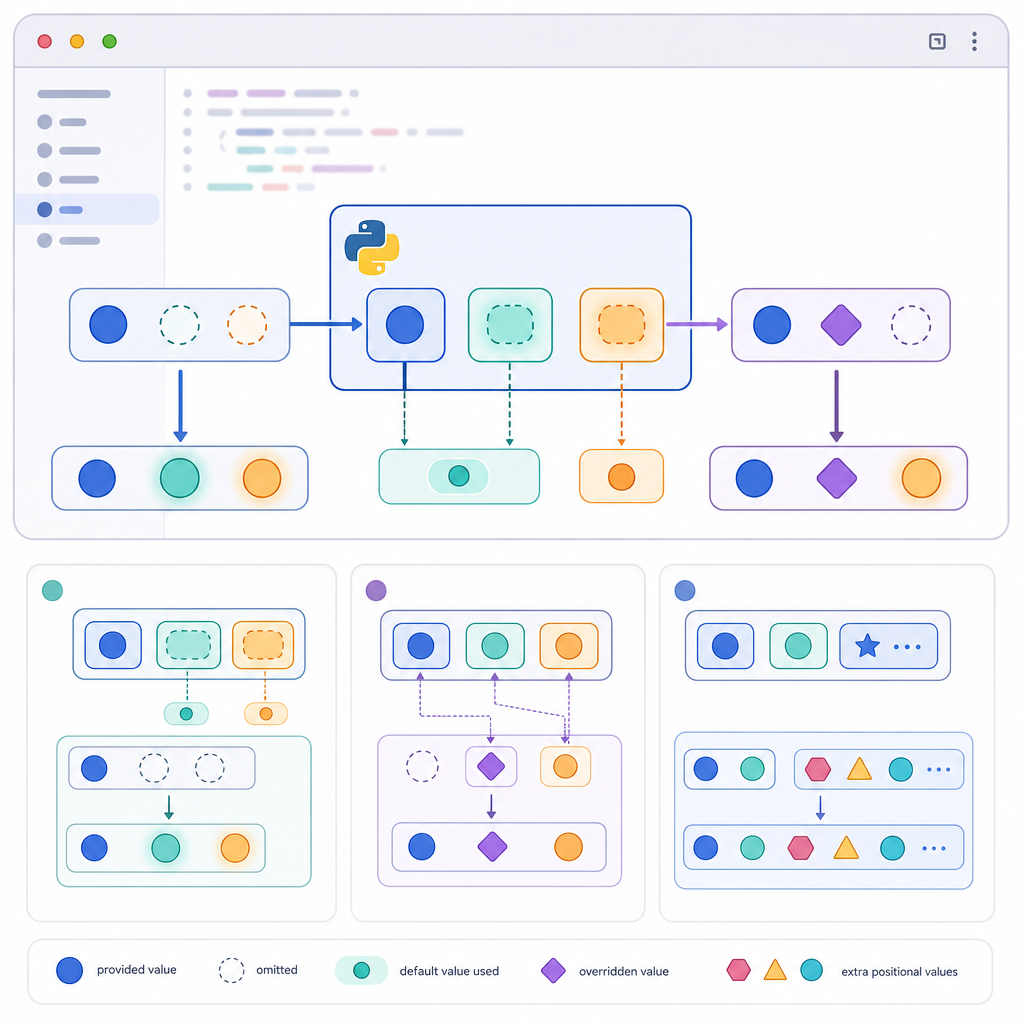
Parameters are the names you put in a function definition; arguments are the actual values you pass when calling the function.
return width * height
print(area(3, 4)) # 3 and 4 are arguments
12Python lets you pass arguments by position, by name (keyword arguments), and it also supports default values and “variable length” arguments using *args and **kwargs. Understanding these tools helps you write cleaner, safer, and more flexible functions.
- Default values are evaluated once (at definition time). Avoid mutable defaults; use
Noneand create the object inside. - Call order matters: positional args first, then keyword args. No parameter may receive two values.
- Control your API: use
/for positional-only and*for keyword-only parameters. *argscollects extra positional args (tuple);**kwargscollects extra keyword args (dict with string keys only).- Prefer keyword arguments for optional settings; force keyword-only for clarity and safer future changes.
Python default arguments explained
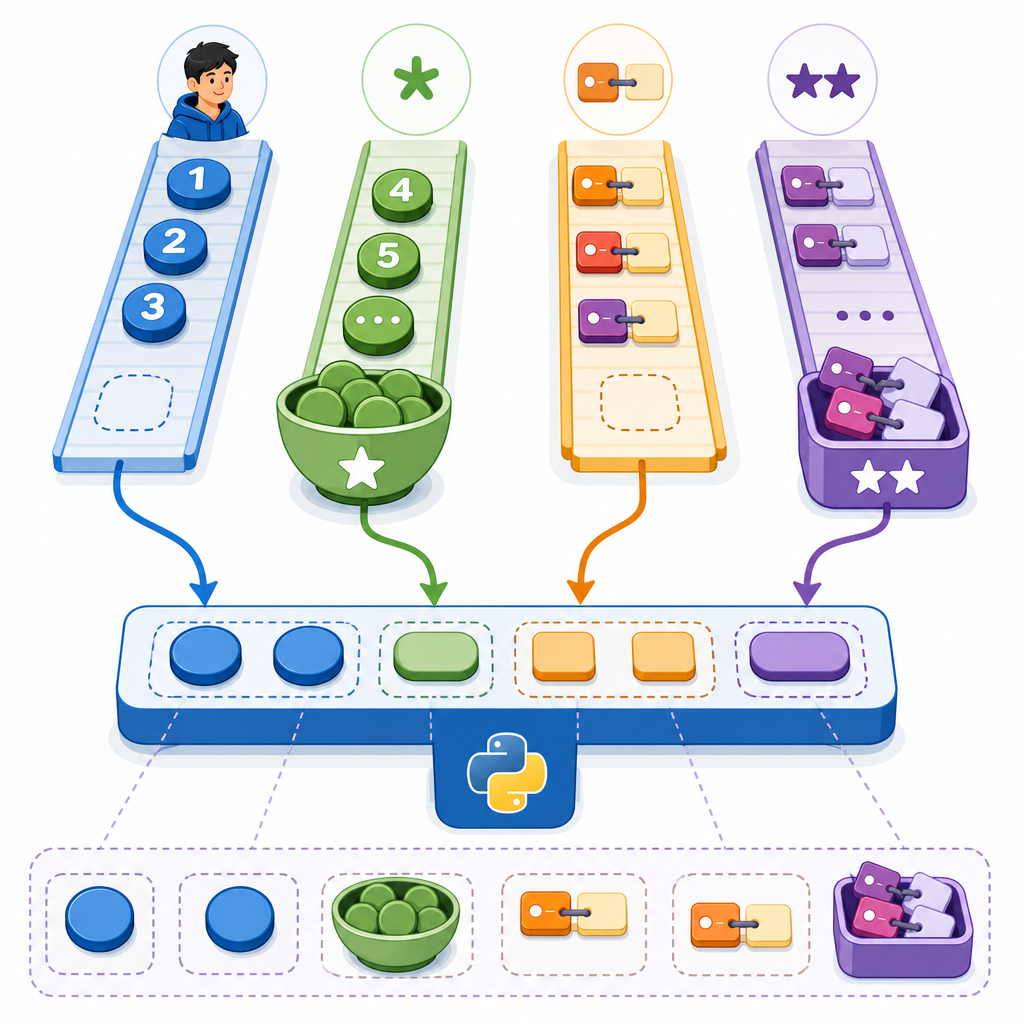
A default argument is a parameter with a value that is used if the caller doesn’t provide one. This makes parameters optional and keeps your calls simple.
def greet(name="World"):
    return f"Hello, {name}!"

print(greet())
print(greet("Aisha"))Hello, World!
Hello, AishaKey rule: default values are evaluated once—when the def statement runs—not every time the function is called. That’s powerful, but it also leads to a classic beginner pitfall.
Common mistake: default mutable arguments cause bugs
Using a mutable object (like a list or dict) as a default can unexpectedly remember data between calls.
basket.append(item)
return basket
print(add_item("apple"))
print(add_item("banana")) # Oops! The previous "apple" sticks around
['apple']
['apple', 'banana']
Fix it by using None as a sentinel and creating a new object inside the function.
def add_item_safe(item, basket=None):
    if basket is None:
        basket = []
    basket.append(item)
    return basket

print(add_item_safe("apple"))
print(add_item_safe("banana"))['apple']
['banana']Use this pattern for any mutable default (lists, dicts, sets). This is one of the most common mistakes with default mutable arguments in Python—and now you know how to avoid it.
Python keyword arguments for beginners
Keyword arguments let you pass values by parameter name. This improves readability and makes calls more flexible, especially when functions have many optional parameters.
def enroll(name, course, level="beginner"):
    return f"{name} - {course} ({level})"

# Positional arguments
print(enroll("Ravi", "Python"))

# Keyword arguments
print(enroll(name="Ravi", course="Python", level="intermediate"))

# Mix: positional first, then keyword
print(enroll("Ravi", course="Python", level="advanced"))Ravi - Python (beginner)
Ravi - Python (intermediate)
Ravi - Python (advanced)- Positional arguments must come first; keyword arguments follow.
- You cannot give the same parameter two values (e.g., both as positional and as keyword, or duplicated via multiple
**dicts).
def f(x, y=0):
    return x + y

# Duplicate "x" via two **dicts causes a runtime TypeError
try:
    print(f(**{"x": 1}, **{"x": 2}))
except TypeError as e:
print("TypeError:", e)TypeError: f() got multiple values for argument 'x'When should I choose keyword arguments over positional arguments?
- When readability matters:
resize(width=800, height=600)is clearer thanresize(800, 600)to someone reading the code later. - When many parameters are optional: call the ones you care about by name and skip the rest.
- When you want a stable API: if parameter order changes later, keyword calls remain correct.
Positional-only and keyword-only parameters
Python lets you make intent explicit:
- Positional-only parameters: must be given by position. Use
/in the function signature. - Keyword-only parameters: must be given by name. Introduce them after
*(or after*args).
return f"Moving to ({x}, {y}) at speed {speed}"
print(move(10, 20)) # OK
print(move(3, 4, speed=2.5)) # OK
# x=..., y=... would be invalid because x and y are positional-only
Moving to (10, 20) at speed 1.0
Moving to (3, 4) at speed 2.5
Real-world example: print uses keyword-only parameters for options like sep and end. Keyword-only parameters make “options” explicit and self-documenting.
/) from the left using positional arguments.*).*args.*) from the remaining keywords. Missing required ones cause TypeError.**kwargs (keys must be strings).TypeError.Python variable length arguments: *args and **kwargs
Sometimes you don’t know how many arguments you’ll get. That’s where “variable arguments” help:
*argscollects extra positional arguments into a tuple.**kwargscollects extra keyword arguments into a new dict (keys must be strings).
def product(*numbers):
    result = 1
    for n in numbers:
        result *= n
    return result

print(product())
print(product(2, 3, 4))

def make_profile(name, **info):
    profile = {"name": name}
    profile.update(info)
    return profile

print(make_profile("Lia", age=19, city="Delhi"))1
24
{'name': 'Lia', 'age': 19, 'city': 'Delhi'}Keys in a **kwargs mapping must be strings. If not, Python raises a TypeError at call time.
print(kw)
try:
show(**{1: "x"}) # keys must be strings
except TypeError as e:
print("TypeError:", e)
TypeError: keywords must be stringsWhen to use *args and **kwargs in Python
- To accept a flexible number of inputs (e.g.,
sum-like utilities). - To forward arguments to another function in wrappers, decorators, and adapters.
- To future-proof APIs when you may add more options later (use keyword-only or
**kwargsthoughtfully).
Forwarding arguments with *args and **kwargs
def debug_call(fn, *args, **kwargs):
    print("Calling:", fn.__name__, "args=", args, "kwargs=", kwargs)
    return fn(*args, **kwargs)

def area(width, height=1, *, unit="px"):
    return f"{width * height}{unit}^2"

print(debug_call(area, 3, height=5, unit="cm"))Calling: area args= (3,) kwargs= {'height': 5, 'unit': 'cm'}
15cm^2Unpacking with * and ** in function calls
You can split a sequence into positional arguments with * and a mapping into keyword arguments with **. Python lets you combine multiple * and ** in the same call.
def product(*numbers):
    result = 1
    for n in numbers:
        result *= n
    return result

nums = [1, 2, 3]
more = (4, 5)
print(product(*nums, *more))  # both unpacked

def make_profile(name, **info):
    out = {"name": name}
    out.update(info)
    return out

options1 = {"age": 20}
options2 = {"city": "Pune"}
print(make_profile("Jay", **options1, **options2))120
{'name': 'Jay', 'age': 20, 'city': 'Pune'}- If two
**mappings contain the same parameter name, the call raisesTypeError(“multiple values for argument”). - Positional arguments (and
*expansions) must come before keyword arguments (and**expansions).
Quick comparison of argument kinds
| Kind | How to declare | How to pass | Notes |
|---|---|---|---|
| Positional-only | Before / (e.g., def f(x, /):) |
By position only | Good for stable APIs where names are internal |
| Positional-or-keyword | Normal parameters (before *) |
By position or by name | Most common parameter kind |
| Var-positional | *args |
Collects extra positional args | Forms a tuple |
| Keyword-only | After * or after *args |
By name only | Great for options like sep, end in print |
| Var-keyword | **kwargs |
Collects extra keyword args | Forms a dict; keys must be strings |
Putting it together: small practice
Try a function that uses a variable number of positional arguments and a keyword-only option for formatting.
def average(*numbers, decimals=2):
    if not numbers:
        return 0.0
    mean = sum(numbers) / len(numbers)
    return round(mean, decimals)

print(average(10, 20, 30))
print(average(1, 2, 3, 4, decimals=3))20.0
2.500Tips for clean, stable function APIs
- Use clear defaults for the most common cases and document them.
- Avoid mutable defaults; use
None+ in-function initialization. - Prefer keyword arguments for optional “tuning” parameters.
- Use keyword-only parameters to force clarity for options.
- Use positional-only parameters to keep names private/stable if you don’t want callers to rely on them.
- Forward arguments in wrappers with
*argsand**kwargsto avoid breaking changes.
- ✓ Defaults: never use mutable defaults (lists, dicts, sets). Use
Nonethen create inside. - ✓ Signature clarity: add
/for positional-only inputs and*to start keyword-only options. - ✓ Calling rules: place positional args (and
*unpacking) before keywords (and**unpacking). - ✓ Forwarding: wrappers should accept
*args/**kwargsand pass them through unchanged. - ✓ Options: make optional settings keyword-only for readability and future compatibility.
- ✓ Validation: raise clear errors for unknown keywords or missing required params.
- ✓ Docs: show at least one call using keywords and one using unpacking (
*/**).
FAQ – Default, Keyword, and Variable Arguments
What are default arguments in Python and how do they work?
They are parameters with preset values used when the caller omits them. Defaults are evaluated once at function definition time, then reused on every call. This is why using mutable defaults can cause state to “stick.”
How do keyword arguments differ from positional arguments in Python?
Positional arguments are matched by their order. Keyword arguments use the parameter name (name=value). Keyword arguments improve readability and let you pass only the options you care about, but they must come after all positional arguments in a call.
What are *args and **kwargs used for in Python functions?
*args collects any extra positional arguments into a tuple; **kwargs collects any extra keyword arguments into a dict. They’re perfect for flexible functions, wrappers, and forward-compatibility.
Why can default mutable arguments cause bugs in Python?
Because the default object is created once and then reused. If you mutate it (like appending to a list), future calls see the mutated object. Use None as a default and create a new object inside the function.
When should I choose keyword arguments over positional arguments?
Use keyword arguments for clarity, for optional settings, and for APIs you want to keep stable even if you later change parameter order. Reserve positional arguments for the essential, obvious parameters.
Further examples: special parameters in practice
Here’s a small function that combines multiple ideas: positional-only required values, keyword-only options, and safe defaults.
def export(data, /, *, fmt="json", indent=2):
    if fmt == "json":
        class="cd-package">import json
        return json.dumps(data, indent=indent)
    elif fmt == "csv":
        # Minimal CSV for simple data
        lines = []
        for row in data:
            lines.append(",".join(map(str, row)))
        return "n".join(lines)
    else:
        raise ValueError("Unsupported format")

print(export([["name", "score"], ["Aisha", 95]], fmt="csv"))name,score
Aisha,95Note how data is positional-only (callers can’t rely on the parameter name), while fmt and indent are keyword-only options.
Sources / Further reading
- Python Tutorial – More Control Flow Tools (functions, defaults, keywords,
*args/**kwargs, special parameters): docs.python.org/3/tutorial/controlflow.html - Language Reference – Function definitions: docs.python.org/3/reference/compound_stmts.html#function-definitions
- Language Reference – Calls: docs.python.org/3/reference/expressions.html#calls
- PEP 3102 – Keyword-Only Arguments: peps.python.org/pep-3102
- PEP 570 – Positional-Only Parameters: peps.python.org/pep-0570
- PEP 448 – Additional Unpacking Generalizations: peps.python.org/pep-0448
- PEP 692 – More precise
**kwargstyping: peps.python.org/pep-0692
Wrap-up
You’ve learned how to use default arguments, when to reach for keyword arguments, and how to capture flexible inputs with *args and **kwargs. Mastering python default keyword and variable arguments lets you design functions that are clean, readable, and friendly to both beginners and future you. Keep exploring and practicing in our Python section at CodDesire.