
AI agents for beginners are no longer sci‑fi. In 2026 they’re practical systems that can plan, take actions with tools, and report back—useful for students, creators, bloggers, developers, small business owners, and startups. This page explains what they are, how they work in simple terms, where they help today, and how to launch safe first AI agent projects with modern guardrails.
What is an AI agent in simple terms?
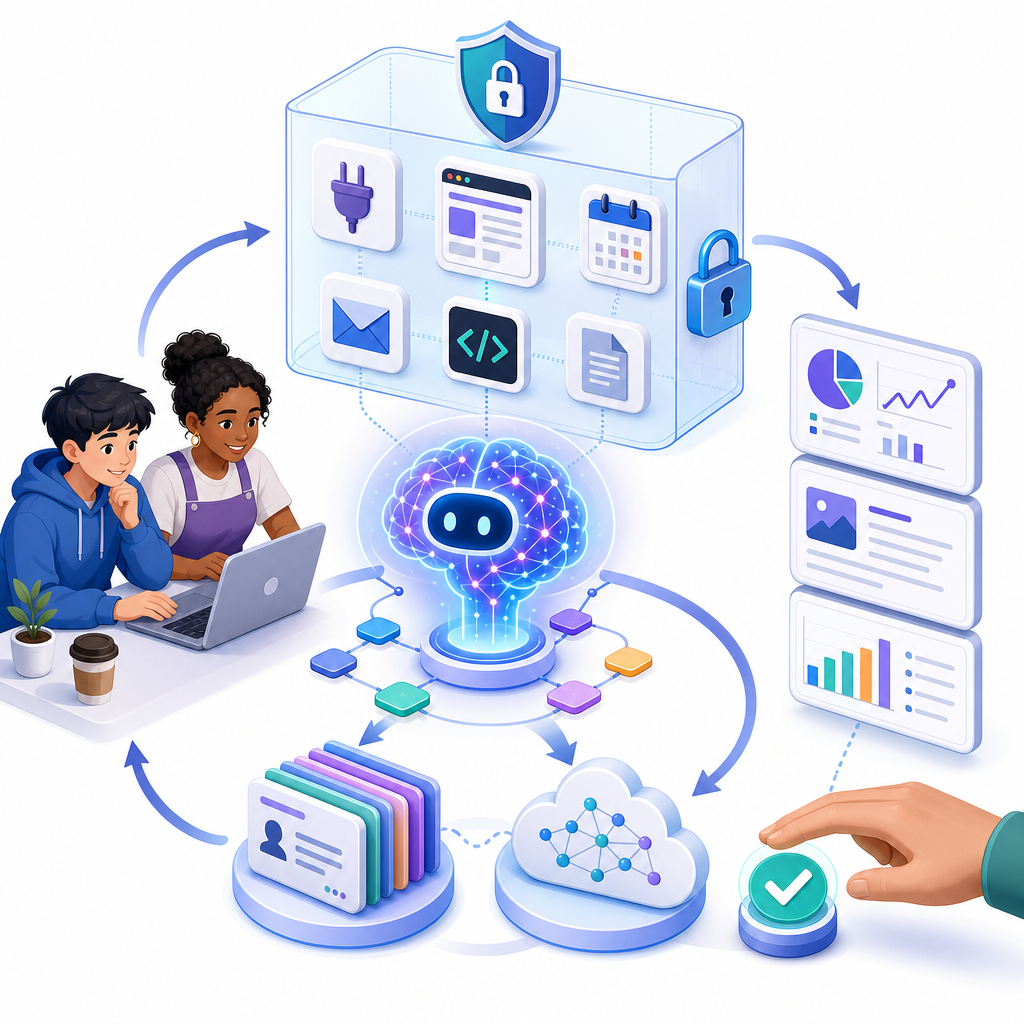
An AI agent is a goal‑driven program powered by an AI model that can decide what to do next, use tools or APIs, and learn from the results. Think of it as “a smart assistant that can click buttons, call services, and follow a plan,” but within rules you set.
For beginners, a helpful mental model is: model + harness + tools + memory + rules in a loop. The harness is the runtime that orchestrates the model’s planning, tool calls, and observations until the task is done.
How AI agents work explained simply
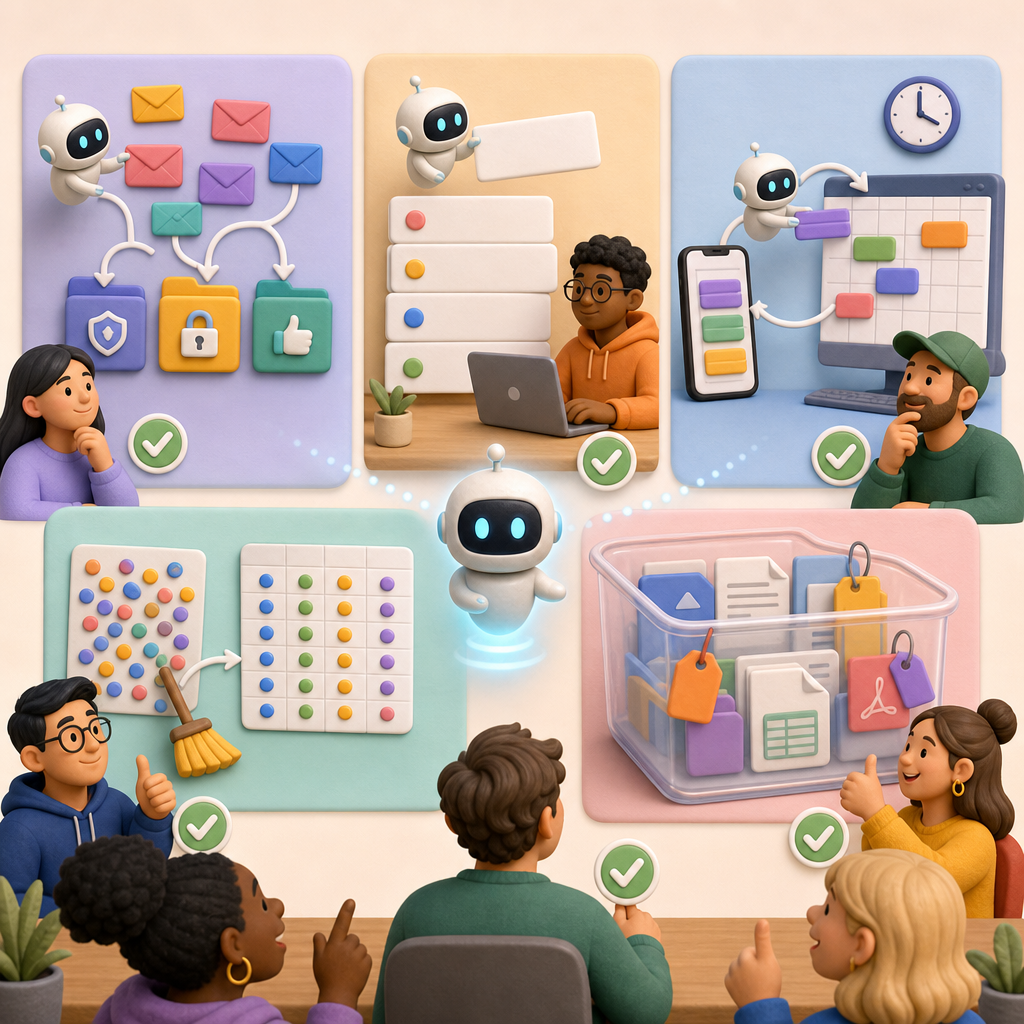
Most modern agents follow a plan–act–observe loop:
- Plan: The model breaks your goal into steps.
- Act: It uses tools (APIs, web fetch, file I/O, spreadsheets, sandboxes) to try a step.
- Observe: It reads the result, updates its plan or memory, and repeats until done or a stop rule is hit.
Key pieces you’ll see in beginner AI agent tools and platforms (2026):
- The model: An LLM that reasons about the task.
- The harness/runtime: The layer that executes tools safely, manages the loop, and enforces policies.
- Tools/APIs: Capabilities such as web retrieval, spreadsheets, CRM APIs, calendars, or code execution in a sandbox.
- Memory/state: Short‑term notes for the session and optional long‑term storage for preferences or results.
- Guardrails: Rules like “read‑only access,” confirmation prompts for risky steps, and resource limits.
- Human‑in‑the‑loop: Review and approval checkpoints before anything important is changed or sent.
AI agents vs chatbots for beginners
- Chatbots/assistants: Mostly answer questions or draft text. They don’t usually take actions.
- AI agents: Can take actions with tools and data, follow multi‑step plans, and report progress or ask for approval.
For your first build, prefer a narrow agent that only uses a small set of safe tools, rather than a general‑purpose conversational bot with broad permissions.
Where AI agents help beginners and small teams today
Good early wins are repetitive, well‑scoped tasks with low risk if something goes wrong.
- Students: Research digests from a reading list; flashcard generators from class notes; practice quizzes from lecture slides.
- Creators & bloggers: Topic clustering from your past posts; headline and outline drafts; SEO meta suggestions with a review step.
- Small businesses & startups: Inbox triage suggestions (read‑only); FAQ draft replies from your help docs; invoice data extraction to a CSV for review.
- Developers: Code refactor suggestions gated by pull‑request comments; log summarization; test case generation for a module with unit tests.
These are “safe first AI agent projects” because they can be run in read‑only or sandboxed modes and always keep a human reviewer in the loop.
Beginner‑friendly tools and platforms in 2026
The ecosystem has matured, with mainstream options that emphasize safety, observability, and governance:
- OpenAI Agents SDK: A batteries‑included harness with native sandbox execution, tool definitions, and patterns for the plan–act–observe loop. OpenAI’s newer Responses API and Agents SDK are the recommended path (with Assistants API features on a sunset path mid‑2026). See OpenAI’s latest guidance and CUA benchmark notes for computer‑use reliability.
- Microsoft: Agent Framework and Foundry Agent Service for enterprise‑grade agent deployments and governance.
- Google: Gemini Enterprise Agent Platform with an Agent Registry to organize and publish agent capabilities inside your org.
Popular open‑source style frameworks to know:
- Graph runtimes (e.g., LangGraph): Maximum control over multi‑step and multi‑agent workflows; great for developers who need custom governance and tracing.
- Team‑style frameworks (e.g., CrewAI): Structured multi‑agent collaboration with role definitions.
- Batteries‑included harnesses (e.g., Deep Agents): Quick to start for single‑agent tasks with sensible defaults.
Interoperability is improving but not finished. Three names to watch:
- MCP (Model Context Protocol): A common way to connect tools to agents.
- A2A (Agent‑to‑Agent): Messaging between agents across systems.
- ARD (Agentic Resource Discovery): A way to publish and discover agentic capabilities on the web and within organizations.
Always verify compatibility with your security and compliance needs—standards are consolidating but not universal yet.
Step‑by‑step AI agent tutorial for a first project
Let’s outline a safe, 60–90 minute starter build you can adapt to your role. You’ll create a “Reading‑list Research Agent” that:
- Reads a small list of URLs you provide.
- Summarizes each source into bullet points.
- Produces a draft outline for a blog post or study sheet.
- Saves results to a local file or a sandboxed storage location.
- Asks for your confirmation before creating the final document.
1) Scope tightly and set rules
- Goal: “Summarize 5 pre‑approved URLs and draft an outline. Do not browse outside this list.”
- Permissions: Read‑only web fetch, write to a sandboxed file only.
- Stop conditions: 20 steps max, 10 minutes max, must ask for approval before final write.
2) Prepare inputs
- Create a text file with your 5 URLs.
- Create a “prompt brief” that defines tone (educational, beginner‑friendly) and audience (blog readers or classmates).
3) Choose your harness
- No/low‑code path: Use a provider’s hosted quickstart or console to define an agent with a web‑read tool and sandboxed file output. Limit it to your 5 URLs via parameters.
- Code‑first path: Use OpenAI’s Agents SDK quickstart or a graph runtime. Define tools for:
- fetch(url) that validates URLs are in your list;
- write_file(path, content) that only allows writing to a temp folder.
| Path | What it looks like | Control & safety | Best first uses |
|---|---|---|---|
| No/low‑code | Provider console wizard; pick tools (web‑read, files), paste URLs, set approvals | Good defaults; easy allow‑lists; built‑in approval prompts; limited custom logic | Research digests, FAQ drafters, spreadsheet exports with review |
| Code‑first (Agents SDK) | Define tools and policies in code; use sandbox execution and traces | High control over allow‑lists, budgets, approvals; good observability | Custom fetch/write rules, role‑specific flows, gated file writes |
| Graph/runtime frameworks | Compose multi‑step or multi‑agent graphs; explicit states and guards | Maximum governance and testing; steeper learning curve | Team research agents, multi‑tool workflows, enterprise policies |
4) Add guardrails
- Implement allow‑lists on URLs and file paths.
- Require explicit user confirmation before final write (“Type APPROVE to continue”).
- Set token and budget caps; log all tool calls and outputs.
5) Test in a sandbox
- Run with 2 URLs first. Check that summaries are accurate and sources are cited.
- Induce a failure (bad URL) to confirm graceful error handling.
6) Review and ship
- Keep the human approval step.
- Keep read‑only browsing and sandboxed writes.
- Document limitations for users (e.g., “Drafts only; verify facts”).
Variations for different roles:
- No‑code AI agent setup for small business: Replace web read with “read uploaded PDFs” (your product sheets) and generate a CSV of FAQs and answers for review.
- AI agents for creators and bloggers: Read your public RSS feed, cluster topics by theme, and create a month‑long content calendar as a draft spreadsheet you’ll edit before posting.
- Best beginner AI agent frameworks for developers: Use a graph runtime to chain: load docs → chunk → agentic retrieval → outline → save draft PR in a docs repo, opened as a branch for review (never commit directly).
Safety first: practical guardrails for running agents at home or in class
Current reality: agents are powerful but not fully reliable or risk‑free, especially for computer‑use tasks. Follow these safety tips for running AI agents at home, school, or a small business:
- Least privilege: Start with read‑only scopes; selectively allow write actions and always require explicit confirmation.
- Sandbox execution: Use native sandboxes in your platform or containers/VMs. Never give direct access to your main file system, email, or payments.
- Prompt‑injection defenses: Treat all external content as untrusted. Use allow‑lists, strip or neutralize embedded instructions, and follow OWASP LLM guidance. Never let web pages set your agent’s goals.
- Human‑in‑the‑loop: Review before send, deploy, or post. Require double‑check on anything irreversible.
- Data privacy: Redact sensitive data in prompts/outputs and avoid connecting personal accounts in early prototypes.
- Cost and rate limits: Set per‑run token caps, timeouts, and budget ceilings.
- Logging and evals: Save traces of tool calls and outcomes. Run simple evaluations on a few test cases before real use.
Why this matters: prompt injection and agent hijacking remain the top practical risks in 2026. Leading references from OWASP, OpenAI Safety, and NIST recommend layered mitigations—no single defense is enough.
Reliability and limitations in 2026
Even with native sandboxes and improved planning, long‑horizon and computer‑use tasks are not “fire‑and‑forget.” Benchmarks like CUA show meaningful error rates on real machines. Build for:
- Review/approval: Always gate consequential actions.
- Graceful failure: If a step fails, collect partial results and exit cleanly.
- Transparency: Show users what tools were called and why.
Don’t give agents broad, default access to email, files, or payments to “make them more autonomous.” Start narrow, add permissions gradually, and keep oversight in place.
What’s new and what’s next
Three trends will matter to beginners over the next year:
- Better harnesses: OpenAI’s Agents SDK and similar services from Microsoft and Google are making sandboxed execution, traces, and policies easier by default.
- Agentic RAG and multi‑agent patterns: Out‑of‑the‑box retrieval and team‑style research agents are improving performance on complex workflows, reducing glue code for beginners.
- Interoperability: Standards like MCP (tool connectors), A2A (agent messaging), and ARD (discovery) are maturing, but still verify compatibility before you commit.
Quick checklist before you ship your first agent
- Goal is narrow, reversible, and low‑risk.
- Permissions are least‑privilege; writes require approval.
- Runs in a sandbox with time, token, and budget limits.
- Defenses for prompt injection and untrusted inputs are in place.
- Human review exists before external sends or changes.
- Traces, logs, and a simple eval set are enabled.
- Fallback path and user guidance are documented.
FAQ: AI agents for beginners
What is an AI agent in simple terms?
It’s an AI‑powered program that can plan steps, use tools or APIs, check results, and continue until it reaches your goal—within rules you define.
Do I need to code to build my first AI agent?
No. Many platforms offer hosted quickstarts to configure simple, safe agents. Coding gives you more control over guardrails and observability, which you’ll want as you scale.
How do AI agents differ from chatbots and assistants?
Chatbots mainly converse. Agents can take actions with tools, follow multi‑step plans, and ask for approval before doing something important.
What are safe first AI agent projects for students or small businesses?
Read‑only research digests, draft replies from your FAQ docs, content outlines from your posts, CSV exports of extracted data, and log or inbox triage suggestions—all with a review step.
Which beginner‑friendly tools can I use to create a simple AI agent in 2026?
Start with the OpenAI Agents SDK quickstart or enterprise options from Microsoft and Google that include sandboxes and registries. For developers who want fine control, consider graph runtimes and batteries‑included harnesses, and verify governance features.
Practical tips and common pitfalls
- Prefer allow‑lists to block‑lists: Only permit the websites, files, or APIs your agent truly needs.
- Treat drafts as drafts: Have your agent generate proposals and checklists; you publish the final version.
- Log everything: Tool inputs/outputs, model thoughts (where supported), and user approvals.
- Iterate before autonomy: Add more permissions only after a few successful, reviewed runs.
- Teach users: A short “How this agent works and where it can fail” note prevents misunderstandings.
Sources and further reading
- OpenAI — The next evolution of the Agents SDK
- OpenAI — New tools for building agents (Responses API, CUA benchmarks)
- Anthropic — Trustworthy agents in practice
- OWASP — Top 10 for LLM Applications (LLM01: Prompt Injection)
- OpenAI — Understanding and defending against prompt injections
- NIST — Adversarial ML: Taxonomy and mitigations (2025)
- Google Developers — Agentic Resource Discovery (ARD) spec
- Google Cloud — Agent Registry overview
Keep exploring with CodDesire
Want more beginner‑friendly, practical guides like this? Visit the CodDesire Technology section for tutorials, tool breakdowns, and safe project ideas tailored to students, creators, developers, and small teams. Continue learning on our Technology page.