
Errors happen, especially when you are learning to code. Python’s exception handling gives you a safe way to deal with errors without crashing your program. In this quick guide, you’ll learn Python try except finally with examples. We’ll explain the basic syntax, show simple examples for beginners, cover how to use else and finally, demonstrate how to catch multiple exceptions, and highlight common mistakes and best practices. By the end, you’ll be comfortable handling errors in Python programs.
- Write small try blocks; catch specific exceptions you expect (e.g., ValueError).
- Use else for success-only work; use finally for guaranteed cleanup (closes, releases).
- Avoid bare except: and avoid returns inside finally; log errors with context.
What is exception handling in Python?
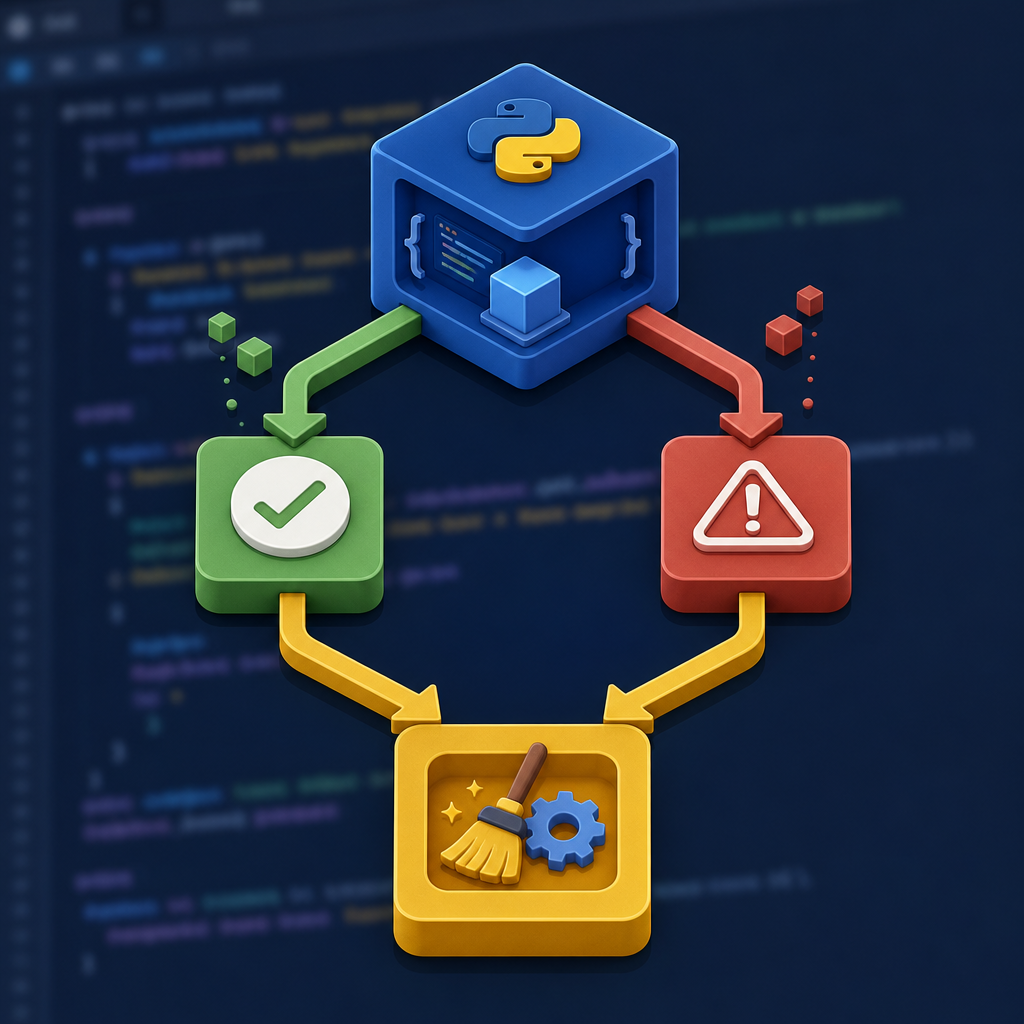
Exception handling is Python’s way of responding to unexpected events during program execution—like invalid user input, missing files, or division by zero. Instead of your program stopping with a traceback, you can catch the problem, show a friendly message, try a fallback, or clean up resources safely.
For beginners, remember:
- try: run code that might raise an error
- except: handle a specific error (or errors)
- else: run only if no error happened
- finally: always run (for cleanup), whether there was an error or not
Syntax of try, except, else, finally
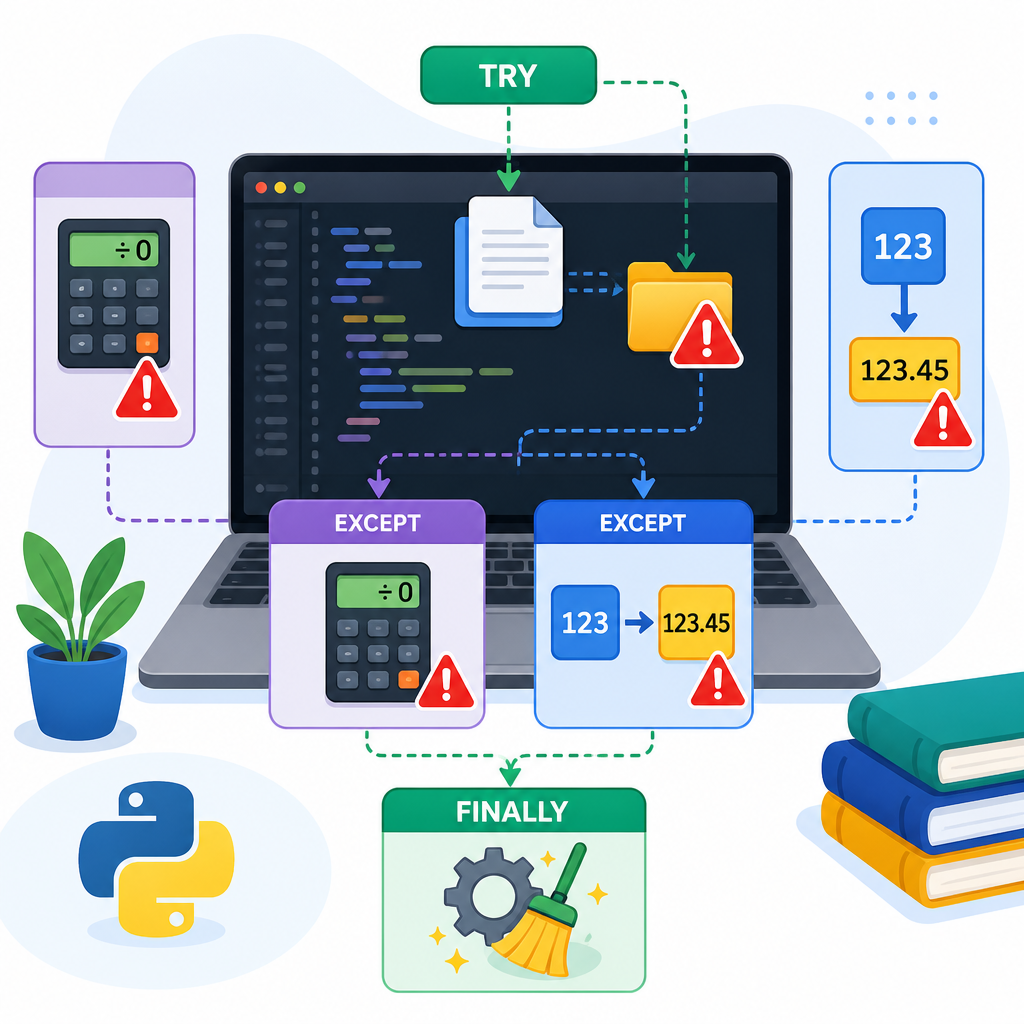
Here is the basic structure used in Python exception handling for beginners:
# code that may raise an exception
except SpecificError as e:
# handle that specific error
except (ValueError, TypeError) as e:
# handle multiple related errors
else:
# this runs only if no exception was raised in try
finally:
# this always runs (cleanup: close files, release connections, etc.)
Notes:
- You can have multiple
exceptblocks, but at most oneelseand onefinally. trycan be paired with onlyfinally(withoutexcept) if you only need guaranteed cleanup.elseis optional; use it for code that should run only when no error occurs intry.
Control flow at a glance
elseruns only whentryraises no exception.finallyalways runs (even afterreturn,break, or an error).
Simple Python try except finally example for beginners
Let’s convert input text to an integer, handle errors, and always print a final message. This is a simple Python try except finally example for beginners:
def to_int(s):
    print(f"Trying to convert: {s!r}")
    try:
        n = int(s)
    except ValueError:
        print("Oops! That is not a whole number.")
        n = 0
    else:
        print("Success! Conversion worked.")
    finally:
        print("Finished attempt.n")
    return n

a = to_int("42")
b = to_int("hello")
print(a, b)
Possible output:
Trying to convert: '42'
Success! Conversion worked.
Finished attempt.

Trying to convert: 'hello'
Oops! That is not a whole number.
Finished attempt.

42 0
Why this works:
except ValueErrorcatches only number-conversion errors and sets a safe default.elseruns only when the conversion succeeds.finallyruns in all cases, which is perfect for cleanup or consistent logging.
Why use else and finally?
else: code that should run only on success
Put success-only actions in else so they don’t run if an error happened:
try:
    value = float("3.14")
except ValueError:
    print("Could not parse number.")
else:
    print(f"Parsed value: {value}")
finally: guaranteed cleanup
Use finally to release resources (files, network connections) even if an error occurred.
try:
f.write("Hellon")
finally:
# Always executed
f.close()
Tip: Prefer context managers with with for files and similar resources:
with open("data.txt", "w") as f:
f.write("Hellon")
Handling multiple exceptions
When the same fix works for several error types, catch them together. This is how to catch multiple exceptions in Python with examples:
try:
return a / b
except (ZeroDivisionError, TypeError) as e:
print(f"Cannot divide: {e}")
return None
print(safe_divide(10, 2)) # 5.0
print(safe_divide(10, 0)) # Cannot divide: division by zero
print(safe_divide(10, "x")) # Cannot divide: unsupported operand type(s) ...
Python 3.14+ also allows listing exceptions without parentheses if not binding them to a variable:
try:
1 / 0
except ZeroDivisionError, ArithmeticError:
print("Math issue!")
For older versions or portability, keep the parentheses: except (ZeroDivisionError, ArithmeticError):.
Python try except else basics
Here’s a compact pattern that shows try, except, else, finally working together:
try:
n = int(s)
except ValueError:
return "Please enter a valid integer."
else:
return n * n
finally:
# Avoid return/break/continue in finally; it can override exceptions/returns.
# Python 3.14 may warn about control flow here.
pass
print(read_number_and_square("8")) # 64
print(read_number_and_square("eight")) # Please enter a valid integer.
Python try except input validation example
How can I handle user input errors with try except in Python? Use a loop that keeps asking until the input is valid:
def read_choice_1_to_10():
    while True:
        s = input("Enter an integer from 1 to 10: ")
        try:
            n = int(s)
        except ValueError:
            print("That is not a whole number. Try again.")
            continue
        if 1 <= n <= 10:
            return n
        else:
            print("Out of range. Try again.")

choice = read_choice_1_to_10()
print(f"You selected {choice}.")
Difference between except and finally
| Part | When it runs | Typical use |
|---|---|---|
| except | Only if a matching exception is raised in try | Handle or report specific errors; offer fallback |
| finally | Always, whether an exception occurred or not | Cleanup: close files, release resources, restore state |
When to use else and finally in Python try except
- Use else for code that should run only if try succeeded (e.g., use parsed values, commit changes).
- Use finally for guaranteed cleanup that must run no matter what (e.g., close file/database connections).
Using logging and adding notes (helpful for debugging)
For real projects, avoid silently swallowing errors. Log them, and add helpful context when re-raising. Python 3.11+ lets you attach notes to exceptions.
class="cd-package">import logging
logging.basicConfig(level=logging.INFO)

def load_user(user_id):
    try:
        raise LookupError("user not found")
    except LookupError as e:
        # Python 3.11+: enrich the exception
        try:
            e.add_note(f"user_id attempted: {user_id}")
        except AttributeError:
            # add_note not available on older Pythons
            pass
        logging.exception("Failed to load user")
        return None

load_user(123)
If you transform one error into another, chain it to keep the original cause:
try:
    port = int("eight")
except ValueError as err:
    raise RuntimeError("Invalid port in configuration") from err
Advanced note: multiple concurrent errors (Python 3.11+)
In modern async code, multiple tasks can fail at once. Python 3.11 introduced ExceptionGroup and the except* syntax to handle parts of a group. You cannot mix normal except and except* in one try block.
def trigger_group():
raise ExceptionGroup("many", [ValueError("bad"), OSError("disk")])
try:
trigger_group()
except* ValueError as eg:
for err in eg.exceptions:
print("Handled ValueError:", err)
except* OSError as eg:
for err in eg.exceptions:
print("Handled OSError:", err)
Common Python error handling mistakes and fixes
- Using a bare
except:that catches everything (includingKeyboardInterruptandSystemExit). Fix: catch specific exceptions likeexcept ValueError:. - Swallowing errors silently. Fix: at least log or print a clear message; prefer
loggingwith a traceback. - Making the try block too big. Fix: keep the risky line(s) inside try; put unrelated code outside.
- Returning or breaking inside
finally. Fix: avoid control flow in finally; it can hide real errors and, in newer Python, may trigger warnings. - Not using context managers for files/sockets. Fix: prefer
with open(...)to manage resources automatically. - Catching
ExceptionorBaseExceptionbroadly. Fix: catch the narrowest exception that solves your problem. - Mixing
exceptandexcept*in the sametry. Fix: choose one form per block.
Catch pattern safety (qualitative)
except:High risk
except Exception:Medium risk
ValueError)Low risk
Best practices (quick checklist)
- Catch only the exceptions you expect and know how to handle.
- Use
elsefor success-only code; usefinallyfor guaranteed cleanup. - Prefer
withstatements for resource management. - Log exceptions with context; consider
raise ... from ...to preserve causes. - Write small, focused try blocks.
- Validate user input using try/except loops for a good user experience.
FAQ: People also ask
What is exception handling in Python for beginners?
It’s a structured way to detect and respond to runtime errors without crashing your program. Use try to run risky code and except to handle specific errors. Optionally add else for success-only code and finally for cleanup.
How do try, except, else, and finally work in Python?
- try: run code that may fail
- except: run only if a specific error occurred
- else: run only if no error occurred in try
- finally: always run, whether or not there was an error
How do I catch multiple exceptions in one block in Python?
Group them in a tuple: except (ValueError, TypeError):. On Python 3.14+, you may also write except ValueError, TypeError: when not binding the exception to a variable.
What is the difference between except and finally in Python?
except handles a particular error if it happens. finally always runs, typically to clean up resources, regardless of success or failure.
How can I handle user input errors with try except in Python?
Wrap the conversion or validation in a try/except and loop until valid input is given. See the “Python try except input validation example” section above.
Practice: small exercises
- Write a function
safe_sqrt(x)that returns the square root ifxis non-negative, otherwise returnsNone. HandleTypeErrorwhenxisn’t a number. - Open a file given by the user. If the file doesn’t exist, print a message and ask for another filename. Always close the file when done.
- Parse an integer from input, then divide 100 by it. Handle invalid numbers and division by zero with clear messages.
Where to go next
Keep learning core Python with our beginner-friendly lessons. Visit our Python tutorials for data types, loops, functions, file handling, and more.
Sources / Further reading
- Python Reference: try/except/else/finally (3.14) — docs.python.org
- Built-in Exceptions — docs.python.org
- PEP 678: Enriching Exceptions with Notes (3.11+) — peps.python.org
- PEP 654: Exception Groups and except* (3.11+) — peps.python.org
- PEP 758: Unparenthesized exception lists in except/except* (3.14) — peps.python.org
- contextlib utilities (suppress/closing) — docs.python.org
Summary
Now you’ve seen Python try except finally with examples, learned the role of else and finally, how to catch multiple exceptions, and how to avoid common mistakes. Start applying these patterns to make your programs more robust and friendly for users. For more beginner-friendly topics and hands-on practice, continue with our Python tutorials.