
If you work with schedules, logs, homework deadlines, or timestamps in files, you need dates and times. This python date and time tutorial walks you through the Python datetime module with examples. You’ll learn the basics, how to format and parse dates, do date math, and handle time zones correctly. This guide is beginner-friendly and perfect for students and Python learners. If you’re new to Python, see more lessons in the CodDesire Python section.
What is the datetime module in Python?

The datetime module provides classes for working with dates, times, combined date-times, time differences, and time zones. It’s part of the standard library, so you don’t need to install anything. Core types you’ll use are:
date: calendar date (year, month, day)time: clock time (hour, minute, second, microsecond)datetime: a combination of date and time, optionally with a time zonetimedelta: a duration, for date/time arithmetictzinfo/timezone: time zone support (pluszoneinfofor real-world zones)
datetime vs date vs time
| Type | Represents | Example | Common use |
|---|---|---|---|
date |
Year, month, day | 2026-05-01 | Birthdays, deadlines without times |
time |
Hour, minute, second | 07:30:00 | Alarms, daily routines |
datetime |
Date and time together | 2026-05-01 09:00:00 | Events, logs, timestamps |
Tip: Python has “naive” and “aware” datetimes. A naive datetime has no time zone info; an aware datetime includes a time zone (UTC or a region like “America/New_York”). Use aware datetimes for reliable math and conversions, especially when working across regions.
- Store and compare in UTC: use
datetime.now(UTC)and savedt.isoformat(). - Show times for humans by converting:
aware_dt.astimezone(ZoneInfo("Region/City")). - Parse input safely: prefer
datetime.fromisoformat()for ISO strings; otherwisestrptime(). - Never convert zones with
replace(tzinfo=...)— useastimezone()instead.
Quick start: get today’s date and current time
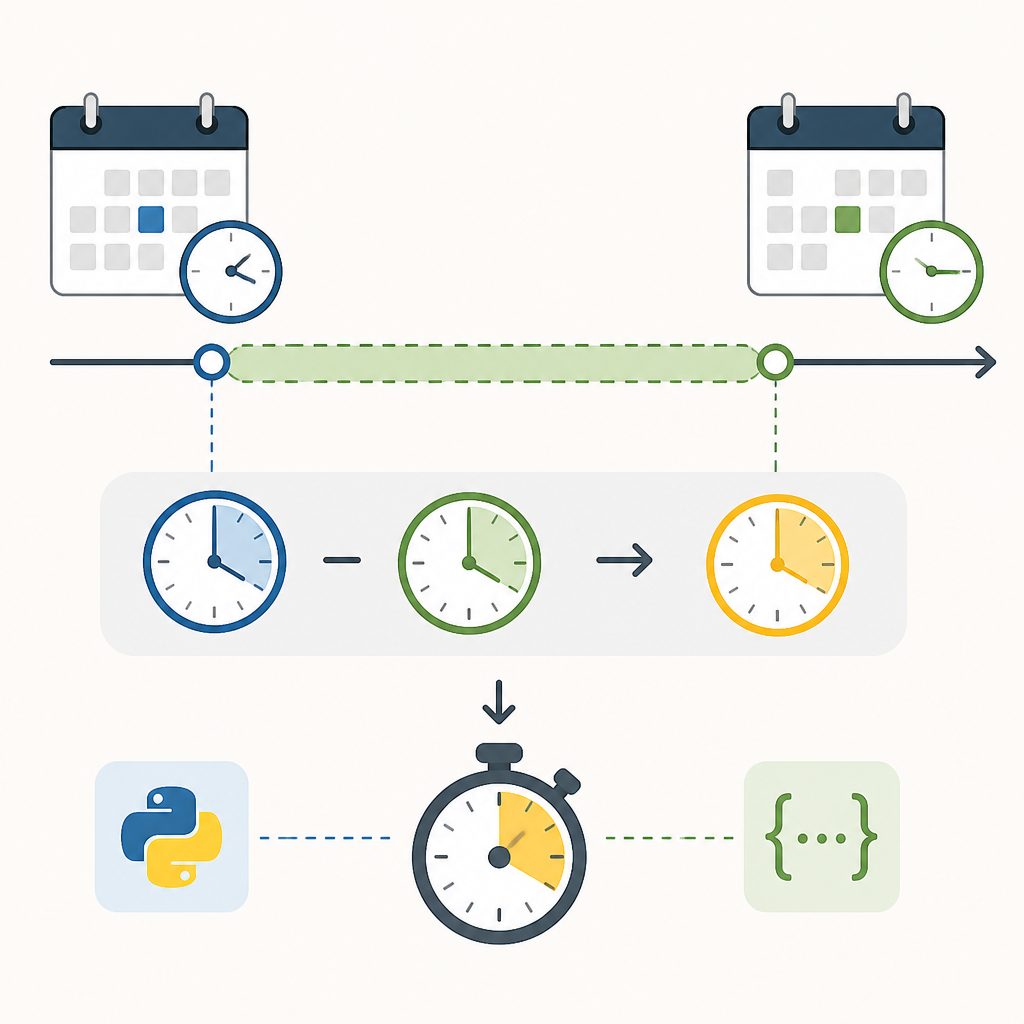
Get today’s date
today = date.today()
print("Today is:", today) # e.g., 2026-05-01
print("ISO format:", today.isoformat())
Get the current local time and datetime
now_local = datetime.now() # naive: no time zone info
print("Local now:", now_local.strftime("%Y-%m-%d %H:%M:%S"))
Get the current UTC time (recommended)
From Python 3.11+, a top-level UTC constant makes this easy. Use UTC for consistent timestamps in logs, APIs, and databases.
now_utc = datetime.now(UTC) # aware: has UTC time zone
print("UTC now:", now_utc.isoformat())
Create dates and times
You can construct date, time, and datetime directly.
bday = date(2005, 9, 15) # YYYY, M, D
alarm = time(7, 30) # H, M
meeting = datetime(2026, 4, 10, 9, 0) # YYYY, M, D, H, M
print("Birthday:", bday)
print("Alarm:", alarm)
print("Meeting:", meeting)
Format dates in Python with strftime
Use strftime() to turn a date or datetime into a nicely formatted string. Common directives:
%Yyear,%mmonth,%dday%Hhour (24h),%Ihour (12h),%Mminute,%Ssecond%Aweekday name,%Bmonth name%ztime zone offset like +0000 (when aware)
Python 3.12 added %:z for time zone offsets like +00:00. If you’re on 3.12+, you can prefer it. Below is a portable example using %z:
dt = datetime(2026, 1, 5, 16, 45, tzinfo=UTC)
print(dt.strftime("%Y-%m-%d %H:%M %z")) # 2026-01-05 16:45 +0000
print(dt.strftime("%A, %d %B %Y at %I:%M %p")) # Monday, 05 January 2026 at 04:45 PM
Parse dates: convert string to datetime
There are two popular ways to turn strings into datetimes:
1) Parse with strptime (you specify the format)
s = "2026-07-01 14:20"
dt = datetime.strptime(s, "%Y-%m-%d %H:%M")
print(dt, type(dt))
2) Parse ISO 8601 with fromisoformat
Modern APIs often return ISO 8601 (e.g., 2024-07-01T12:30:00Z). Python 3.11+ accepts a trailing Z for UTC with fromisoformat. For wider compatibility across versions, you can replace Z with +00:00:
iso_s = "2024-07-01T12:30:00Z"
dt = datetime.fromisoformat(iso_s.replace("Z", "+00:00"))
print(dt.isoformat())
Do date and time math with timedelta
Use timedelta to add or subtract time spans and to measure differences.
start = datetime(2026, 5, 1, 9, 0, tzinfo=UTC)
deadline = start + timedelta(days=7, hours=4)
how_long = deadline - start
print("Start:", start.isoformat())
print("Deadline:", deadline.isoformat())
print("Duration:", how_long)
Time zones for beginners: use zoneinfo
Real-world time zones are complex (DST changes, historical rules). Python 3.9+ includes zoneinfo with the IANA time zone database names like America/New_York or Asia/Tokyo. Always prefer aware datetimes for conversions and scheduling across regions.
from zoneinfo import ZoneInfo
# Current time in New York
now_ny = datetime.now(ZoneInfo("America/New_York"))
# Convert to Tokyo time
now_tokyo = now_ny.astimezone(ZoneInfo("Asia/Tokyo"))
print("New York:", now_ny.isoformat())
print("Tokyo:", now_tokyo.isoformat())
To convert between zones, use astimezone(). Do not use replace(tzinfo=...) to change zones, as that only re-labels the datetime and can be wrong.
Creating scheduled events with time zones
from zoneinfo import ZoneInfo
event_local = datetime(2026, 3, 15, 10, 0, tzinfo=ZoneInfo("Europe/London"))
event_in_india = event_local.astimezone(ZoneInfo("Asia/Kolkata"))
print("London:", event_local.isoformat())
print("Kolkata:", event_in_india.isoformat())
UNIX timestamps (seconds since epoch)
Sometimes you receive a UNIX timestamp (seconds since 1970-01-01 UTC). Convert it to a aware datetime like this:
class="cd-package">import time
from datetime class="cd-package">import datetime, UTC

ts = time.time()  # float seconds since epoch
dt_utc = datetime.fromtimestamp(ts, UTC)
print("Timestamp:", ts)
print("As UTC datetime:", dt_utc.isoformat())
In modern code (Python 3.12+), prefer datetime.now(UTC) and datetime.fromtimestamp(ts, UTC) over older utcnow()/utcfromtimestamp() which are deprecated.
Common mistakes and how to avoid them
- Mixing naive and aware datetimes: Do not compare or do math across naive and aware values. Use aware datetimes consistently, especially for cross-region apps.
- Using
replace(tzinfo=...)to convert zones: this only changes the label, not the instant in time. Useastimezone()for conversions. - Assuming naive datetimes are UTC or local: naive means “no time zone specified.” Be explicit by passing
tzinfo=UTCor aZoneInfozone. - Relying on deprecated APIs: avoid
datetime.utcnow()anddatetime.utcfromtimestamp()in new code (deprecated as of Python 3.12). UseUTCinstead. - DST traps: some local times repeat or don’t exist during DST transitions. If you work with such times, learn about the
foldattribute (PEP 495) to disambiguate repeated times.
Example: DST ambiguity with fold
During a “fall back,” 1:30 AM can occur twice. You can disambiguate with fold:
from zoneinfo import ZoneInfo
dt = datetime(2026, 11, 1, 1, 30, tzinfo=ZoneInfo("America/New_York"))
early = dt.replace(fold=0) # first 1:30 AM (DST in effect)
late = dt.replace(fold=1) # second 1:30 AM (standard time)
print("Early offset:", early.utcoffset())
print("Late offset:", late.utcoffset())
Mini reference: how to use datetime in Python
- How to get current date and time in Python:
date.today()datetime.now()(local, naive)datetime.now(UTC)(UTC, aware)
- How to format:
dt.strftime("%Y-%m-%d %H:%M:%S")- Offset with
%z, and on Python 3.12+ you can use%:zfor±HH:MM
- How to parse:
datetime.strptime(s, "%Y-%m-%d")datetime.fromisoformat("2024-07-01T12:30:00+00:00")
- How to add/subtract:
deadline = start + timedelta(days=7)delta = end - start
- Time zones for beginners:
from zoneinfo import ZoneInfodatetime.now(ZoneInfo("Asia/Tokyo"))aware.astimezone(ZoneInfo("Europe/Berlin"))
- Logging/DB: use
datetime.now(UTC)and storeISO 8601. - User display: convert with
astimezone(ZoneInfo("Region/City")). - Parsing ISO strings with
Z:s.replace("Z", "+00:00")thenfromisoformat. - Only compare/mix aware with aware; naive with naive.
- Use
timedeltafor math; avoid adding raw seconds to strings. - Check DST edges when scheduling in local zones; use
foldif needed. - Prefer
zoneinfonames (e.g.,America/New_York) over fixed offsets for people-facing times.
Complete example: a tiny study planner
This small script shows the python datetime basics together: getting now in UTC, formatting for display, and computing due dates.
from zoneinfo import ZoneInfo
# Input: study session in your local zone
local_zone = ZoneInfo("America/New_York")
start_local = datetime.now(local_zone)
# Your session lasts 90 minutes
end_local = start_local + timedelta(minutes=90)
# Save timestamps in UTC (good for files/APIs)
start_utc = start_local.astimezone(UTC)
end_utc = end_local.astimezone(UTC)
# Display for you and a friend in London
fmt = "%Y-%m-%d %H:%M"
print("You (NY): ", start_local.strftime(fmt), "→", end_local.strftime(fmt))
print("Saved UTC:", start_utc.isoformat(), "→", end_utc.isoformat())
london_zone = ZoneInfo("Europe/London")
print("Friend (London):",
start_local.astimezone(london_zone).strftime(fmt),
"→",
end_local.astimezone(london_zone).strftime(fmt))
FAQ: Python datetime module with examples
What is the datetime module in Python?
It’s a standard library module for working with dates, times, combined datetimes, durations, and time zones. It includes classes like date, time, datetime, timedelta, and works with zoneinfo for real-world time zones.
How do I get today’s date and current time in Python?
Use date.today() for just the date, datetime.now() for local current datetime, and datetime.now(UTC) for UTC.
What is the difference between datetime, date, and time in Python?
date has only year/month/day; time has only clock fields; datetime combines both (and can include a time zone).
How do I format a date in Python using strftime?
Call strftime with a format string, for example dt.strftime("%Y-%m-%d %H:%M:%S"). For time zone offsets use %z (and on 3.12+ you can use %:z for ±HH:MM).
How can I convert a date string to a datetime object in Python?
Use datetime.strptime("2026-07-01 14:20", "%Y-%m-%d %H:%M") or, for ISO 8601 strings, datetime.fromisoformat("2024-07-01T12:30:00+00:00").
Practice more
- Write a function that returns the number of days until the next 1st of January.
- Parse a log line like
2026-02-10T18:45:00+05:30 INFO Startedand convert to UTC. - Format a datetime as
Monday, 05 Jan 2026 04:45 PM.
Why these best practices?
- UTC-based storage and logging is consistent across machines and regions.
- Zone conversions with
astimezonerespect daylight saving rules automatically. - Using
zoneinfoavoids third-party dependencies and follows standard IANA time zones. - Newer Python versions improve ISO 8601 parsing and formatting convenience.
Sources / Further reading
- datetime — Basic date and time types (Python docs)
- zoneinfo — IANA time zone support and PEP 615
- PEP 495 — Local Time Disambiguation (fold)
- What’s New in Python 3.12 (strftime
%:z, deprecations) - CPython datetime docs (source)
You’ve learned the python datetime basics: creating dates and times, formatting with strftime, parsing with strptime and fromisoformat, handling time zones with zoneinfo, and doing arithmetic with timedelta. Keep exploring more beginner-friendly lessons in the CodDesire Python tutorials.