
—ARTICLE START—
In this beginner-friendly guide, you will learn the Java Comparable interface with examples for beginners. We will explain what the Comparable interface is, how the compareTo method works, how to implement Comparable in a class, how to sort objects using Comparable in Java, and the simple difference between Comparable and Comparator. By the end, you’ll be able to confidently sort your own custom objects and avoid common mistakes students make.
- Comparable<T> defines a class’s natural order via
compareTo. - Sort lists, arrays, and streams without extra code;
TreeSet/TreeMapalso use it. - Return negative/zero/positive values; avoid subtraction to prevent overflow.
- Break ties with secondary fields for predictable results.
- Prefer immutable fields in ordering, or don’t mutate while stored in sorted collections.
What is the Comparable interface in Java and why is it used?

Comparable<T> is an interface in java.lang that defines a class’s natural ordering—the default way its objects should be ordered. It declares one method, int compareTo(T other), which returns:
- a negative number if
thisis “less than”other - zero if they are “equal” in ordering
- a positive number if
thisis “greater than”other
Java uses this natural order when you call List.sort(null), Collections.sort(list), Arrays.sort(array), or Stream.sorted() without a custom comparator. Ordered collections like TreeSet and TreeMap also rely on it. For students and beginners, learning Comparable is essential for sorting and organizing custom classes (like Student, Book, or Product) in a clean, reusable way.
Recommended reading from Oracle: Comparable API and object ordering tutorials (links at the end).
Comparable syntax and the compareTo method explained
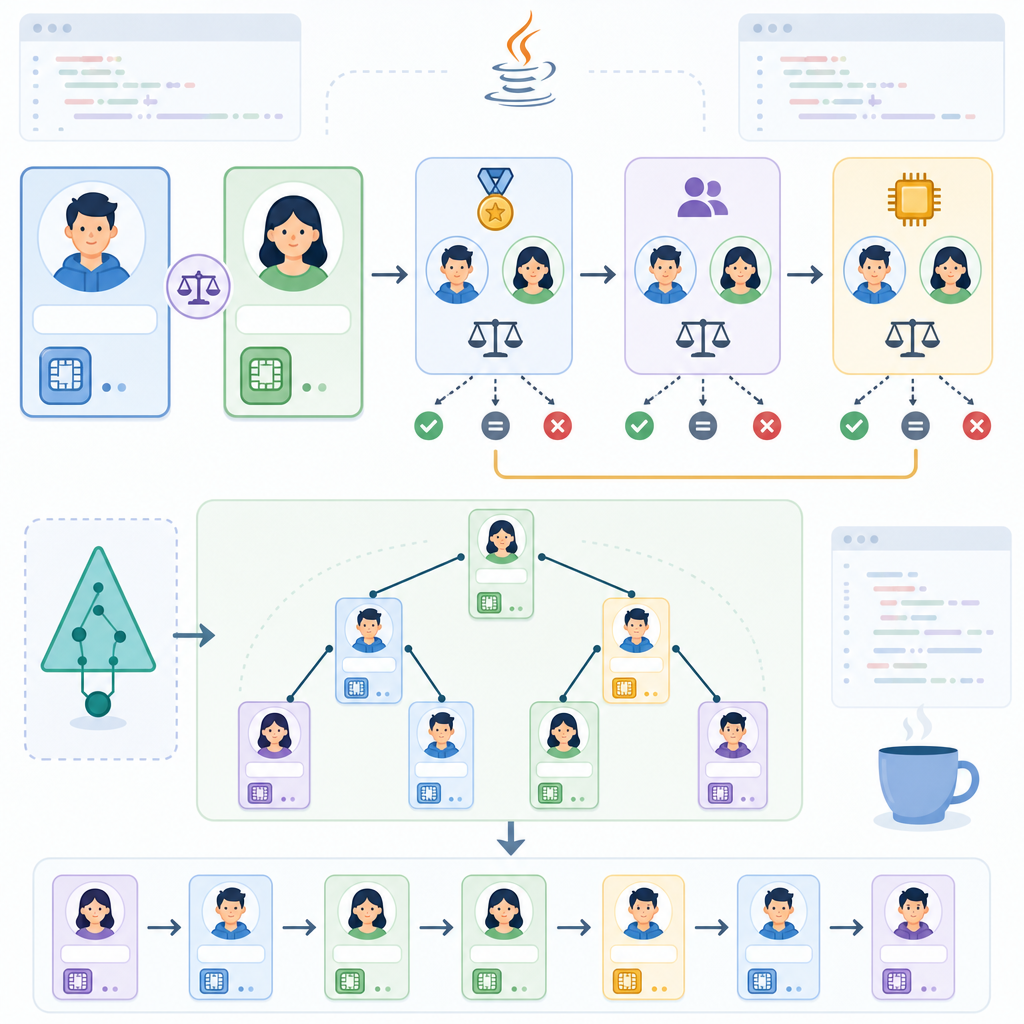
The Comparable interface is generic and looks like this:
class="cd-keyword cd-access">public interface Comparable<T> {
    int compareTo(T other);
}
Key rules (beginner-friendly):
- Return a negative, zero, or positive value. It does not have to be only -1, 0, or 1.
- Do not accept or handle
nullarguments. Per spec,compareTo(null)should throwNullPointerException. - Make ordering consistent and logical. If
a.compareTo(b)is negative, thenb.compareTo(a)should be positive (antisymmetry), and ordering should be transitive. - It’s strongly recommended (but not required) that the natural order be consistent with
equals. A known exception isBigDecimal.
How to implement Comparable in Java step by step
Let’s implement Comparable on a simple Student class and define the natural order as: sort by marks ascending, then by name ascending.
Step 1: Define your class and fields
class="cd-keyword cd-access">public class Student implements Comparable<Student> {
    class="cd-keyword cd-access">private final String name;
    class="cd-keyword cd-access">private final int marks;

    class="cd-keyword cd-access">public Student(String name, int marks) {
        this.name = name;
        this.marks = marks;
    }

    class="cd-keyword cd-access">public String getName() { return name; }
    class="cd-keyword cd-access">public int getMarks() { return marks; }

    class="cd-annotation">@Override
    class="cd-keyword cd-access">public String toString() {
        return name + " (" + marks + ")";
    }

    class="cd-annotation">@Override
    class="cd-keyword cd-access">public int compareTo(Student other) {
        // First compare by marks
        int byMarks = Integer.compare(this.marks, other.marks);
        if (byMarks != 0) return byMarks;

        // Then compare by name to break ties
        return this.name.compareTo(other.name);
    }
}
Step 2: Create and sort a list of objects
Use List.sort(null) or Collections.sort(list) to sort by natural order. For modern Java, prefer List.sort.
class="cd-package">import java.util.ArrayList;
class="cd-package">import java.util.List;

class="cd-keyword cd-access">public class SortStudentsDemo {
    class="cd-keyword cd-access">public static void main(String[] args) {
        List<Student> students = new ArrayList<>();
        students.add(new Student("Ravi", 78));
        students.add(new Student("Asha", 92));
        students.add(new Student("Neha", 78));
        students.add(new Student("Vikram", 85));

        // Sort by natural order defined in Student.compareTo
        students.sort(null); // same as Collections.sort(students)

        System.out.println(students);
    }
}[Ravi (78), Neha (78), Vikram (85), Asha (92)]Step 3: Use Streams or Arrays with the same natural order
class="cd-package">import java.util.Arrays;
class="cd-package">import java.util.List;
class="cd-package">import java.util.stream.Collectors;

class="cd-keyword cd-access">public class StreamAndArraySortDemo {
    class="cd-keyword cd-access">public static void main(String[] args) {
        Student[] array = {
            new Student("Ravi", 78),
            new Student("Asha", 92),
            new Student("Neha", 78),
            new Student("Vikram", 85)
        };

        // Arrays.sort uses natural order for Comparable elements
        Arrays.sort(array);
        System.out.println(Arrays.toString(array));

        // Stream.sorted uses natural order when no comparator is passed
        List<Student> list = Arrays.asList(array);
        List<Student> sorted = list.stream().sorted().collect(Collectors.toList());
        System.out.println(sorted);
    }
}[Ravi (78), Neha (78), Vikram (85), Asha (92)]
[Ravi (78), Neha (78), Vikram (85), Asha (92)]Sorting a list of objects with Comparable in Java
Once a class implements Comparable, you can sort its instances easily:
- List.sort(null) — sorts a list by its elements’ natural order (Java 8+).
- Collections.sort(list) — older but still valid; internally uses natural order without a comparator.
- Stream.sorted() — sorts a stream using natural order and returns a new sorted stream.
- Arrays.sort(arr) — sorts arrays of Comparable elements.
For students, remember: implement compareTo once, then reuse it everywhere. This is why Comparable is a powerful tool for beginners building small apps or assignments.
How sorting with Comparable works (visual flow)
compareTo in your class to define natural order.List<T> or T[] of your objects.list.sort(null), Arrays.sort(arr), or stream.sorted().compareTo to order elements.TreeSet/TreeMap, or continue processing.Comparable in ordered collections: TreeSet and TreeMap
TreeSet and TreeMap keep elements/keys in sorted order using either a provided Comparator or the element’s Comparable natural order. Objects stored must be mutually comparable. If two elements compare as 0, they are considered duplicates in a TreeSet.
class="cd-package">import java.util.Set;
class="cd-package">import java.util.TreeSet;

class="cd-keyword cd-access">public class TreeSetDemo {
    class="cd-keyword cd-access">public static void main(String[] args) {
        Set<Student> set = new TreeSet<>(); // uses Student.compareTo
        set.add(new Student("Ravi", 78));
        set.add(new Student("Neha", 78));    // tie broken by name
        set.add(new Student("Ravi", 78));    // compareTo returns 0 - treated as duplicate

        System.out.println(set);
    }
}[Neha (78), Ravi (78)]Comparable vs Comparator in simple terms
Beginners often ask: Comparable vs Comparator difference for beginners? Here is the short, clear comparison:
| Feature | Comparable | Comparator |
|---|---|---|
| Package | java.lang | java.util |
| Purpose | Defines a class’s natural (default) ordering | Defines an external/custom ordering |
| Method | int compareTo(T other) |
int compare(T a, T b) |
| Where implemented | Inside the class you’re sorting | In a separate class or lambda |
| Number of orderings | Usually one natural order | Many custom orders possible |
| Use when | The class has a clear default ordering | You need alternate or multiple sort orders |
Multi-field Comparable example (last name, first name, then age)
Here’s a practical example for students: sort Person by last name, then first name, then age. We’ll implement Comparable and delegate to Comparator logic for readability.
class="cd-package">import java.util.Comparator;
class="cd-package">import java.util.ArrayList;
class="cd-package">import java.util.List;

class="cd-keyword cd-access">public class Person implements Comparable<Person> {
    class="cd-keyword cd-access">private final String firstName;
    class="cd-keyword cd-access">private final String lastName;
    class="cd-keyword cd-access">private final int age;

    class="cd-keyword cd-access">public Person(String firstName, String lastName, int age) {
        this.firstName = firstName;
        this.lastName = lastName;
        this.age = age;
    }

    class="cd-keyword cd-access">public String getFirstName() { return firstName; }
    class="cd-keyword cd-access">public String getLastName()  { return lastName; }
    class="cd-keyword cd-access">public int getAge()          { return age; }

    class="cd-annotation">@Override
    class="cd-keyword cd-access">public int compareTo(Person other) {
        return Comparator
                .comparing(Person::getLastName)
                .thenComparing(Person::getFirstName)
                .thenComparingInt(Person::getAge)
                .compare(this, other);
    }

    class="cd-annotation">@Override
    class="cd-keyword cd-access">public String toString() {
        return lastName + ", " + firstName + " (" + age + ")";
    }

    class="cd-keyword cd-access">public static void main(String[] args) {
        List<Person> people = new ArrayList<>();
        people.add(new Person("Aman", "Verma", 21));
        people.add(new Person("Aman", "Verma", 19));
        people.add(new Person("Bhavna", "Arora", 22));
        people.add(new Person("Chirag", "Arora", 20));
        people.add(new Person("Divya", "Bansal", 21));

        people.sort(null);
        System.out.println(people);
    }
}[Arora, Bhavna (22), Arora, Chirag (20), Bansal, Divya (21), Verma, Aman (19), Verma, Aman (21)]Common mistakes using Comparable and compareTo in Java
- Using subtraction for comparison: Avoid
return this.id - other.id;as it can overflow with large numbers. UseInteger.compare(this.id, other.id)orLong.compare. - Inconsistent with equals: If two objects are
equalsbutcompareTodoesn’t return 0, they may behave oddly in sorted sets/maps. Try to keep natural order consistent withequalswhen practical. - Mutable fields in ordering: If objects in a
TreeSetchange fields used bycompareTo, the set’s order can become corrupted. Prefer immutable fields for natural order or don’t mutate objects while stored in ordered collections. - Not breaking ties: When two objects can have identical primary keys (like same marks), add tie-breakers (like name) to keep ordering stable and predictable.
- Null handling confusion: Per spec,
compareTo(null)should throwNullPointerException. If you need null-friendly orderings, use aComparatorlikeComparator.nullsFirstornullsLastinstead. - Mixing non-comparable types: Ensure all elements in a sorted collection are mutually comparable. Otherwise, you’ll get
ClassCastException. - Forgetting generics: Implement
Comparable<YourType>, not rawComparable. Raw types lead to unsafe casts and runtime errors.
How does the compareTo method work? Simple examples
You can think of compareTo like a “who comes first?” question:
- Numbers: smaller number comes first.
- Names: alphabetical order using
String.compareTo. - Multiple fields: decide a priority (e.g., by marks, then by name), compare the first, and if equal, compare the next.
class="cd-keyword cd-access">public class Book implements Comparable<Book> {
    class="cd-keyword cd-access">private final String title;
    class="cd-keyword cd-access">private final int year;

    class="cd-keyword cd-access">public Book(String title, int year) {
        this.title = title;
        this.year = year;
    }

    class="cd-annotation">@Override
    class="cd-keyword cd-access">public int compareTo(Book other) {
        // Newer books first (descending by year), then title ascending
        int byYearDesc = Integer.compare(other.year, this.year);
        if (byYearDesc != 0) return byYearDesc;
        return this.title.compareTo(other.title);
    }

    class="cd-annotation">@Override
    class="cd-keyword cd-access">public String toString() {
        return title + " - " + year;
    }
}
Why is my Comparable implementation not sorting correctly?
Check these quick fixes:
- Verify your
compareTois consistent and returns negative/zero/positive correctly. - Ensure you aren’t using overflow-prone subtraction.
- Add tie-breakers so items with the same primary field don’t appear “random.”
- Confirm the list actually calls
sortafter additions. Sorting happens only when you call it. - If using a
TreeSet, remember items that compare as 0 will be treated as duplicates and may appear “missing.”
- Declare Comparable<YourType> (avoid raw
Comparable). - Use
Integer.compare/Long.compareorComparator.comparing(no subtraction). - Include clear tie-breakers for equal primary fields.
- Never accept
nullincompareTo; useComparator.nullsFirst/Lastwhen needed. - Keep
equalsand natural order consistent when practical. - Avoid mutating fields used in ordering while in
TreeSet/TreeMap. - After adding elements, explicitly call
list.sort(null)orArrays.sort(arr). - Write a small test that asserts the exact sorted order, including tie cases.
Practice: sorting a custom list with Comparable
Try this mini exercise: Create a Product class with fields name and price. Implement Comparable to sort by price ascending, then by name. Add several products, print the list before and after sorting. Then change it to sort by price descending and compare results. This helps you internalize the sorting a list of objects with Comparable in Java idea.
FAQ: Quick answers for beginners
What is the Comparable interface in Java and why is it used?
It defines a class’s natural ordering via compareTo. Sorting utilities and ordered collections use it to arrange elements without a custom comparator.
How does the compareTo method work with simple examples?
Return a negative value if this should come before other, zero if they’re equal in order, and positive if this should come after. For example, to sort by marks: Integer.compare(this.marks, other.marks).
How do I sort custom objects using Comparable in Java?
Implement Comparable<YourType> in your class, override compareTo, then call list.sort(null) or Collections.sort(list). For streams, use stream.sorted().
What is the difference between Comparable and Comparator for beginners?
Comparable is the default, in-class ordering; Comparator is an external strategy that can create many orderings. Use Comparable for the one natural order; use Comparator for alternatives.
Why is my Comparable implementation not sorting correctly?
Common issues: using subtraction (overflow), missing tie-breakers, inconsistent logic, or relying on mutable fields. Also ensure you actually call sort after adding items.
Further tips and modern best practices
- Prefer List.sort for lists (Java 8+) and use Comparator.comparing helpers inside
compareTofor readable multi-field comparisons. - Use Arrays.sort for arrays; for lexicographic array comparison, see Arrays.compare (Java 9+).
- Alternate orderings (like case-insensitive String order) belong in a
Comparator(e.g.,String.CASE_INSENSITIVE_ORDER).
Related: Comparable vs Comparator in code (optional idea)
If you later need a different sort (e.g., Students by name only or marks descending), don’t change compareTo. Instead, build a Comparator:
class="cd-package">import java.util.Comparator;
class="cd-package">import java.util.List;
class="cd-package">import java.util.ArrayList;

class="cd-keyword cd-access">public class AlternateOrderDemo {
    class="cd-keyword cd-access">public static void main(String[] args) {
        List<Student> students = new ArrayList<>();
        students.add(new Student("Ravi", 78));
        students.add(new Student("Asha", 92));
        students.add(new Student("Neha", 78));
        students.add(new Student("Vikram", 85));

        // Sort by name only (ascending)
        students.sort(Comparator.comparing(Student::getName));
        System.out.println("By name: " + students);

        // Sort by marks descending
        students.sort(Comparator.comparingInt(Student::getMarks).reversed());
        System.out.println("By marks desc: " + students);
    }
}
Conclusion
Now you know the Java Comparable interface with examples for beginners: what Comparable is, how compareTo works, how to implement Comparable in a class, and how to sort objects using Comparable in Java. You also learned the Comparable vs Comparator difference for beginners and how to avoid common mistakes using Comparable and compareTo in Java. Keep practicing with your own classes and you will quickly feel comfortable with object ordering.
Explore more Java basics and advanced topics on our Java hub: CodDesire Java Tutorials.
Sources / Further reading
- Comparable (Java SE 23) — Official API: docs.oracle.com
- The Java Tutorials — Object Ordering: docs.oracle.com
- Stream.sorted — Official API: docs.oracle.com
- TreeSet — Official API: docs.oracle.com
- Arrays.compare — Official API: docs.oracle.com
- List.sort — Official API details: docs.oracle.com
- Comparator and Comparable in Java (overview): baeldung.com
—ARTICLE END—