
JSON is the most common format for exchanging data on the web. In this beginner-friendly guide, you’ll learn exactly how to read and write JSON in Python using the built-in json module. We will go step by step with simple, runnable code, so you can confidently load data from a file, convert Python dictionaries to JSON, pretty print JSON, and avoid the most common mistakes. If you’re just getting started with Python, you can also browse our other lessons at CodDesire Python tutorials.
Python JSON read and write examples (step-by-step)

What you’ll learn
- How to read JSON file in Python with
json.load() - How to write JSON to file in Python with
json.dump() - Read and parse JSON in Python with examples using
json.loads() - Python dictionary to JSON example (and save to a file)
- Pretty print JSON in Python for beginners
- json load and dump explained (including
loadvsloads,dumpvsdumps)
- Use json.load/json.dump for files; use json.loads/json.dumps for strings in memory.
- Open files with
encoding="utf-8"; setensure_ascii=Falseto keep Unicode readable. - Pretty output:
indent=2, optionalsort_keys=True. Compact output:separators=(",", ":"). - Custom types: pass
default=todumps/dump(e.g., serializedatetimeto ISO). - Accuracy and strictness: use
parse_float=Decimalwhen loading money;allow_nan=Falseto reject NaN/Infinity.
What is JSON in Python and why is it useful?
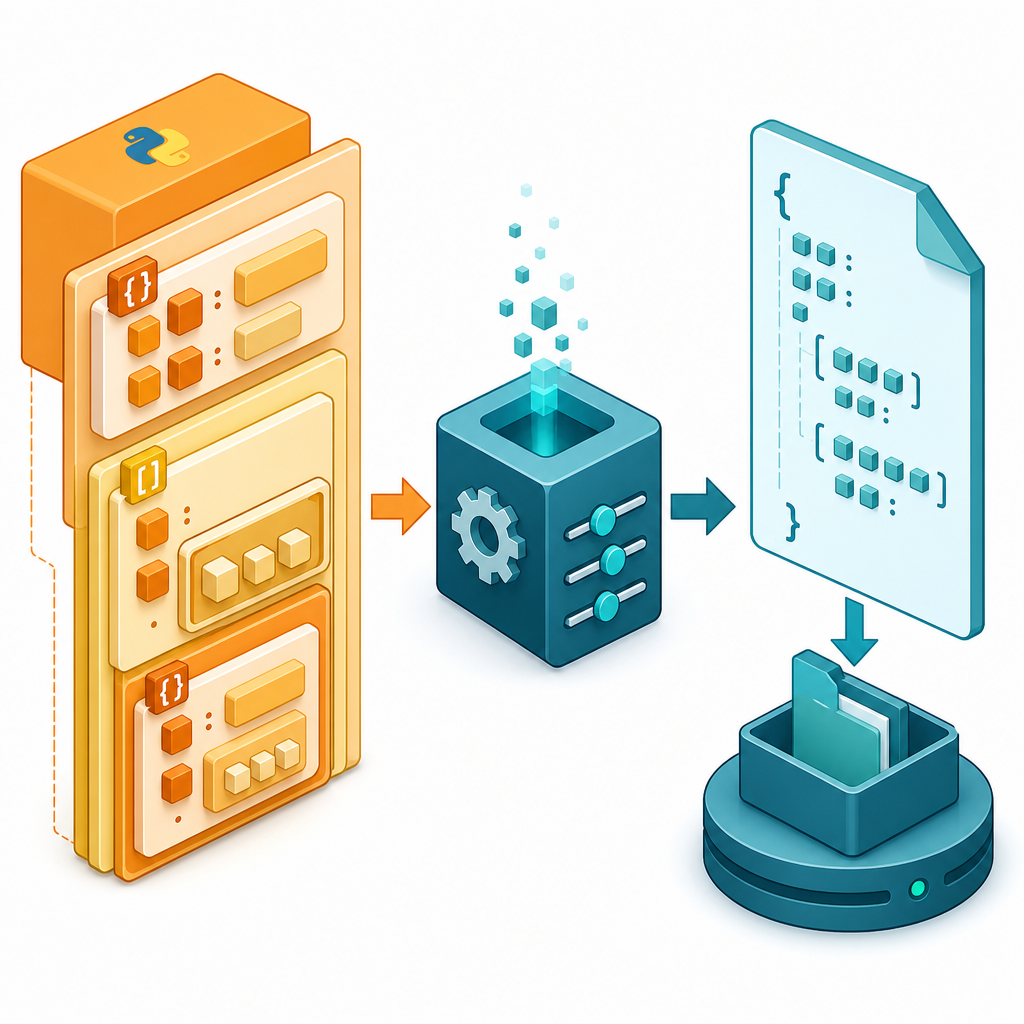
JSON (JavaScript Object Notation) is a text format for structured data. It is language-independent, lightweight, and maps cleanly to Python types. Use JSON whenever you want to store or exchange structured data (e.g., settings, user profiles, quiz results, or API responses).
The Python standard library includes json for encoding (writing) and decoding (reading) JSON. Here is how common types map between Python and JSON:
| Python | JSON | Notes |
|---|---|---|
dict |
object | String keys; key order is not semantically meaningful |
list, tuple |
array | Tuples become arrays |
str |
string | JSON strings use double quotes |
int, float |
number | Prefer valid JSON numbers (avoid NaN/Infinity for portability) |
True, False, None |
true, false, null |
Automatic conversion |
Quick start: write then read a JSON file
Simple example: write JSON file in Python
This is the simplest way to save a Python dictionary as JSON using json.dump(). We also format the output for readability.
student = {
"id": 101,
"name": "Anita",
"active": True,
"scores": [85, 91, 78]
}
# Write JSON to a file (UTF-8). ensure_ascii=False lets Unicode characters be written directly.
with open("student.json", "w", encoding="utf-8") as f:
json.dump(student, f, ensure_ascii=False, indent=2, sort_keys=True)
print("Wrote student.json")
Read and parse JSON in Python with examples
Now load the same file back into Python using json.load() and compute something simple.
with open("student.json", encoding="utf-8") as f:
data = json.load(f)
avg = sum(data["scores"]) / len(data["scores"])
print(data["name"], f"avg={avg:.2f}")
Anita avg=84.67How to read JSON strings vs files
Use json.load() for files, and json.loads() for JSON text in a Python string (e.g., from an API response).
indent, ensure_ascii, sort_keys control formatting.parse_float=Decimal, object_hook=..., strict behavior.Read JSON from a string with json.loads()
json_text = '{"id": 1, "tags": ["json", "python"], "done": false}'
obj = json.loads(json_text)
print(obj["tags"][0]) # Access data like a normal Python dict
jsonStep by step: python json load from file
- Import the module:
import json - Open the file with UTF-8 encoding
- Call
json.load(file_object)to parse JSON into Python types - Use the data (index lists, read keys, loop, etc.)
# 1-2) Open file
with open("student.json", encoding="utf-8") as f:
# 3) Parse JSON
student = json.load(f)
# 4) Use data
for i, score in enumerate(student["scores"], start=1):
print(f"Test {i}: {score}")
Test 1: 85
Test 2: 91
Test 3: 78
How to write JSON: dump vs dumps (with pretty print)
Use json.dump(obj, file) to write directly to a file; use json.dumps(obj) to get a JSON string (for printing, logging, or sending over a network).
Python dictionary to JSON example (file + string)
class="cd-package">import json

profile = {"username": "coder", "level": 5, "skills": ["python", "json"]}

# Write to a file
with open("profile.json", "w", encoding="utf-8") as f:
    json.dump(profile, f, ensure_ascii=False, indent=2)

# Get a pretty JSON string
pretty = json.dumps(profile, ensure_ascii=False, indent=2, sort_keys=True)
print(pretty){
"level": 5,
"skills": [
"python",
"json"
],
"username": "coder"
}Compact vs pretty output
indent=2makes it readable for humans.separators=(',', ':')removes spaces for compact output (smaller files).ensure_ascii=Falsewrites Unicode directly (the default is True, which escapes non-ASCII characters).
obj = {"greet": "नमस्ते", "count": 3}
pretty = json.dumps(obj, ensure_ascii=False, indent=2)
compact = json.dumps(obj, ensure_ascii=False, separators=(",", ":"))
print("Pretty:")
print(pretty)
print("Compact:")
print(compact)
Pretty:
{
  "count": 3,
  "greet": "नमस्ते"
}
Compact:
{"greet":"नमस्ते","count":3}
json.load vs json.loads and json.dump vs json.dumps
These pairs behave the same way, except one works with files and the other with strings. Here is the quick reference:
| API | Works with | Input | Returns | Typical use |
|---|---|---|---|---|
json.load(fp) |
File object | Open file containing JSON text (UTF-8 recommended) | Python object | Read from a .json file |
json.loads(s) |
String or bytes | JSON text in memory | Python object | Parse API response or a string |
json.dump(obj, fp) |
File object | Python object | None (writes to file) | Save to a .json file |
json.dumps(obj) |
String | Python object | JSON string | Print, log, or send over network |
Full example: python convert dictionary to JSON and save to file, then read it back
from pathlib import Path
students = [
{"id": 1, "name": "Asha", "scores": [88, 92]},
{"id": 2, "name": "Ravi", "scores": [75, 81]},
]
# Save as pretty JSON
path = Path("students.json")
path.write_text(json.dumps(students, ensure_ascii=False, indent=2), encoding="utf-8")
# Read back and compute the average of the first student
loaded = json.loads(path.read_text(encoding="utf-8"))
avg = sum(loaded[0]["scores"]) / len(loaded[0]["scores"])
print(loaded[0]["name"], f"avg={avg:.1f}")
Asha avg=90.0Common mistakes and how to fix them
- Using single quotes or trailing commas in JSON text. JSON requires double quotes for keys and strings, and no trailing commas.
- Forgetting file encoding. Always open files with
encoding="utf-8"for portability. - Assuming JSON keeps object key order. JSON object key order has no semantic meaning. Use
sort_keys=Trueonly when you need deterministic output (e.g., tests). - Expecting
datetime,set, orDecimalto serialize automatically. Thejsonmodule doesn’t handle these by default. Convert or usedefault=. - Relying on NaN/Infinity. They are outside the JSON spec and may break other parsers. You can enforce strictness with
allow_nan=False. - Forgetting to close files. Use
with open(...)so files close automatically.
Serialize custom types (e.g., datetime) with default=
class="cd-package">import json
from datetime class="cd-package">import datetime

record = {"event": "login", "at": datetime(2025, 1, 2, 14, 30)}

# Convert unknown objects to strings(ISO 8601 here)
js = json.dumps(record, default=lambda o: o.isoformat(), ensure_ascii=False, indent=2)
print(js)
Preserve numeric precision when reading floats
If you need exact decimal math (e.g., currency), use parse_float=Decimal while loading.
from decimal import Decimal
text = '{"price": 12.34, "qty": 2}'
data = json.loads(text, parse_float=Decimal)
total = data["price"] * data["qty"]
print(type(data["price"]), total)
<class 'decimal.Decimal'> 24.68Disallow NaN/Infinity for strict JSON
import math
bad = {"value": math.nan}
try:
json.dumps(bad, allow_nan=False)
except ValueError as e:
print("Error:", e)
Error: Out of range float values are not JSON compliantBonus: JSON Lines (one JSON value per line)
For logs and streaming, write one JSON object per line (also called NDJSON/JSON Lines). This still uses the standard library.
records = [{"id": 1, "name": "A"}, {"id": 2, "name": "B"}]
# Write JSON Lines
with open("people.jsonl", "w", encoding="utf-8") as f:
for r in records:
f.write(json.dumps(r, ensure_ascii=False) + "n")
# Read JSON Lines
people = []
with open("people.jsonl", encoding="utf-8") as f:
for line in f:
people.append(json.loads(line))
print(len(people), people[0]["name"])
2 AFAQ: python json tutorial for beginners
What is JSON in Python and why is it useful?
JSON is a text format for structured data. In Python, the built-in json module lets you convert between JSON and Python types like dict, list, str, numbers, and booleans. It’s useful because it’s simple, human-readable, and widely used by web APIs, configuration files, and data exchange. JSON does not allow comments.
How do I read a JSON file using json.load() in Python?
with open("data.json", encoding="utf-8") as f:
data = json.load(f)
print(type(data))
How do I write a Python dictionary to a JSON file with json.dump()?
data = {"course": "Python", "completed": False}
with open("course.json", "w", encoding="utf-8") as f:
json.dump(data, f, ensure_ascii=False, indent=2)
What is the difference between json.load vs json.loads and json.dump vs json.dumps?
load/dump work with file objects; loads/dumps work with strings (in memory). Functionality is otherwise the same.
How can I pretty print or format JSON output in Python?
Use json.dumps(obj, indent=2, sort_keys=True) to get a nicely formatted string, or json.dump(obj, f, indent=2) to write formatted JSON to a file.
Tips and extras
- Command line helper (Python 3.14+): you can quickly format or validate JSON files using
python -m jsonwith options like--indent 2or--sort-keys. - Pathlib shortcuts:
Path("file.json").read_text(encoding="utf-8")andwrite_text(...)work well withjson.loads()/json.dumps(). - Keep learning: explore file handling, error handling (
try/except json.JSONDecodeError), and APIs to fetch JSON over HTTP.
Sources / Further reading
- json — JSON encoder and decoder (Python docs)
- pathlib — Object-oriented filesystem paths
- RFC 8259 — The JSON Data Interchange Format
- ECMA‑404 — JSON Syntax
- JSON Lines — Format specification
- Working With JSON Data in Python — Real Python
That’s it! With these python json read and write examples, you can load files, generate clean JSON from your Python dictionaries, and format it for humans or machines. Continue practicing and explore more beginner-friendly guides at CodDesire Python.