
Access control is one of the first skills Java learners should master. It determines which code can see your classes, fields, constructors, and methods. In this beginner-friendly guide, you’ll learn the four Java access levels—public, private, protected, and default (package‑private)—with simple explanations, code examples, and tips you can apply in school or college projects. If you’re just starting out, bookmark this page and also explore more Java basics on the CodDesire Java hub.
What are access modifiers in Java?
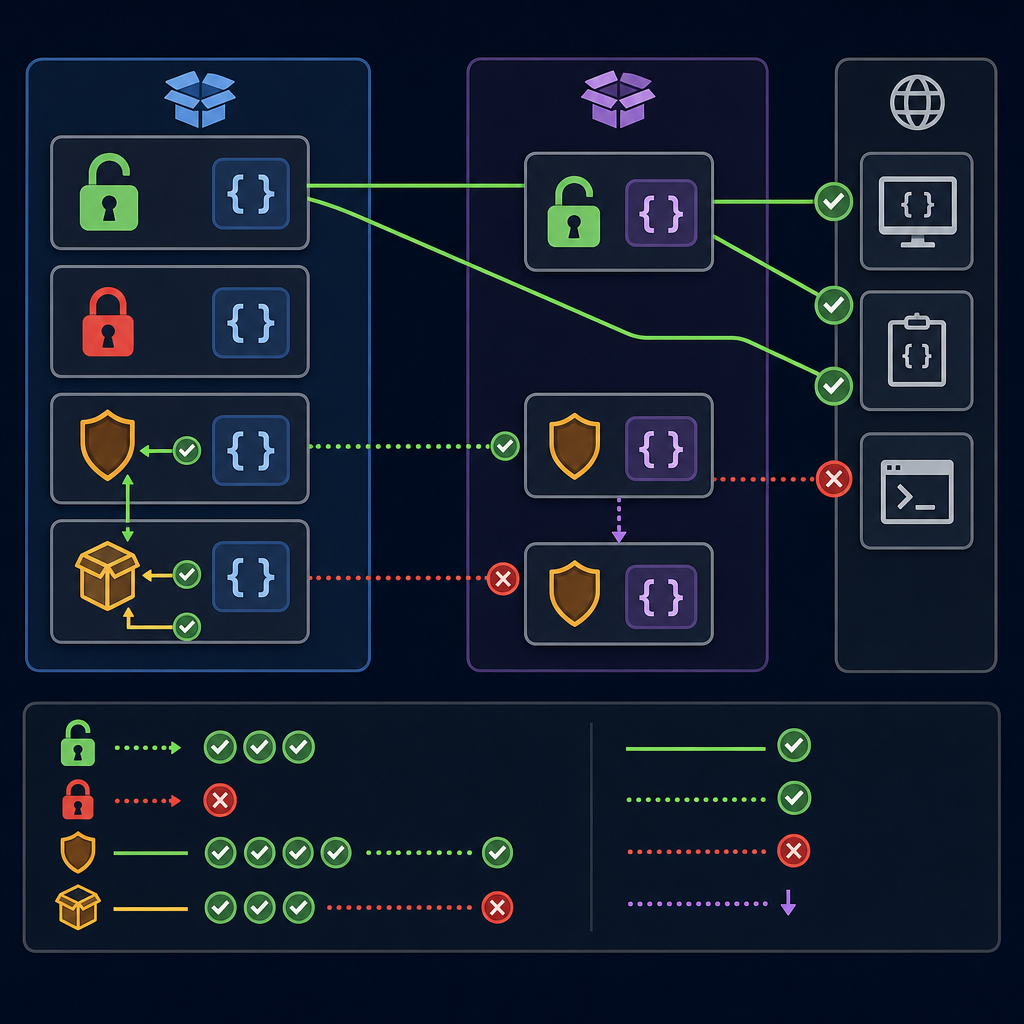
Access modifiers in Java are keywords (or the lack of one) that control the visibility of types and members. They help you hide internal details and expose only what other code needs. This supports encapsulation, makes APIs cleaner, reduces bugs, and simplifies maintenance.
- public: visible from everywhere (subject to module boundaries in modern Java).
- private: visible only within the same top-level class (including its nested classes).
- protected: visible within the same package and to subclasses (with rules for cross‑package use).
- default (package‑private): visible only within the same package; this is when you use no access keyword.
Focus keyphrase: Java access modifiers public private protected default
Java access levels at a glance
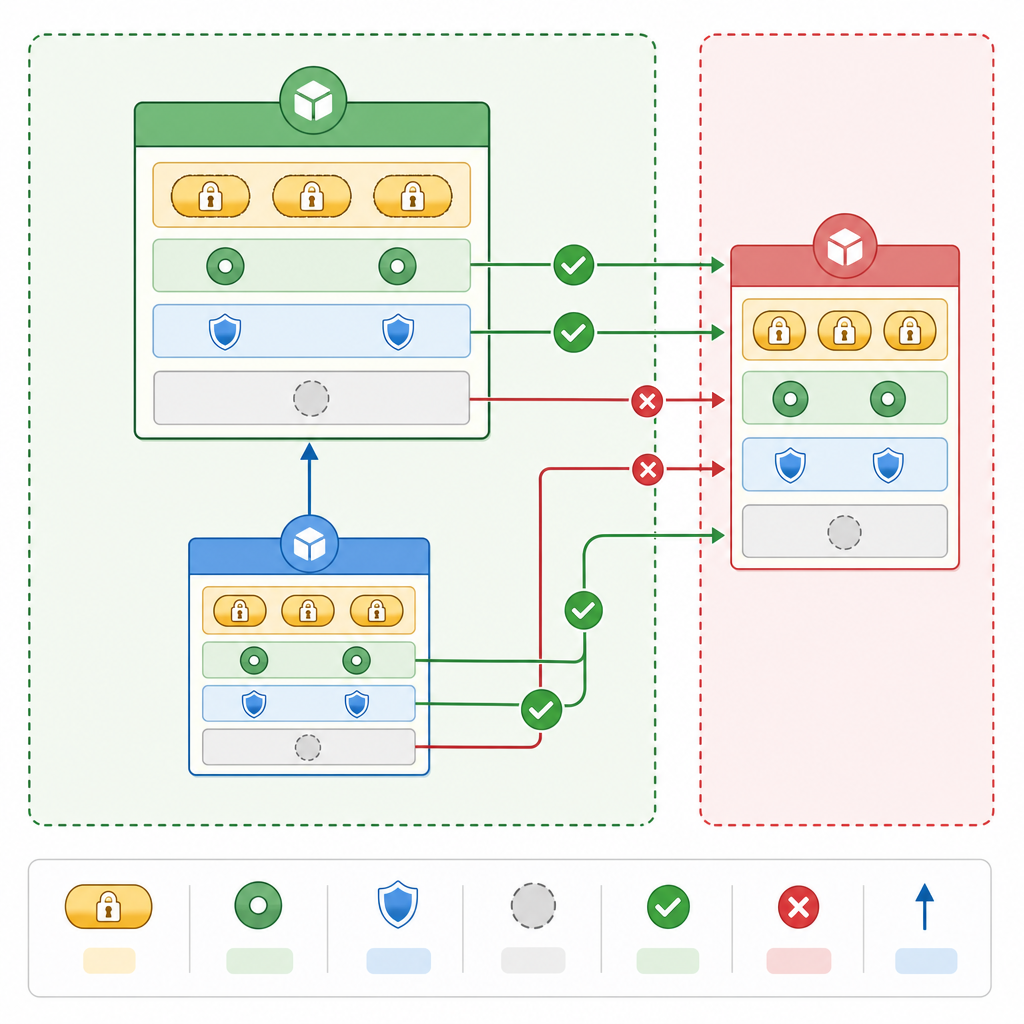
| Modifier | Inside the same top-level class | Other classes in the same package | Subclass in a different package (from subclass code) | Other packages (non-subclass) |
|---|---|---|---|---|
| public | Yes | Yes | Yes | Yes |
| protected | Yes | Yes | Yes (from subclass code; see note) | No |
| default (package‑private) | Yes | Yes | No | No |
| private | Yes | No | No | No |
Note on protected: Across packages, a protected member is accessible only from code in the subclass and typically through the subclass instance (not via an arbitrary base instance). See examples below.
Syntax and simple examples (beginner-friendly)
1) public — expose for everyone
Use public when other packages or applications should be able to use the class or member directly.
class="cd-keyword cd-access">public class Greeter {
    class="cd-keyword cd-access">public String message = "Hello";

    class="cd-keyword cd-access">public Greeter() { }

    class="cd-keyword cd-access">public void greet() {
        System.out.println(message + ", Java learners!");
    }
}

class Demo {
    class="cd-keyword cd-access">public static void main(String[] args) {
        Greeter g = new Greeter();
        g.greet(); // Accessible from anywhere
    }
}Hello, Java learners!2) private — hide the internals
Use private to keep fields and helper methods hidden inside the same top-level class. This is the core of encapsulation.
class="cd-keyword cd-access">public class Counter {
    class="cd-keyword cd-access">private int value = 0;               // Not visible outside this class

    class="cd-keyword cd-access">private void increment() {           // Helper is private
        value++;
    }

    class="cd-keyword cd-access">public void addOne() {               // Public method controls access
        increment();
    }

    class="cd-keyword cd-access">public int getValue() {
        return value;
    }

    class="cd-keyword cd-access">public static void main(String[] args) {
        Counter c = new Counter();
        c.addOne();
        c.addOne();
        System.out.println(c.getValue());

        // c.value = 100;     // Compile error: value has private access
        // c.increment();     // Compile error: increment() has private access
    }
}23) default (package‑private) — share inside the package
There is no keyword for the default access level. If you omit public, private, and protected, the member or top-level class is package‑private: visible only to classes in the same package.
Example with a package showing a public API that uses a package‑private helper:
class="cd-package">package com.tools;

// Public API class (visible to other packages)
class="cd-keyword cd-access">public class ToolApi {
    class="cd-keyword cd-access">public void use() {
        InternalTool helper = new InternalTool(); // OK: same package
        helper.doIt();
    }
}

// No modifier => package-private (default)
class InternalTool {
    void doIt() {
        System.out.println("Working inside com.tools only");
    }
}
Code in another package can use ToolApi but cannot access InternalTool directly:
class="cd-package">package app;

class="cd-package">import com.tools.ToolApi;

class="cd-keyword cd-access">public class App {
    class="cd-keyword cd-access">public static void main(String[] args) {
        ToolApi api = new ToolApi();
        api.use(); // OK

        // com.tools.InternalTool it = new com.tools.InternalTool();
        // ^ Compile error: InternalTool is not public in com.tools; cannot be accessed from outside package
    }
}
4) protected — package access plus subclass access
protected members are visible within the same package and also to subclasses. When accessing from a subclass in a different package, you typically call it on this (or the subclass instance), not on an unrelated base instance.
class="cd-package">package com.lib;

class="cd-keyword cd-access">public class Base {
    class="cd-keyword cd-access">protected void hook() {
        System.out.println("Base hook");
    }
}class="cd-package">package com.app;
class="cd-package">import com.lib.Base;
class="cd-keyword cd-access">public class Sub extends Base {
class="cd-keyword cd-access">public void test() {
hook(); // OK: subclass can access protected across packages
this.hook(); // OK
Base b = new Base();
// b.hook(); // Compile error: not accessible via a Base reference in another package
}
class="cd-keyword cd-access">public static void main(String[] args) {
new Sub().test();
}
}Base hookAccess modifiers for classes, fields, methods, and constructors
- Top-level types: A top-level
class,interface,enum, orrecordcan be only public or package‑private (default). They cannot beprivateorprotected. - Nested/inner types: Inside a class, nested classes and interfaces may use all four modifiers.
- Fields and methods: Can use any of the four modifiers.
- Constructors: Can use any of the four modifiers; a
privateconstructor is common for factory patterns or singletons.
Constructor access example
class="cd-keyword cd-access">public class Person {
    class="cd-keyword cd-access">private final String name;

    // Private constructor: restrict direct instantiation
    class="cd-keyword cd-access">private Person(String name) {
        this.name = name;
    }

    // Public factory method
    class="cd-keyword cd-access">public static Person of(String name) {
        return new Person(name);
    }

    class="cd-keyword cd-access">public String getName() {
        return name;
    }
}

class UsePerson {
    class="cd-keyword cd-access">public static void main(String[] args) {
        Person p = Person.of("Sam");  // OK
        System.out.println(p.getName());

        // new Person(___CDPHSTR1___); // Compile error: Person(String) has private access
    }
}Sampublic vs private vs protected in Java — when to use which?
- Start with the most restrictive modifier that still lets your code work. Widen only if needed.
- private: Default choice for fields and helper methods. Encapsulate state and behavior.
- package‑private (default): Share implementation details among classes in the same package but hide them from other packages. Great for internal utilities and testing collaborators.
- protected: Use sparingly as an inheritance hook. It makes sense if you expect legitimate subclasses (possibly in other packages) to extend behavior.
- public: Only for your intended API surface—types and members you commit to support. Keep it small and stable.
Beginner guide to Java access control with code
This small example combines multiple modifiers to show a clean design:
class="cd-keyword cd-access">public class BankAccount {
    class="cd-keyword cd-access">private int balance;                 // hidden state

    class="cd-keyword cd-access">public BankAccount(int opening) {    // public API constructor
        if (opening < 0) {
            throw new IllegalArgumentException("Opening balance must be non-negative");
        }
        this.balance = opening;
    }

    class="cd-keyword cd-access">protected void audit(String msg) {   // inheritance hook for subclasses
        System.out.println("[AUDIT] " + msg);
    }

    void depositInternal(int amount) {   // package-private for same-package helpers/tests
        balance += amount;
    }

    class="cd-keyword cd-access">public void deposit(int amount) {    // public API
        if (amount <= 0) throw new IllegalArgumentException("Amount must be positive");
        depositInternal(amount);
        audit("Deposited " + amount);
    }

    class="cd-keyword cd-access">public int getBalance() {
        return balance;
    }
}

class AccountDemo {
    class="cd-keyword cd-access">public static void main(String[] args) {
        BankAccount a = new BankAccount(100);
        a.deposit(50);
        System.out.println(a.getBalance());

        // a.depositInternal(10); // Compile error: not visible if called from another package
    }
}[AUDIT] Deposited 50
150Common mistakes (and how to avoid them)
- Thinking there is a default keyword. There isn’t. Package‑private access is the absence of an access modifier.
- Marking a top-level class as
privateorprotected. This is not allowed. Usepublicor no modifier (package‑private) only. - Assuming protected works like “public to subclasses everywhere.” Across packages, access must happen from subclass code and usually via the subclass instance, not an arbitrary base instance.
- Confusing package‑private with “visible to subpackages.” Subpackages are different packages; package‑private does not flow into subpackages.
- Exposing too much with
public. Start private, then open visibility only when necessary for valid use cases.
Java modules: a quick note for modern Java
Since Java 9, the module system adds an extra boundary above packages. A public class in a non-exported package isn’t visible to other modules. For simple school projects you may not use modules, but it’s useful to know:
// module-info.java in module com.example.api
class="cd-package">module com.example.api {
    class="cd-package">exports com.tools;  // Only packages you export are accessible to other modules
}
In strongly encapsulated JDKs (e.g., JDK 17+), deep reflection can’t automatically bypass access checks; frameworks often require explicit opens/exports options at runtime.
Java access levels with examples: quick comparison
Here’s a compact, practical reminder focused on Java class and method access modifiers:
- public class or method: visible everywhere (subject to modules).
- private field or method: usable only within the same top-level class.
- protected method: visible within the package and to subclasses (careful with cross‑package access rules).
- default access modifier in Java: no keyword; visibility restricted to the same package.
Practice for students: try this small exercise
- Create a package
schoolwith a public classStudent, a package‑private classGradeBook, and makeStudentuseGradeBookinternally. - In another package
app, try to instantiateGradeBookdirectly (observe the compile error) and still useStudentpublicly. - Add a
protectedmethod inStudentand create a subclass inappto call it properly.
FAQ: quick answers for beginners
What are the four access modifiers in Java?
The four access levels are public, private, protected, and default (package‑private). The last one has no keyword—you get it by omitting any access modifier.
What is the difference between public, private, protected, and default in Java?
public is visible everywhere; private is only inside the same top-level class; protected is visible to the package and subclasses (with cross‑package rules); default is visible only within the same package.
When should I use public vs private in Java?
Prefer private for fields and helpers to enforce encapsulation. Make members public only if they form your intended API. For new code, start private and widen only as needed.
What does default (package‑private) mean in Java?
It means the member or type is visible to any class in the same package and hidden from other packages. There is no default keyword; it’s simply the absence of an access modifier.
Can variables and constructors use access modifiers in Java?
Yes. Fields (variables) and constructors can be public, private, protected, or package‑private. For example, a private constructor is often used with factory methods.
Key takeaways
- Use private by default for safety and clarity.
- Use package‑private to share within a package but hide from others.
- Use protected sparingly for intended subclass extension points.
- Use public to expose your stable, minimal API surface.
- Remember: top-level types can be only public or package‑private.
Sources / Further reading
- Java Language Specification, Access Control (JLS 6.6): https://docs.oracle.com/javase/specs/jls/se22/html/jls-6.html
- Java Language Specification, Top Level Declarations and Modules (JLS 7): https://docs.oracle.com/javase/specs/jls/se22/html/jls-7.html
- The Java Tutorials — Controlling Access: https://docs.oracle.com/javase/tutorial/java/javaOO/accesscontrol.html
- JEP 261 — Java Platform Module System: https://openjdk.org/jeps/261
- JEP 403 — Strongly Encapsulate JDK Internals: https://openjdk.org/jeps/403
- Migration Guide (JDK 17) — Encapsulation and reflective access: Oracle JDK Migration Guide
- Additional reading: Access Modifiers in Java (Baeldung)
Want more beginner-friendly lessons? Visit the CodDesire Java section for step-by-step tutorials and simple code examples.