
Packages are one of the first building blocks you should learn in Java. They group related classes and interfaces into a named namespace, help you organize code, avoid name clashes, and control access. In this beginner-friendly guide, you’ll see Java packages explained with examples you can run, plus step-by-step instructions on creating and importing packages. If you’re just starting out, this will make your Java projects cleaner and easier to grow. For more Java fundamentals, visit our CodDesire Java tutorials.
- Match package names to folders: each dot in the package equals one directory.
- Avoid the default (unnamed) package; always declare a named package.
- Subpackages are separate;
com.aandcom.a.bdon’t share package-private access. - Imports are compile-time only and don’t affect runtime speed or memory.
- Use package-private (no modifier) to share helpers within the same package.
What is a package in Java?
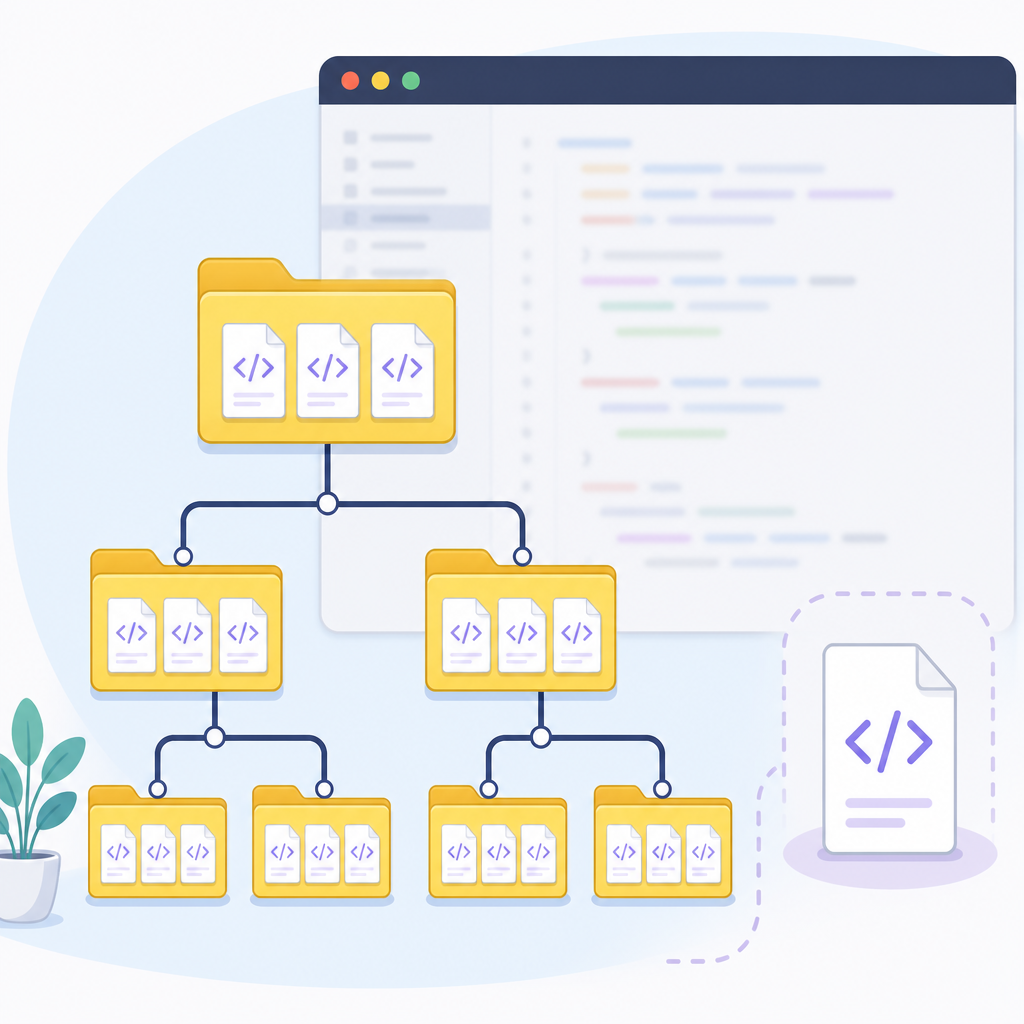
A package in Java is a named namespace that groups related types (classes, interfaces, records, enums) together. Think of it like folders for your code. For example, java.util contains utility classes like List and Collections.
Key points:
- Packages organize your source code and your compiled classes.
- They prevent name conflicts (you can have two classes named
Listin different packages). - They provide “package-private” access: members with no modifier are visible only within the same package.
- Subpackages are separate. For example,
com.coddesire.utilandcom.coddesire.util.ioare different packages even though their names share a prefix.
Why do we use packages in Java?
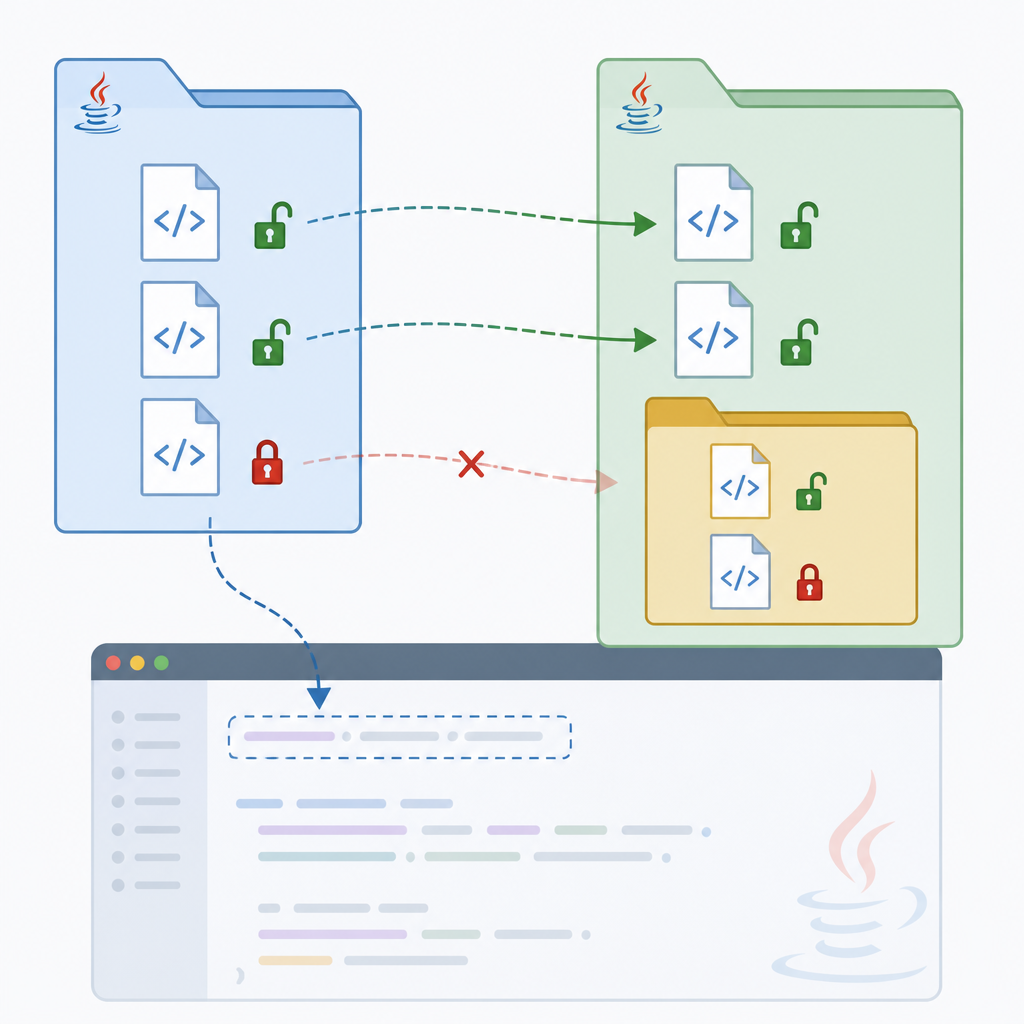
- Organization: keep related classes together (e.g., model, service, util).
- Readability: a clear package structure tells newcomers where to find things.
- Conflict avoidance: two libraries can both have a class named
Datewithout colliding because they live in different packages. - Access control: share package-private helpers within a package but hide them from other packages.
- API design: expose “public API” packages and keep internals in separate packages.
Java package structure explained with a simple example
Let’s build a tiny project with two packages: one utility package and one application package.
- Package:
com.coddesire.utilcontaining aGreeterclass - Package:
com.coddesire.appcontaining aMainclass
1) Create a class inside a package
File path should mirror the package: src/main/java/com/coddesire/util/Greeter.java. The source file must start with a package declaration:
class="cd-package">package com.coddesire.util;

class="cd-keyword cd-access">public class Greeter {
    class="cd-keyword cd-access">public static String hello(String name) {
        if (name == null || name.isBlank()) {
            return "Hello, world!";
        }
        return "Hello, " + name + "!";
    }
}
2) Use that class from another package
Now create src/main/java/com/coddesire/app/Main.java and import the class:
class="cd-package">package com.coddesire.app;

class="cd-package">import com.coddesire.util.Greeter; // single-type import

class="cd-keyword cd-access">public class Main {
    class="cd-keyword cd-access">public static void main(String[] args) {
        System.out.println(Greeter.hello("Java Learner"));
    }
}
Expected output when you run Main:
Hello, Java Learner!About directories and file layout
- Each dot in the package name corresponds to a directory level.
- Tools like Maven and Gradle expect Java sources under
src/main/javafollowed by package directories (e.g.,src/main/java/com/coddesire/util). See the Maven Standard Directory Layout. - Keep your package names all lowercase and use a reverse-domain prefix (e.g.,
com.example.apporcom.coddesire.tools).
Creating packages in Java: step by step
com.coddesire.util)src/main/java/com/coddesire/utilpackage com.coddesire.util; at top of .javajavac -d out src/main/java/.../Greeter.javaimport com.coddesire.util.Greeter;java -cp out com.coddesire.app.Main- Pick a clear, lowercase, reverse-domain-based name, such as
com.coddesire.school. - Create directories that match the package:
src/main/java/com/coddesire/school. - Start each source file in that directory with
package com.coddesire.school;. - Place your class code below the package line and save the file.
- Compile with your build tool (e.g.,
mvn compileorgradle build) or withjavac(e.g.,javac -d out src/main/java/com/coddesire/school/Student.java). - Run with your tool or with
java -cp out com.coddesire.school.StudentApp(replace with your main class).
Tip: avoid the default (unnamed) package. Always write a package statement. Types in the unnamed package can’t be imported from named packages, which complicates testing and builds.
Import statement in Java packages
When you use a type from another package, you have two choices:
- Import the type and refer to it by its simple name.
- Use the fully qualified name (package + class) directly in code.
Types of imports:
- Single-type import:
import com.coddesire.util.Greeter; - On-demand (wildcard) import:
import com.coddesire.util.*;(imports all accessible types in that package) - Static import:
import static java.util.Collections.sort;(imports static members)
Note: java.lang is implicitly imported; you can use classes like String and Math without an import. Also, imports are a compile-time feature; they don’t change runtime performance or memory use.
Example: single-type vs wildcard import
class="cd-package">package com.coddesire.app;

class="cd-package">import com.coddesire.util.Greeter;      // single-type import
// import com.coddesire.util.*;        // on-demand import (alternative)

class="cd-keyword cd-access">public class Demo {
    class="cd-keyword cd-access">public static void main(String[] args) {
        System.out.println(Greeter.hello("CodDesire"));
    }
}
Example: static import
Use a static import to call a static method without qualifying it:
class="cd-package">package com.coddesire.app;

class="cd-package">import java.util.Arrays;
class="cd-package">import java.util.List;
class="cd-package">import static java.util.Collections.sort; // static import

class="cd-keyword cd-access">public class SortExample {
    class="cd-keyword cd-access">public static void main(String[] args) {
        List<Integer> nums = Arrays.asList(3, 1, 2);
        sort(nums); // directly using sort
        System.out.println(nums);
    }
}
Output:
[1, 2, 3]Default and user-defined packages in Java
You may see code without a package declaration. That is the default (unnamed) package, which beginners sometimes use for tiny snippets. For real projects, always create a named package.
Difference between default package and a named package
| Aspect | Default (unnamed) package | Named package (user-defined) |
|---|---|---|
| Declaration | No package line | Starts with package com.example... |
| Importing | Cannot be imported into named packages | Can be imported anywhere with import |
| Build tools | Often problematic | Works cleanly with Maven/Gradle/IDEs |
| Recommended for | Quick throwaway demos | All real applications and libraries |
Access control within and across packages
- public: visible everywhere.
- no modifier (package-private): visible only within the same package.
- protected: visible in the same package and also in subclasses in other packages.
- private: visible only within the same class.
com.a and com.a.b do not share package-private access.Because of package-private, organizing related classes in the same package lets them share helpers without exposing them publicly.
Accessing a class from another package
There are two common patterns:
- Use an import and then reference the simple class name.
- Use the class’s fully qualified name without an import.
Example using an import
class="cd-package">package com.coddesire.app;

class="cd-package">import com.coddesire.util.Greeter;

class="cd-keyword cd-access">public class UseImport {
    class="cd-keyword cd-access">public static void main(String[] args) {
        System.out.println(Greeter.hello("Student"));
    }
}
Example using a fully qualified name
class="cd-package">package com.coddesire.app;

class="cd-keyword cd-access">public class UseFQN {
    class="cd-keyword cd-access">public static void main(String[] args) {
        System.out.println(com.coddesire.util.Greeter.hello("Student"));
    }
}
Organizing Java classes into packages: best practices for beginners
- Use reverse-domain, all-lowercase names:
com.yourname.project. - Group by feature or layer (e.g.,
.model,.service,.web,.util). - Avoid putting everything into one giant package. Keep related types together.
- Keep implementation details in
.internalor.implpackages; expose stable API packages. - Avoid the default package in any code you build or share.
- Document packages with
package-info.javawhen helpful for readers or tools.
Documenting a package with package-info.java
Create a file named package-info.java inside the package directory. Add Javadoc that describes the package’s purpose:
/**
 * Utility helpers for greeting users and formatting messages.
 * Part of the CodDesire demo application.
 */
class="cd-package">package com.coddesire.util;
Modules and packages (Java 9+)
In modern Java, a module can explicitly export selected packages. Exporting a parent package does not export its subpackages—export each one you need:
class="cd-package">module com.coddesire.app {
    class="cd-package">exports com.coddesire.api; // Only this package is exported
    // exports com.coddesire.api.internal; // Not exported unless listed
}
Common mistakes and how to avoid them
- Missing or mismatched package declaration: The
packageline must match the directory path. Otherwise, the compiler or class loader won’t find your class. - Using the default package: You can’t import from it into named packages. Always define a named package for your classes.
- Assuming subpackages share access:
com.aandcom.a.bare different packages. Package-private members incom.aare not visible incom.a.b. - Thinking wildcard imports hurt runtime: Imports are compile-time only; they don’t affect runtime performance. Prefer explicit imports for readability, but not for speed.
- Forgetting that
java.langis already available: No need to importjava.lang.Stringorjava.lang.Math.
People also ask: quick answers
What is a Java package with an example?
A package is a namespace that groups related classes and interfaces. Example: package com.coddesire.util; groups utility classes like Greeter, which you can import as import com.coddesire.util.Greeter;.
Why do we use packages in Java?
To organize code, avoid name clashes, control access via package-private visibility, and design clear APIs.
How do I create and import a package in Java?
Create directories that match your package (e.g., com/coddesire/util), add package com.coddesire.util; at the top of your class, compile, then in another class use import com.coddesire.util.ClassName; to access it.
What is the difference between a package and a class in Java?
| Item | Purpose | Example |
|---|---|---|
| Package | Namespace to group related types | com.coddesire.util |
| Class | Defines state and behavior (code) | Greeter inside com.coddesire.util |
How can I access a class from another package in Java?
Either import it (e.g., import com.coddesire.util.Greeter;) and use Greeter, or use the fully qualified name com.coddesire.util.Greeter directly.
Complete mini example: putting it all together
We’ll create two classes in different packages and run them.
Greeter.java
class="cd-package">package com.coddesire.util;

class="cd-keyword cd-access">public class Greeter {
    class="cd-keyword cd-access">public static String hello(String name) {
        return "Hello, " + (name == null || name.isBlank() ? "world" : name) + "!";
    }
}
Main.java
class="cd-package">package com.coddesire.app;

class="cd-package">import com.coddesire.util.Greeter;

class="cd-keyword cd-access">public class Main {
    class="cd-keyword cd-access">public static void main(String[] args) {
        System.out.println(Greeter.hello("Beginner"));
        System.out.println(com.coddesire.util.Greeter.hello("from FQN"));
    }
}
Output:
Hello, Beginner!
Hello, from FQN!
Recap and next steps
- You learned what a package is and why it matters.
- You created and imported user-defined packages.
- You saw how imports work (single-type, wildcard, static) and how access control interacts with packages.
- You explored best practices for organizing classes into packages.
Keep practicing by organizing your next school or college Java project into clear packages. As your codebase grows, good package structure will make your life much easier. Continue learning with the rest of our Java guides on CodDesire Java.
Sources / Further reading
- Java Language Specification, Chapter 7: Packages and Modules – Oracle: JLS §7
- Java Language Specification, Chapter 6: Names – Oracle: JLS §6
- Packages tutorial – Dev.java: dev.java/learn/packages
- Introduction to Modules – Dev.java: dev.java/learn/modules
- Maven Standard Directory Layout: maven.apache.org
- Guide to Java Packages – Baeldung: baeldung.com/java-packages