
Python dictionaries are the go-to way to store and work with labeled data. In this beginner-friendly guide to Python dictionary methods and nested dictionaries, you will learn what a dictionary is, how to access and update items safely, how to merge and copy dictionaries the right way, and how to build and loop through nested dictionaries step by step. We will use clear examples that run in any basic Python setup, perfect for students and new Python learners.
- Use get() for safe reads; use setdefault() to create a missing key once and reuse it.
- Merge with d | other (new dict) or d |= other (in place) in Python 3.9+; right side wins on conflicts.
- dict.copy() is shallow; use copy.deepcopy() for nested dictionaries to avoid shared inner objects.
- Iterate with items() to get key–value pairs; for nested dicts, use nested loops or pattern matching (3.10+).
- Insertion order is preserved (3.7+); popitem() removes the most recently added item (LIFO).
What is a dictionary in Python?
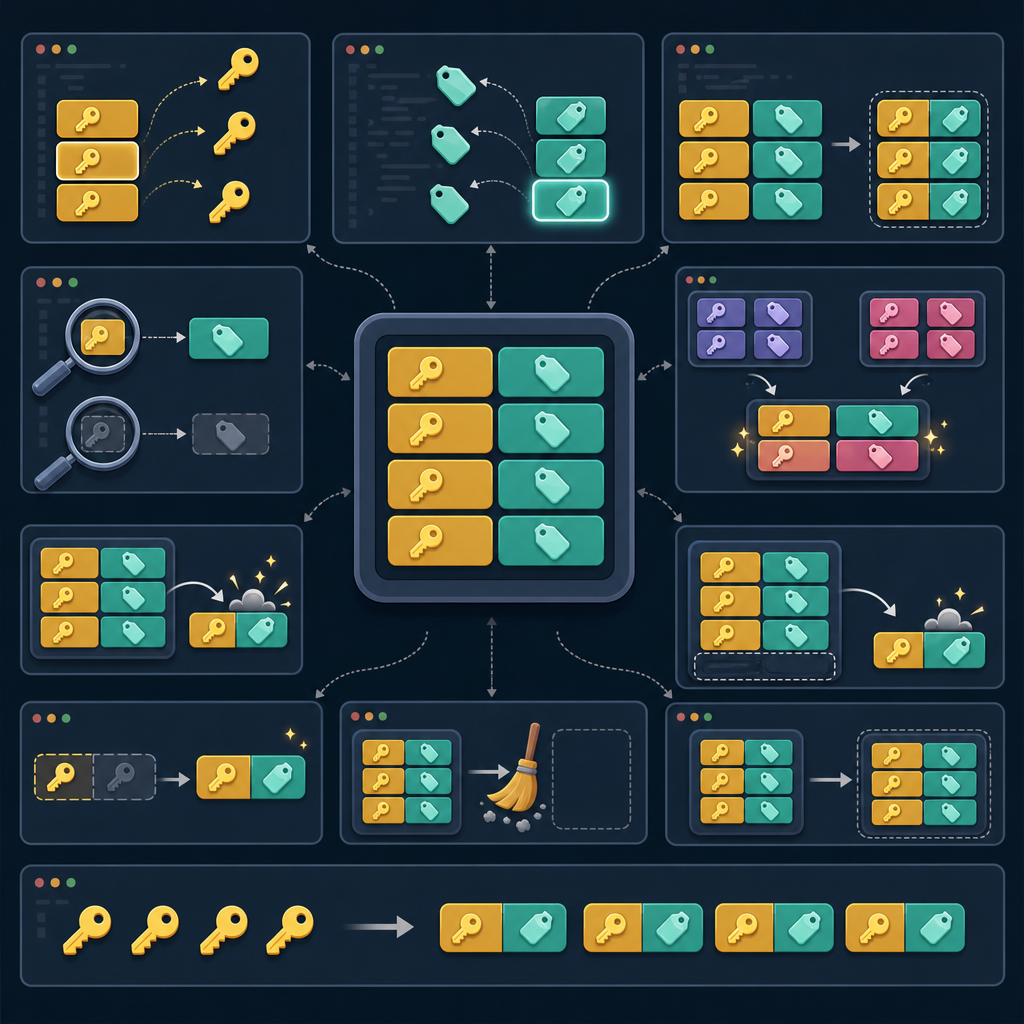
A dictionary is a built-in mapping type that stores key–value pairs. Think of it like a mini-database where each key (like a student roll number or a field name) maps to a value. Keys must be hashable (e.g., strings, numbers, tuples); values can be any type. Dictionaries preserve insertion order (Python 3.7+), which means items come out in the same order you added them. They’re ideal for JSON data, configurations, and records.
"id": 101,
"name": "Asha",
"marks": 92,
"passed": True
}
print(student["name"]) # direct access (KeyError if missing)
print(student.get("grade")) # safe access (returns None if missing)
Asha
None
Want more beginner topics? Explore more lessons on the CodDesire Python hub: https://coddesire.com/python/.
Why use dictionaries?
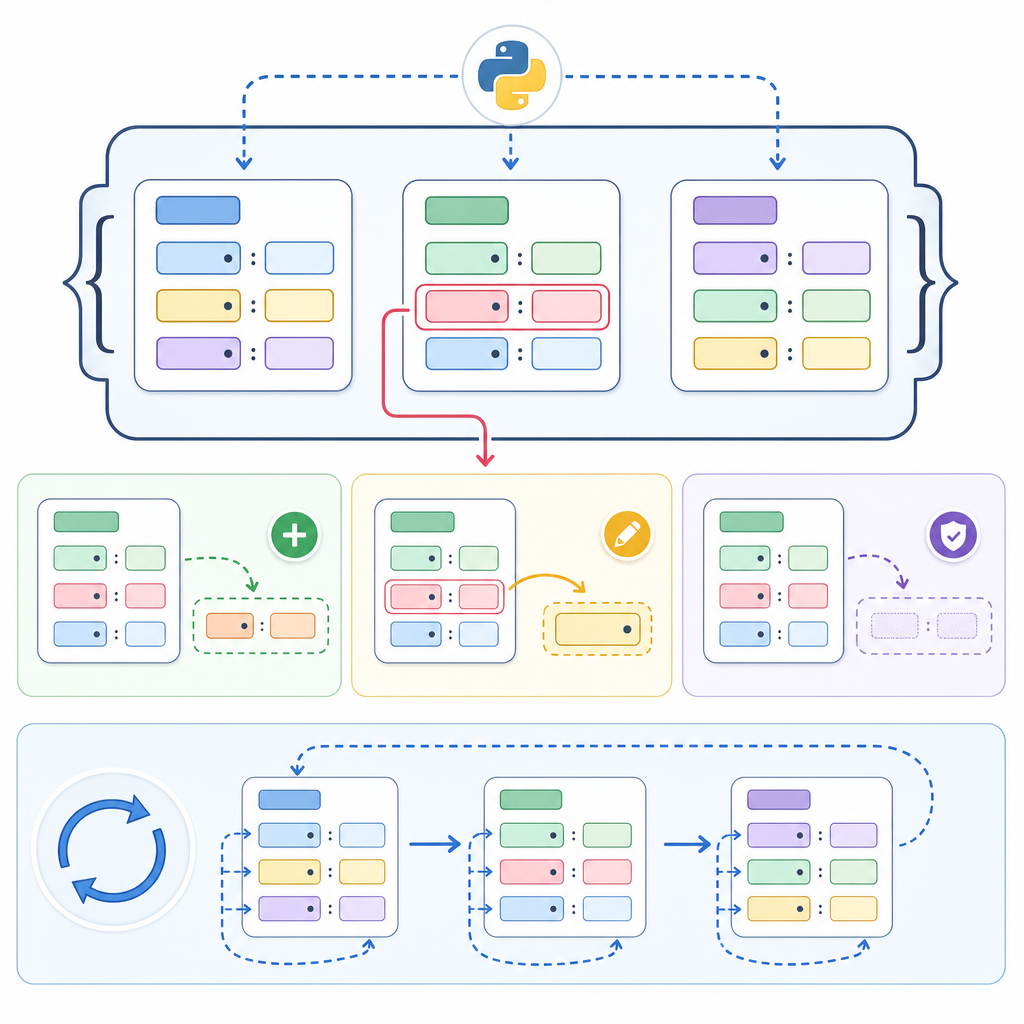
- Fast lookups by key (e.g., find a student by id)
- Clear, readable code that mirrors real data (like JSON)
- Rich methods to add, update, merge, and safely access data
- Great for organizing nested structures (e.g., user → address → city)
Basic creation and access
user = {"username": "neo", "role": "admin"}
# From pairs (list of tuples)
pairs = [("lang", "Python"), ("level", "beginner")]
info = dict(pairs)
# Adding and updating
user["active"] = True # add
user["role"] = "editor" # update
print(user)
{'username': 'neo', 'role': 'editor', 'active': True}Common dictionary methods in Python (for beginners)
Safe reading: get and default values
Use get to avoid KeyError when a key may be missing. You can provide a default:
print(settings.get("theme", "light")) # 'dark'
print(settings.get("font", "Consolas")) # default used
how to use get and setdefault in python dictionaries
setdefault returns the existing value for a key or inserts a default and returns it. It’s handy for grouping or appending without extra checks:
# Append to tags safely
post.setdefault("tags", []).append("beginner")
# Initialize a counter dict
counts = {}
for ch in "balloon":
counts.setdefault(ch, 0)
counts[ch] += 1
print(post["tags"])
print(counts)
['python', 'beginner']
{'b': 1, 'a': 1, 'l': 2, 'o': 2, 'n': 1}
keys, values, and items: dynamic views and iteration
keys(), values(), and items() return dynamic views that reflect changes. They are perfect for loops:
print(list(course.keys()))
print(list(course.values()))
for key, value in course.items():
print(key, "→", value)
# Reverse iteration over keys (Python 3.8+ supports reversed(dict))
for k in reversed(course):
print("rev:", k)
['title', 'chapters', 'free']
['Python', 12, True]
title → Python
chapters → 12
free → True
rev: free
rev: chapters
rev: title
add update and delete items in a python dictionary
- Add or update by assignment:
d[key] = value - Bulk update with
update(mutates and returns None) - Remove with
pop(by key),popitem(last-in-first-out), ordel
profile.update({"city": "Jaipur", "age": 20}) # mutate in place
age = profile.pop("age") # returns removed value
last_key, last_val = profile.popitem() # removes last inserted pair
print(age)
print(last_key, last_val)
print(profile)
20
city Jaipur
{'name': 'Ishan'}
Remember: popitem() removes the last inserted item (LIFO) in modern Python.
merge two dictionaries in python simple way
Python 3.9+ adds union operators that make merging clear:
a = {"id": 1, "name": "Asha"}
b = {"name": "A. Sharma", "city": "Delhi"}

c = a | b      # new dict; right side wins on conflicts
a |= b         # update a in place

print(c)
print(a){'id': 1, 'name': 'A. Sharma', 'city': 'Delhi'}
{'id': 1, 'name': 'A. Sharma', 'city': 'Delhi'}Older but still valid options: {**a, **b} (creates a new dict) or a.update(b) (mutates and returns None).
Copying: shallow vs deep
dict.copy() makes a shallow copy. For nested dictionaries, inner dicts are shared unless you use copy.deepcopy.
original = {"user": {"id": 1, "name": "Zoe"}}
shallow = original.copy() # inner dict is the SAME object
deep = copy.deepcopy(original) # fully independent
shallow["user"]["name"] = "Zoë"
print(original["user"]["name"]) # affected
deep["user"]["name"] = "Z"
print(original["user"]["name"]) # unchanged
Zoë
Zoë| Operation | New outer dict? | Inner dicts shared? | Mutates left input? | Beginner use case |
|---|---|---|---|---|
d2 = d1 (assignment) |
No (alias) | Same object | Yes (both names see changes) | Intentionally share one dictionary |
d1.copy() (shallow) |
Yes | Yes (inner dicts reused) | No | Fast copy when values are simple (non-nested) |
copy.deepcopy(d1) |
Yes | No (fully independent) | No | Safe clone for nested dictionaries |
d1 | d2 (3.9+) |
Yes | Depends on inputs | No | Build a merged result without changing originals |
d1 |= d2 (3.9+) |
No (in place) | Depends on inputs | Yes (left updated) | Update an existing dictionary you own |
Python nested dictionaries explained
Nested dictionaries are dictionaries inside dictionaries. They mirror JSON and config files and are common in web responses, settings, and student records. Here’s a beginner guide to python dictionaries with nesting.
create a nested dictionary step by step in python
student["profile"] = {}
student["profile"]["name"] = "Ravi"
student["profile"]["contacts"] = {"email": "ravi@example.com"}
print(student)
{'profile': {'name': 'Ravi', 'contacts': {'email': 'ravi@example.com'}}}Using setdefault avoids repeating checks:
catalog.setdefault("books", {}).setdefault("python", {})["pages"] = 320
print(catalog)
{'books': {'python': {'pages': 320}}}You can also use collections.defaultdict for nested structures:
from collections class="cd-package">import defaultdict

def tree():
    return defaultdict(tree)

data = tree()
data["user"]["address"]["city"] = "Mumbai"
print(dict(data)) # convert for pretty printingcity = user["profile"]["address"]["city"]
except KeyError:
city = None
How do I create and access a nested dictionary in Python?
Access a nested key path step by step:
# Safe access with get chain
city = u.get("user", {}).get("profile", {}).get("city")
print(city)
ChennaiUpdate a nested path safely using setdefault:
order.setdefault("items", []).append({"sku": "PEN", "qty": 3})
print(order)
{'items': [{'sku': 'PEN', 'qty': 3}]}loop through nested dictionaries in python for beginners
"s1": {"name": "Asha", "marks": {"math": 88, "eng": 90}},
"s2": {"name": "Raj", "marks": {"math": 76, "eng": 81}},
}
for sid, data in students.items():
print("Student:", sid, data["name"])
for subject, score in data["marks"].items():
print(" ", subject, score)
Student: s1 Asha
   math 88
   eng 90
Student: s2 Raj
   math 76
   eng 81
Pattern matching tip (Python 3.10+)
match/case can extract fields from nested dictionaries cleanly:
match payload:
case {"user": {"id": uid, "role": role}}:
print(uid, role)
case _:
print("No match")
101 adminOrder, equality, and views
- Insertion order is preserved in dictionaries (Python 3.7+). Iteration follows this order.
popitem()removes the most recently added item (LIFO).- Dictionary equality ignores order; it compares only key/value pairs.
- Views from
keys(),values(), anditems()are dynamic—they reflect later changes.
Common mistakes and best practices
- Don’t assume a key exists. Use
getorsetdefaultto avoidKeyError. - Know what mutates:
update,pop,popitem,clear, and|=change the dict in place.|returns a new dict. - Copying nested data? Use
copy.deepcopyto avoid shared inner dicts. - Prefer descriptive keys and consistent shapes, especially in nested dictionaries.
- For read-only views, consider
types.MappingProxyTypeto prevent accidental writes.
Quick method reference
| Method/Operation | Purpose | Notes |
|---|---|---|
get(key, default=None) |
Safe read | No error if missing; returns default |
setdefault(key, default) |
Ensure key exists | Inserts default and returns value |
update(other) |
Bulk update in place | Mutates and returns None |
d | other |
New merged dict | Right side wins on conflicts |
d |= other |
Merge in place | Mutates left dict |
pop(key[, default]) |
Remove by key | Returns value or default |
popitem() |
Remove last item | LIFO order since 3.7+ |
keys()/values()/items() |
Dynamic views | Reflect later changes |
copy() |
Shallow copy | Inner dicts shared |
clear() |
Remove all items | Empties dictionary |
Putting it all together: python dictionary examples for students
gradebook = {}
gradebook.setdefault("Asha", {}).update({"math": 88, "eng": 90})
gradebook.setdefault("Raj", {}).update({"math": 76, "eng": 81})
averages = {}
for name, scores in gradebook.items():
avg = sum(scores.values()) / len(scores)
averages[name] = round(avg, 1)
print(averages)
{'Asha': 89.0, 'Raj': 78.5}FAQ
What is a Python dictionary for beginners?
A Python dictionary is a collection of key–value pairs used to map labels (keys) to data (values). Keys are typically strings or numbers, and values can be any type. Dictionaries preserve insertion order and are great for structured data like JSON.
How do I create and access a nested dictionary in Python?
Create nested dictionaries by assigning inner dicts, or use setdefault to ensure paths exist. Access with chained indexing or safe get calls. Example: city = user.get("profile", {}).get("address", {}).get("city").
Which Python dictionary methods should beginners learn first?
Start with get, setdefault, update, pop, keys, values, and items. These cover safe access, insertion, merging, deletion, and iteration.
How do get, keys, values, and items methods work in Python?
get(key, default): returns the value or a default if the key is missing.keys(): view of keys; iterable and dynamic.values(): view of values; dynamic.items(): view of (key, value) pairs; dynamic, ideal for loops.
What is the easiest way to loop through a nested dictionary in Python?
Use nested for loops over .items(). Example: for k, v in outer.items(): for k2, v2 in v.items(): .... For simple reads, get chains and pattern matching (3.10+) also help.
Typing and validation tip (optional)
As projects grow, typing.TypedDict helps describe the expected shape of dictionaries for static type checkers.
from typing class="cd-package">import TypedDict

class Profile(TypedDict):
    id: int
    name: str
    city: str

p: Profile = {"id": 1, "name": "Asha", "city": "Delhi"}
Practice challenge
- Create a dictionary with keys
title,author, andtags, wheretagsis a list. - Use
setdefaultto ensuretagsexists, then append two tags. - Make a shallow copy and a deep copy. Modify the tags in the shallow copy—observe the effect on the original. Modify the deep copy and compare.
Sources / Further reading
- Python docs — Mapping Types — dict: docs.python.org
- What’s New in Python 3.7 — insertion order guarantee: docs.python.org
- Dictionary Merge & Update Operators (3.9+) and PEP 584: docs.python.org, peps.python.org
collections.defaultdict: docs.python.org- copy — shallow and deep copy: docs.python.org
- types.MappingProxyType: docs.python.org
- typing.TypedDict: docs.python.org
Next steps
You’ve learned the essential Python dictionary methods and nested dictionaries, including how to add, update, merge, and loop. Continue your journey with more beginner topics and projects on our Python section: CodDesire Python tutorials.