
If you’re learning Python, the for loop with range is one of the first tools you’ll use to repeat actions a fixed number of times. In this beginner-friendly guide, you’ll learn how to use range in a Python for loop, understand the syntax, practice with simple programs, and avoid common mistakes. We’ll also cover best practices like using enumerate and reversed for clear, safe code. For more basics and related lessons, explore the full Python section at CodDesire Python Tutorials.
What is range and why use it in a for loop?
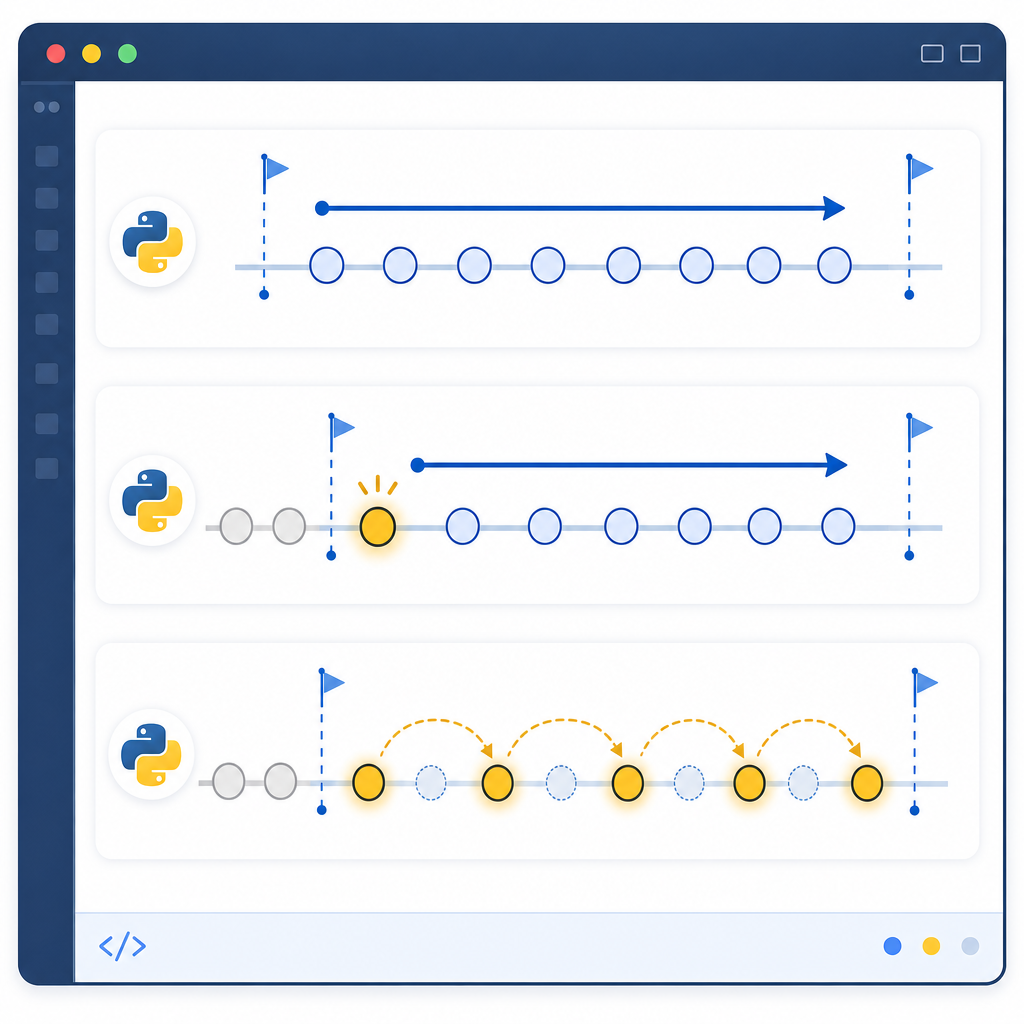
In Python, a for loop iterates over items in any iterable (lists, strings, files, etc.). The built-in range type creates a memory‑efficient, immutable sequence of integers that’s perfect for counted loops—when you want to loop a specific number of times or over a sequence of numbers.
- range(stop): numbers from 0 up to, but not including,
stop. - range(start, stop): numbers from
startup to, but not including,stop. - range(start, stop, step): numbers from
starttostop(exclusive), jumping bystep. Negative steps count down.
Important points:
stopis exclusive: the sequence ends just beforestop.rangestores only start/stop/step and computes values on demand (not a list or generator).- Arguments must be integers (or objects implementing
__index__);stepcannot be 0.
range(start, stop, step)uses an exclusive stop (it stops just beforestop).- To include an endpoint
b, userange(a, b + 1). For countdowns, use a negative step. rangeis memory‑light (it doesn’t build a full list); it only accepts integers andstep≠ 0.- Prefer
enumerate(seq)for index+value, andreversed(range(n))for clear countdowns. - Test edge cases: empty ranges like
range(5, 5)iterate zero times.
Python for loop syntax for beginners

Basic for loop with a counted range:
# your code here
pass
With start, stop, and step:
# your code here
pass
Python for loop with range examples
1) Loop through numbers 0 to 4
This is the simplest pattern—range(5) yields 0, 1, 2, 3, 4.
print(i)
0
1
2
3
4
2) Print numbers 1 to 10 using a Python for loop
Use a start value of 1 and stop at 11 (because stop is exclusive).
print(i)
1
2
3
4
5
6
7
8
9
10
3) Python for loop with range and step value
Skip numbers by setting step. Here are even numbers from 2 to 10.
print(i)
2
4
6
8
10
4) Countdown with a negative step
Count down by using a negative step. This loop prints 5 to 0 inclusive.
print(i)
5
4
3
2
1
0
5) Custom step sizes
Jump by 3 each time, stopping before 0.
print(i)
10
7
4
1
How to use range in a Python for loop: start, stop, and step explained
Let’s break down the long‑tail topic: python for loop with range start stop step examples.
- Start: where counting begins (default 0).
- Stop: where counting ends (exclusive).
- Step: how much to add each time (default 1, can be negative).
Examples you can try:
for i in range(10):
print(i, end=" ")
print()
# 3 to 7 (stops before 8)
for i in range(3, 8):
print(i, end=" ")
print()
# 1, 4, 7 (step = 3)
for i in range(1, 10, 3):
print(i, end=" ")
print()
# -2, -4, -6 (negative numbers)
for i in range(-2, -7, -2):
print(i, end=" ")
0 1 2 3 4 5 6 7 8 9
3 4 5 6 7
1 4 7
-2 -4 -6 for _ in range(n):
for i in range(a, b + 1):
for i in range(s, t - 1, -1):
for i in reversed(range(n)) is clear for n−1..0 for i in range(a, b, k):
for i, x in enumerate(seq, start=1):
range(len(seq)) for in‑place updatesWhy does range(1, 5) stop at 4?
This is a common beginner question: Why does range(1, 5) stop at 4 in Python? The stop value is exclusive. This design makes it easy to express common patterns, such as looping exactly n times with range(n), slicing sequences, and aligning with zero-based indexing. If you need to include 5, write range(1, 6).
Looping over items vs. looping over indexes
Often you do not need indexes at all—iterate directly over the items. When you need both index and value, use enumerate for readability and safety. Only use range(len(...)) when explicit indexing is required (e.g., writing back to the same list or accessing parallel structures by index).
Best practice: enumerate for index and value
for idx, name in enumerate(students, start=1):
print(idx, name)
1 Ava
2 Ben
3 Chen
Iterate over list indices using range and len in Python
Use this when you must access or modify by position.
for i in range(len(scores)):
scores[i] += 5 # curve each score
print(scores)
[55, 70, 85]Parallel iteration without indexes
Use zip to loop over two lists together.
marks = [85, 90, 92]
for name, mark in zip(names, marks):
print(f"{name}: {mark}")
Ava: 85
Ben: 90
Chen: 92
Reverse iteration
Use reversed(range(n)) or a negative step. Both are fine; reversed(range(n)) can be clearer when counting down from n-1 to 0.
print(i, end=" ")
5 4 3 2 1 0for x in seqenumerate(seq)reversed(range(n))range(start, stop, -1)range(len(seq))for x in seqenumerate(seq)reversed(range(n))range(start, stop, -1)range(len(seq))Small comparison: choosing the right loop tool
| Goal | Recommended pattern | Example |
|---|---|---|
| Count N times | range(n) |
for _ in range(10): ... |
| Index + value | enumerate(seq[, start]) |
for i, x in enumerate(a, 1): ... |
| Reverse order | reversed(seq) or reversed(range(n)) |
for i in reversed(range(5)): |
| Parallel sequences | zip(a, b) |
for x, y in zip(a, b): ... |
| Need exact indices | range(len(seq)) |
for i in range(len(a)): |
Real task: search with for–else
Python’s for loop supports an else clause that runs only if the loop did not hit a break. It’s handy for searches. Example: a simple prime test.
for n in range(2, x):
if x % n == 0:
print(f"{x} is divisible by {n}, so it is not prime.")
break
else:
print(f"{x} is prime.")
29 is prime.Common off-by-one mistakes with Python range (and fixes)
- Expecting the stop value to be included
Mistake:for i in range(1, 5): # prints 1..4, not 1..5
# fix: use range(1, 6) - Writing a zero step
range(1, 10, 0)raisesValueError: step argument must not be zero. Pick a positive or negative non-zero step. - Using floats with range
rangerequires integers. For decimal steps, use a counter and compute values inside the loop:for i in range(5): # 0..4
x = 0.5 * i # 0.0, 0.5, 1.0, 1.5, 2.0
print(x) - Building a list unnecessarily
list(range(1_000_000))creates a huge list in memory. If you only need to loop or sum, userangedirectly:total = sum(range(1_000_000)) - Indexing when not needed
Prefer direct iteration orenumerateoverrange(len(seq))unless you truly need indices.
Mini practice: try these yourself
- Print the squares of numbers from 1 to 5.
- Print every third number from 3 to 24 (inclusive).
- Countdown from 10 to 1, then print “Go!”.
- Given
data = [2, -3, 7, -1], add 10 to each negative number using index-based updates. - Use
enumerateto print line numbers for a list of strings.
FAQ: Python for loop range explained
What does range do in a Python for loop?
range produces an efficient, read-only sequence of integers that a for loop can iterate over without creating a full list in memory. It supports start, stop, and step (including negative steps).
How do I write a for loop from 1 to 10 in Python?
print(i)
How can I change the step value in Python range?
Use the third argument: range(start, stop, step).
print(i)
Why does range(1, 5) stop at 4 in Python?
The stop value is exclusive by design, so range(1, 5) yields 1, 2, 3, 4. To include 5, write range(1, 6).
How do I loop through indexes with range and len in Python?
for i in range(len(items)):
print(i, items[i])
Tips and best practices
- Use
for _ in range(n)when the loop variable isn’t needed. - Prefer
enumeratefor index+value loops; usestart=1for human-friendly numbering. - Use
reversed(range(n))for clear countdowns. - Avoid converting
rangeto a list unless you truly need list behavior. - Test edge cases: empty ranges (e.g.,
range(5, 5)) produce no iterations.
More range function in Python examples
Quick patterns you’ll use often:
for _ in range(3):
print("Hello")
# Sum of first 100 natural numbers
total = sum(range(1, 101))
print(total)
# Index-aware updates with conditions
nums = [1, -2, 3, -4, 5]
for i in range(len(nums)):
if nums[i] < 0:
nums[i] = 0
print(nums)
Hello
Hello
Hello
5050
[1, 0, 3, 0, 5]
Where this fits in your learning path
Mastering counted loops with range is a foundation for solving repetitive tasks, generating sequences, building simple simulations, and practicing algorithmic thinking. After this, try combining for loops with lists, strings, and dictionaries, and learn patterns like enumerate, zip, and comprehensions. Continue with more beginner topics in our Python for Beginners hub.
Sources / Further reading
- Python docs: Built-in
rangefunction — docs.python.org/functions#range - Python docs: Built-in types — Ranges and sequence types — docs.python.org/stdtypes
- Python tutorial: The range() function and looping techniques — docs.python.org/tutorial/controlflow and docs.python.org/datastructures#looping
- Real Python: Python range(): Represent Numerical Ranges — realpython.com/python-range/
- DigitalOcean: Python for loop examples — digitalocean.com/…/python-for-loop-example
- Python documentation by version — python.org/doc/versions/