
The Python raise keyword and custom exceptions give you precise control over error handling in your programs. As a student or beginner, learning how to raise, catch, and define your own exceptions will make your code safer, easier to debug, and more professional. This quick guide explains what raise does, how to use try, except, finally, and how to create your own exception classes with clear examples. If you are just starting with Python, you can also explore the basics at CodDesire Python Tutorials.
- raise stops normal flow and signals an error; callers can catch it with except.
- Prefer specific built-in exceptions (ValueError, TypeError, FileNotFoundError) before using Exception.
- Create small, clear custom exceptions for domain rules (e.g., SchoolError, InvalidGradeError).
- Use raise NewError from old_error to preserve the cause chain for better debugging.
- Use try/except/else/finally: handle or re-raise; avoid silently swallowing errors.
- Do not use assert for user input or production checks—explicitly raise instead.
What does the raise keyword do in Python?
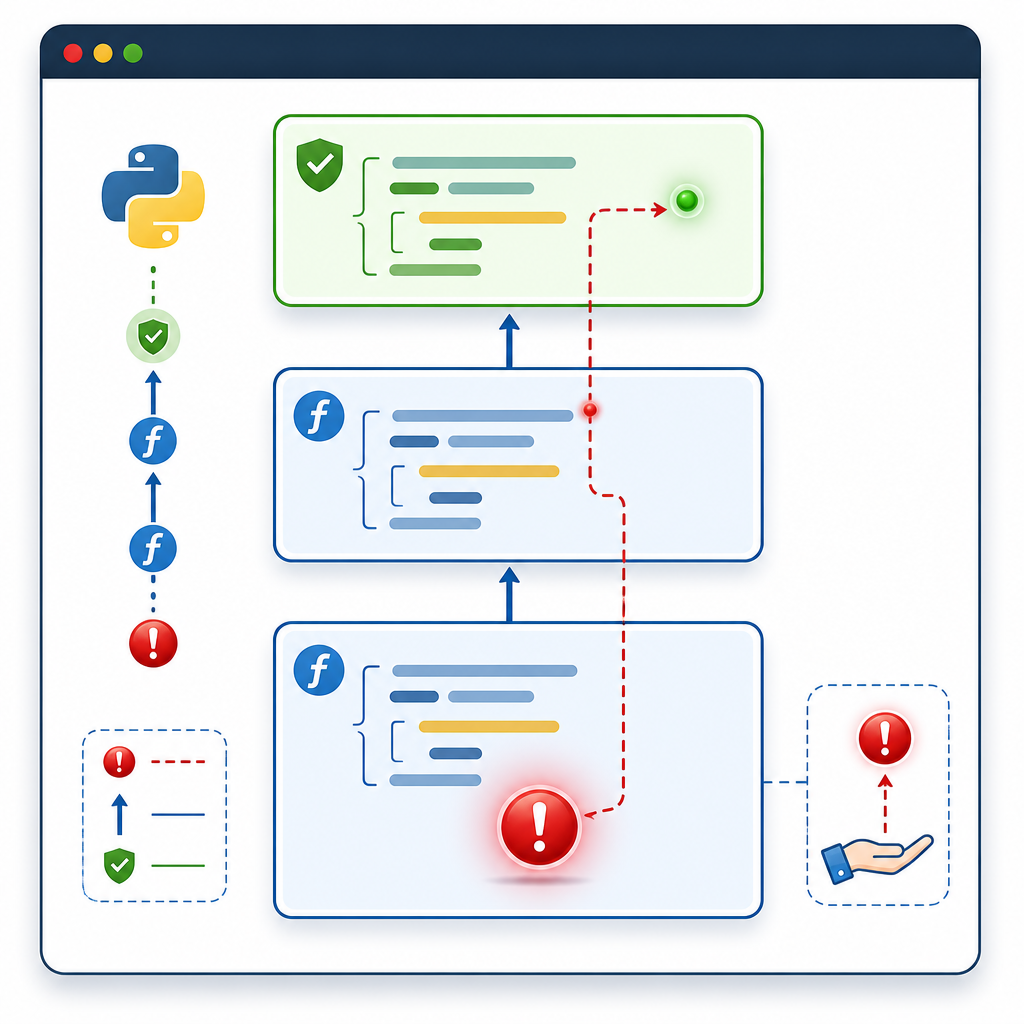
The raise statement stops normal execution and signals an error (an exception). You can raise built-in exceptions (like ValueError or TypeError) or your own custom exception classes.
- raise ErrorType("message") creates and throws an exception.
- raise ErrorType raises the class directly; Python will instantiate it with no arguments.
- raise with no arguments inside an except block re-raises the current exception.
- raise NewError from old_error keeps the cause chain for better debugging.
Basic example: raise a built-in exception
def square_root(x):
    if x < 0:
        raise ValueError("x must be non-negative")
    return x ** 0.5

print(square_root(9))
print(square_root(-1))  # raises ValueError
Raising a class vs. an instance
raise RuntimeError # Python instantiates RuntimeError() automatically
# raise RuntimeError() # Explicit instance
Re-raising the current exception
try:
    value = int("abc")
except ValueError:
    # Do some logging or cleanup, then re-raise the same error
    raise
Why use raise? (And when to use return vs. raise)

Use raise when something has gone wrong and the caller should handle or see the error. Use return for normal function results.
- Use return for valid results, including sentinel values when appropriate.
- Use raise for invalid inputs, impossible states, or external failures (files, network, etc.).
- Prefer specific built-in exceptions (ValueError, TypeError, FileNotFoundError, PermissionError) when they match the situation; otherwise use a custom exception.
Example: return vs. raise
def parse_age(text):
    # Bad: returning -1 hides the error
    if not text.isdigit():
        return -1
    return int(text)

def parse_age_strict(text):
    # Good: raise explains what went wrong
    if not text.isdigit():
        raise ValueError(f"Invalid age: {text!r}")
    return int(text)
Python exception handling basics: try, except, else, finally and raise
Exception handling groups error-prone code in try, catches failures with except, runs success-only code in else, and cleanup code in finally. You can raise inside any of these blocks as needed.
def divide(a, b):
    try:
        result = a / b
    except ZeroDivisionError as exc:
        # Add detail and re-raise
        raise ZeroDivisionError("Cannot divide by zero") from exc
    else:
        # Runs only if no exception
        return result
    finally:
        # Always runs(e.g., close files)
        pass

print(divide(10, 2))
# print(divide(10, 0))  # raises ZeroDivisionError
How to create custom exceptions in Python (step by step)
Custom exceptions are great for domain-specific errors. Best practice: subclass Exception (not BaseException), name it SomethingError, and keep your hierarchy small and clear.
Step 1: define a base exception for your app or module
class SchoolError(Exception):
    """Base class for school-related errors."""
Step 2: define specific custom exceptions
class InvalidGradeError(SchoolError):
    def __init__(self, grade, message="Grade must be between 0 and 100"):
        super().__init__(message)
        self.grade = grade

class StudentNotFoundError(SchoolError):
    pass
Step 3: raise your custom exceptions where appropriate
def set_grade(student_id, grade):
    if not(0 <= grade <= 100):
        raise InvalidGradeError(grade)
    if student_id not in {"s1", "s2"}:
        raise StudentNotFoundError(f"Unknown student: {student_id}")
    return f"Recorded {grade} for {student_id}"

try:
    print(set_grade("s9", 99))
except SchoolError as e:
print("School error:", e)School error: Unknown student: s9Adding attributes and helpful messages
def average_grade(grades):
    if not grades:
        raise SchoolError("No grades to average")
    if any((g < 0 or g > 100) for g in grades):
        bad = [g for g in grades if g < 0 or g > 100]
        err = InvalidGradeError(bad[0], "Found invalid grade in list")
        err.bad_values = bad  # attach custom info
        raise err
    return sum(grades) / len(grades)

try:
    average_grade([100, 110, 90])
except InvalidGradeError as e:
    print("First bad grade:", e.grade)
print("All bad grades:", getattr(e, "bad_values", []))First bad grade: 110
All bad grades: [110]Raising with a cause: raise X from Y
When translating a low-level error to a higher-level one, preserve the original cause. This helps debugging by keeping the chain.
def load_points(text):
    try:
        return [int(x) for x in text.split(",")]
    except ValueError as exc:
        raise ValueError("Unable to parse points list") from exc

try:
    load_points("10,abc,30")
except ValueError as e:
    print("Caught:", e)
Suppressing the context
Sometimes you don’t want to show the original exception. Use from None to suppress it.
try:
    int("abc")
except ValueError:
    raise ValueError("Input must be a whole number") from None
Common mistakes and how to avoid them
- Using assert for input validation. Avoid it. assert can be removed with optimizations. Prefer explicit raise for user input and production checks.
- Catching everything with except Exception: and ignoring it. Don’t swallow errors; either handle them or re-raise.
- Raising StopIteration in a generator. Don’t do this; use return to end a generator. Since Python 3.7, an escaping StopIteration becomes a RuntimeError.
- Creating deep exception hierarchies. Keep it simple: a base app error and a few specific ones.
- Forgetting to use the most specific built-in exception first (ValueError, TypeError, KeyError, FileNotFoundError).
Correct way to end a generator
def counter(n):
    for i in range(n):
        yield i
    return  # Do not raise StopIteration yourself
Beginner guide to Python try, except, finally and raise: a full example
class InputError(Exception):
    pass

def read_positive_int(text):
    try:
        value = int(text)
    except ValueError as exc:
        raise InputError(f"Not an integer: {text!r}") from exc
    if value <= 0:
        raise InputError("Number must be positive")
    return value

def main():
    user_text = "0"
    try:
        number = read_positive_int(user_text)
    except InputError as err:
        print("Error:", err)
        return  # or re-raise if the caller should handle it
    else:
        print("You entered:", number)
    finally:
        print("Done.")

main()Error: Number must be positive
Done.Python raise ValueError vs raise Exception
When you know the problem type, use the specific built-in exception. Use Exception only as a last resort or for very generic failures. Here’s a quick comparison:
| Situation | Better choice | Why |
|---|---|---|
| Invalid value passed to a function | ValueError | Signals the value is the wrong content, not the wrong type |
| Wrong argument type (e.g., list instead of int) | TypeError | Clearer intent; tools and readers understand it |
| Missing or inaccessible file | FileNotFoundError | Specific to file lookup failures |
| Permission problem | PermissionError | More specific than Exception |
| Domain-specific rule violation (e.g., invalid grade) | Custom exception (e.g., SchoolError) | Lets callers catch app-level errors separately and act on details |
| Truly unknown or generic error | Exception | Use when no specific type fits |
Re-raising inside except blocks
- Use raise to re-throw the same exception after handling part of it (like logging).
- Use raise NewError from old to wrap and keep the cause.
try:
    open("missing.txt")
except FileNotFoundError as exc:
    # Wrap into your app-level error while preserving root cause
    class AppIOError(Exception): pass
    raise AppIOError("Failed to open required file") from exc
Newer Python features worth knowing (3.11+)
ExceptionGroup and except*
Sometimes multiple failures happen together (for example, in concurrent tasks). Python 3.11 introduced ExceptionGroup to bundle them. You can use except* to handle each exception type inside the group. Note: except Exception will still catch ExceptionGroup as a whole. Use except* for per-error handling.
try:
raise ExceptionGroup("batch failed", [ValueError("bad A"), TypeError("bad B")])
except* ValueError as eg:
for e in eg.exceptions:
print("Fixed value error:", e)
except* TypeError as eg:
for e in eg.exceptions:
print("Handled type error:", e)
Fixed value error: bad A
Handled type error: bad B
Add notes to exceptions for more context
Python 3.11 added add_note(), which lets you attach extra messages that appear in the traceback. This is handy for retries or batched work.
try:
    raise ValueError("Parse failed")
except ValueError as e:
    e.add_note("While processing record #12")
    e.add_note("File: students.csv")
    raise
Quick checklist: best practices
- Choose the most specific built-in exception that fits.
- Use clear messages that help the user fix the problem.
- Subclass Exception for your custom exceptions; name them SomethingError.
- Use raise NewError from old_error to keep the cause chain.
- Avoid broad except blocks; never silently ignore exceptions.
- Do not use assert for user input or production checks.
- End generators with return, not by raising StopIteration.
FAQ: Python raise keyword and custom exceptions
What does the raise keyword do in Python?
It immediately stops normal execution and throws an exception. You can raise built-in exceptions or your own custom exception classes.
How do I create my own exception class in Python?
Subclass Exception and (optionally) add custom attributes. Example:
class MyAppError(Exception):
    pass

class ConfigError(MyAppError):
    def __init__(self, path, message="Invalid config"):
        super().__init__(message)
        self.path = path
When should I use raise instead of return in Python?
Use raise when the function cannot produce a valid result due to an error (invalid input, external failure). Use return for normal results and control flow.
Can I re-raise an exception inside an except block in Python?
Yes. Use a bare raise to re-throw the current exception, or raise NewError from old_error to wrap it while preserving the cause.
What is the difference between raise and assert in Python?
raise always triggers an exception and is meant for real error handling. assert is for internal checks during development and can be disabled with optimizations, so don’t use it to validate user input.
Practice: handling user-defined exceptions with examples
class CalculatorError(Exception):
    pass

class NegativeNumberError(CalculatorError):
    pass

def sqrt_strict(x):
    if x < 0:
        raise NegativeNumberError("x must be non-negative")
    return x ** 0.5

try:
    print(sqrt_strict(16))
    print(sqrt_strict(-4))
except NegativeNumberError as e:
print("Please provide a non-negative number:", e)4.0
Please provide a non-negative number: x must be non-negativeSources / Further reading
- The raise statement (Python docs)
- Errors and Exceptions — Python tutorial
- Built-in Exceptions
- PEP 3134 — Exception chaining
- PEP 409 — Suppressing exception context
- PEP 654 — Exception Groups and except*
- PEP 678 — Enriching Exceptions with Notes
Now that you understand the Python raise keyword and custom exceptions, continue exploring more beginner-friendly topics at our Python hub on CodDesire. Keep practicing with small functions: validate inputs, choose the right exception type, and write clear error messages—these skills scale as your projects grow.