
If you’ve been curious about AI agents for beginners without coding, this guide will help you understand what they are, how they work, and how you can build a simple one today. Whether you’re a student, creator, blogger, developer exploring no-code options, a small business owner, or a startup founder, you can assemble useful agents to plan and complete tasks like research, content drafting, inbox triage, reporting, and customer support—without writing code.
What is an AI agent? A simple explanation
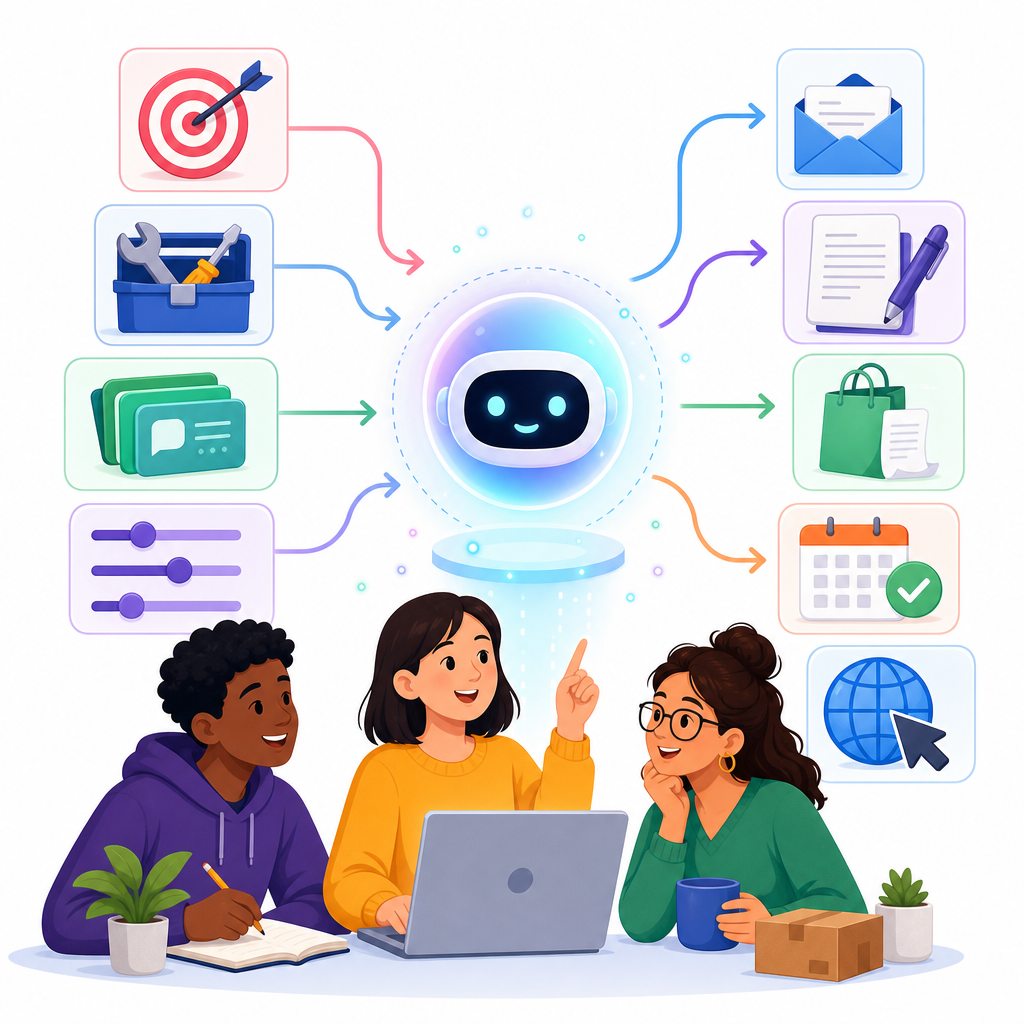
An AI agent is a goal‑driven system that doesn’t just answer questions—it plans, takes actions, and completes tasks. It uses a large language model to reason about your goal, then calls tools or apps (email, spreadsheets, CRMs, calendars, search), keeps short‑term memory of what it’s doing, and continues until the task is done or it needs your approval.
In simple terms: a chatbot talks, an automation follows a fixed recipe, but an AI agent thinks, chooses the next step, and acts with tools to reach your goal.
How do AI agents work?
- Instruction and goal: you describe what the agent should do and how to behave (scope, tone, rules).
- Planning: the agent breaks the goal into steps using LLM reasoning.
- Tools and connectors: it calls tools (APIs, apps, web actions) to search, retrieve data, send messages, create files, update records, and more.
- Memory and context: it remembers prior steps in the session, and can optionally use knowledge sources (documents, sites, databases).
- Execution loop: it reflects, chooses the next best action, checks results, and continues until it finishes or asks for human approval.
- Guardrails: policies, permissions, and “human‑in‑the‑loop” checks manage safety and access.
Why AI agents matter now (and why beginners can build them)

Until recently, building agents required coding and custom infrastructure. As of 2026, major platforms provide beginner‑friendly builders that let you describe an agent in plain English, attach knowledge, connect apps, and publish to common channels:
- Microsoft Copilot Studio (new agents experience) — design, test, and publish agents to Microsoft Teams, web, and other channels.
- Google Vertex AI Agent Builder — create agents that use Gemini models, connect Google/enterprise data, and deploy in apps or chat.
- Zapier Agents — create personal automation agents that connect hundreds of apps (Gmail, Sheets, Slack, Notion) without code.
- Amazon Bedrock AgentCore — AWS’s updated approach to build agents that call tools and knowledge on Bedrock (AWS is steering users away from older “Agents Classic”).
- OpenAI’s latest direction focuses on developer‑centric agent tooling (Agents SDK/Workspace Agents and AgentKit) rather than the older Agent Builder, which OpenAI announced will wind down on November 30, 2026.
The result: you no longer need to write code to build a capable starter agent. You can get value quickly by connecting your apps, documents, and workflows with clear instructions and safe defaults.
| Platform | Best for | Ease for beginners | Connectors & channels | Notes |
|---|---|---|---|---|
| Microsoft Copilot Studio | Team help desks, internal copilots, enterprise knowledge | Easy | Microsoft 365, SharePoint; publish to Teams/web | Strong governance; preview the new agents experience |
| Google Vertex AI Agent Builder | Multichannel agents with Gemini and Google data | Moderate | Drive, Cloud Search, databases; deploy to apps/web | Good evaluation features; fits GCP governance |
| Zapier Agents | Personal workflows across Gmail/Sheets/Slack/Notion | Very easy | Hundreds of app connectors; on‑demand or scheduled | Great for internal automation, not customer chatbots |
| AWS Bedrock AgentCore | Tool‑oriented agents on AWS with enterprise controls | Moderate | AWS services & knowledge on Bedrock | Use AgentCore (not Agents Classic) for new projects |
| OpenAI Agents SDK / Workspace Agents | Custom agents with more control (low‑code/developer) | Developer‑oriented | Flexible tool calling; integrate into apps | AgentKit available; avoid long‑term reliance on Agent Builder |
AI agent use cases and ideas for beginners
- Bloggers and creators: brainstorm topics, outline posts, draft social captions, create content calendars, and keep a source‑of‑truth spreadsheet updated.
- Students: summarize readings, track deadlines, organize research notes, and generate study plans with citations to your materials.
- Small businesses and startups: triage incoming emails/leads, create quotes from templates, log CRM updates, send order status emails, and prepare weekly KPI reports.
- Customer support and internal help desks: answer FAQs from a knowledge base and escalate edge cases to humans with a clear summary.
- Operations: pull data from Sheets or a database, check inventory thresholds, and message the team with prioritized actions.
- Creators and solopreneurs: monitor mentions, compile outreach lists, and schedule content across channels.
-
Define one concrete outcome (e.g., “create weekly content ideas and update my Sheet”) and who will use it. -
Write instructions with scope, allowed tools, data boundaries, and what needs approval (sending emails, edits, purchases). -
Connect only the apps you need using least‑privilege (read‑only unless write access is essential). -
Attach small, trusted knowledge (guidelines, SOPs); remove outdated docs. -
Specify output formats (columns for Sheets, fields for CRM) so results are structured. -
Test on a small sample (5–10 items). Review logs and confirm tool usage. -
Require approvals for sensitive actions and enable auditing. -
Monitor for a week, tune prompts/permissions, then scale to more users.
Step‑by‑step: how to build a simple AI agent without coding
Below are three beginner‑friendly paths. Each uses natural‑language configuration, app connections, and built‑in testing to get you from idea to working agent fast.
Path 1: Personal automation with Zapier Agents (fastest start)
Ideal for: inbox triage, content workflows, compiling reports, or moving information between Gmail, Google Sheets, Slack, Notion, and similar tools.
- Create a new agent and name it with a clear goal (e.g., “Inbox Triage and Content Planner”).
- Write plain‑English instructions that define scope and guardrails. Example: “You triage my Gmail for content ideas, extract titles and links, add them to a Google Sheet with tags and due dates, and post a weekly summary to Slack. Ask for approval before sending any emails on my behalf.”
- Connect apps: authorize Gmail, Google Sheets, Slack, and any others you need.
- Add a knowledge source if helpful (e.g., a Notion page with editorial guidelines).
- Set triggers: run hourly, daily, or on demand.
- Test the agent with a small batch of emails. Confirm it only uses the tools you intend and that the output format is correct.
- Turn it on and monitor early runs. Adjust instructions and permissions as needed.
Notes: Zapier Agents are designed for personal/workflow automation and are not intended as embeddable, customer‑facing chatbots.
Path 2: Team or enterprise scenario with Microsoft Copilot Studio
Ideal for: internal help desks, team FAQ agents, or project co‑pilots published to Microsoft Teams or the web.
- In Copilot Studio’s new agents experience, create a new agent and describe its purpose and scope (what it should and shouldn’t do).
- Attach knowledge: connect SharePoint sites, files, or other data sources your team relies on.
- Add tools/actions: enable connectors for tasks like creating tickets, posting to Teams channels, or retrieving records from internal systems.
- Define guardrails: specify sensitive content rules, who can use the agent, and whether certain actions require human approval.
- Evaluate in the preview chat, try edge cases, and review activity logs.
- Publish the agent to Microsoft Teams or a web channel and share it with your team.
Path 3: Multichannel agents with Google Vertex AI Agent Builder
Ideal for: web or app experiences that use Gemini models and enterprise data, with governance on Google Cloud.
- Create an agent, write clear instructions, and select a model.
- Connect data sources (Drive, Cloud Search, databases) to ground responses in your organization’s content.
- Add tools and actions the agent can perform, such as retrieving records or posting updates.
- Use the built‑in evaluation and testing tools to verify quality and safety.
- Deploy to your preferred channel (web, app, internal tools) and monitor performance.
Other platforms to know
- Amazon Bedrock AgentCore: Build agents that orchestrate tools and knowledge on AWS’s Bedrock platform. AWS is directing users toward AgentCore instead of Agents Classic.
- OpenAI Agents SDK and Workspace Agents: For developers who can invest some coding effort, OpenAI’s newer tooling (and AgentKit) supports building powerful agents. OpenAI’s earlier Agent Builder is scheduled to wind down on November 30, 2026, so avoid it for long‑term projects.
Benefits you can expect
- Time savings: move from manual, repetitive tasks to supervised automation.
- Consistency and quality: standardized steps mean fewer errors and more repeatable outcomes.
- Fast iteration: adjust instructions, tools, and knowledge without code changes.
- Scalability: once an agent works for you, you can expand it to more users or broader tasks.
Limitations and what to watch out for
- Scope creep: agents can attempt tasks outside their intended scope if instructions are vague. Keep them focused.
- Tool misuse: always restrict the agent to explicit tools and least‑privilege permissions.
- Hallucinations: ground the agent with reliable knowledge sources and ask it to cite or quote where possible.
- Platform constraints: be aware of token, rate, and embedding limits that affect long documents and large workflows.
- Security and safety: tool/connectivity layers can introduce risks. Use human‑in‑the‑loop approvals for irreversible actions (sending emails, making purchases, deleting data).
Best practices for beginners
- Start with one concrete use case and a small data set. Expand only after it works reliably.
- Write clear, constrained instructions: define the goal, allowed tools, what to avoid, and when to ask for help.
- Use least privilege for every connected app. Grant read‑only access unless write access is essential.
- Keep knowledge sources small and high‑quality. Remove outdated documents to avoid confusion.
- Require approval for sensitive actions. Log actions and keep audit trails enabled.
- Evaluate regularly. Test tricky prompts, monitor outputs, and check for drift as your data changes.
- Consider emerging standards like the Model Context Protocol (MCP) to connect tools and data, while maintaining your own security checks and reviews.
Simple AI agent projects you can build this week
- Content planner: scan your saved links, draft 10 blog post ideas with outlines, and update a Google Sheet calendar with due dates.
- Inbox triage: label and summarize new emails, extract tasks into a to‑do app, and send a daily Slack digest.
- Lead capture to CRM: watch form submissions, enrich data with company info, create CRM records, and notify sales.
- Internal FAQ assistant: connect to a SharePoint or Drive folder of SOPs, answer common staff questions, and escalate edge cases with a summary.
- Weekly metrics reporter: pull data from Sheets or a database, compute KPIs, and share charts with commentary.
How AI agents differ from chatbots and traditional automation
- Chatbots: designed mainly for conversation and Q&A; they usually don’t independently plan or act.
- Automation (Zaps/flows): reliable, fixed sequences triggered by events; great for stable workflows but inflexible for novel tasks.
- AI agents: combine reasoning with tools and memory to plan multi‑step tasks, adapt to context, and act toward goals.
FAQ: quick answers for beginners
What is an AI agent in simple terms?
It’s a goal‑oriented assistant that plans steps and uses tools to get things done, not just chat.
Can I build an AI agent without learning to code?
Yes. Platforms like Microsoft Copilot Studio, Google Vertex AI Agent Builder, and Zapier Agents let you create useful agents using natural language and clicks.
Which no‑code tools can create AI agents?
Microsoft Copilot Studio (new agents experience), Google Vertex AI Agent Builder, and Zapier Agents are beginner‑friendly. AWS Bedrock AgentCore and OpenAI’s newer agent tooling are options if you’re comfortable moving into low‑code/developer territory.
How do AI agents differ from chatbots and automation?
Agents plan and act with tools toward a goal. Chatbots mainly converse; automations run fixed recipes. Agents combine reasoning with actions.
What are easy AI agent projects for beginners?
Start with inbox triage to Sheets and Slack, a content planner for blogs and socials, an internal FAQ helper, or a weekly KPI reporter.
Future outlook: where agents are heading
- Deeper platform integration: OS‑level and productivity‑suite agents will gain richer actions (desktop, web, email, files) with stronger governance.
- Consolidated tooling: vendors are unifying agent builders and emphasizing evaluation, safety, and enterprise controls (e.g., Microsoft Copilot Studio’s new agent experience, Google’s Vertex AI Agent Builder, AWS AgentCore).
- Developer ecosystems: OpenAI’s Agents SDK/Workspace Agents and tools like AgentKit aim to standardize how agents connect to tools and perform actions.
- Standards and safety: protocols like MCP are emerging to connect agents with tools and data, alongside increasing attention to guardrails, policy checks, and monitoring.
Next steps
- Pick one use case and one platform from this page.
- Draft tight instructions, connect only the tools you need, and test with a small data set.
- Turn on evaluation and logging before you scale to more users.
Want help choosing the right stack for your use case? Explore more on our Technology page.
Sources / Further reading
- Microsoft Copilot Studio: Agents overview (new experience)
- Microsoft Copilot Studio: Create an agent (preview)
- Google Vertex AI Agent Builder documentation
- More ways to build and scale AI agents with Vertex AI Agent Builder
- Automate tasks in your application using AI agents — Amazon Bedrock (AgentCore)
- OpenAI: Introducing AgentKit (and update on Agent Builder wind‑down)
- OpenAI: New tools for building agents
- OpenAI: Introducing ChatGPT agent — bridging research and action