In today’s digital world, creating engaging and personalized experiences on websites is no longer a luxury but a necessity. AI personalization in web development is transforming how websites interact with users, making them smarter, more adaptive, and user-centric. Whether you’re a student, beginner developer, blogger, or small business owner, understanding how to integrate AI-powered personalization can set your website apart from the competition. This article will guide you through the essentials of AI personalization in web development, practical tips for beginners, and the best tools available in 2026.
What is AI Personalization in Web Development?
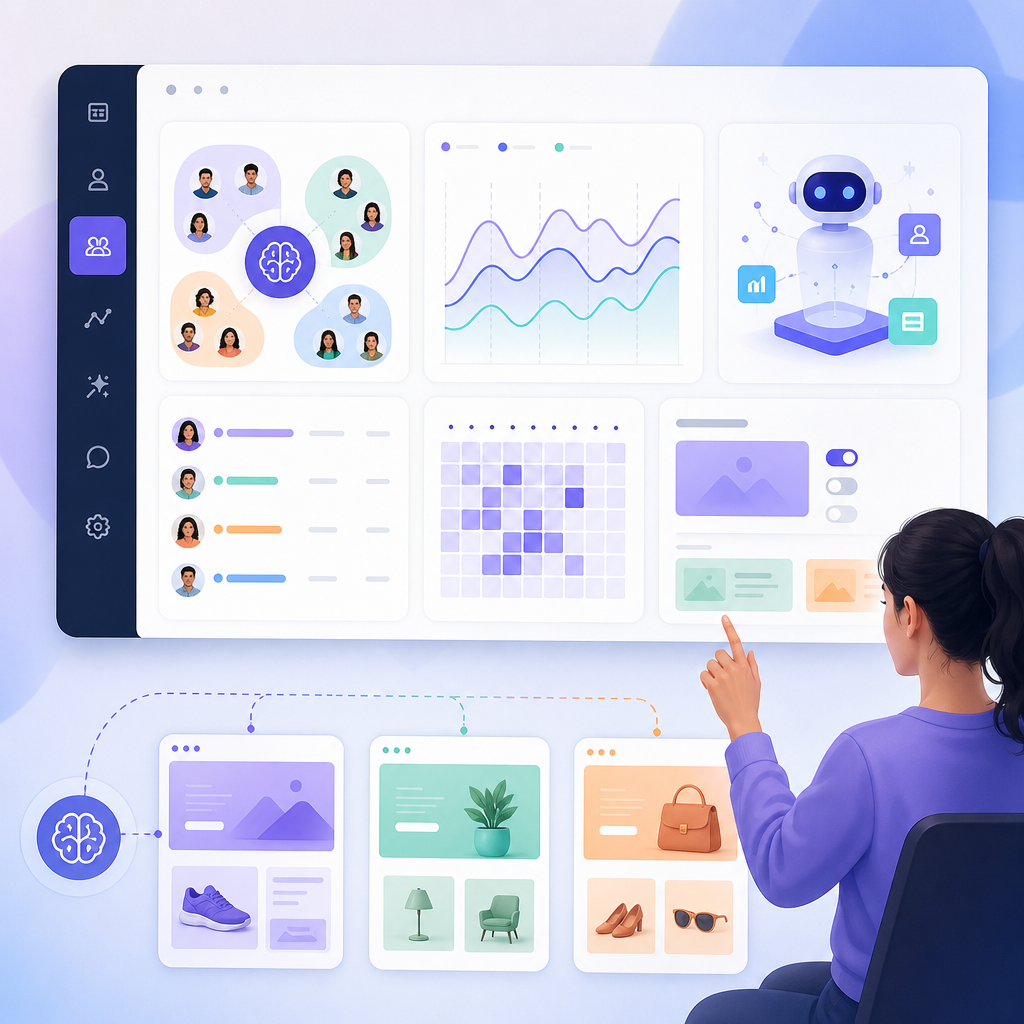
AI personalization in web development refers to the use of artificial intelligence technologies to tailor the content, design, and functionality of websites based on individual user behavior, preferences, and data. Instead of static websites delivering the same experience to every visitor, AI-powered web personalization creates dynamic and customized interactions that enhance user engagement and satisfaction.
AI systems analyze user data such as browsing patterns, location, device type, and previous interactions to deliver personalized content, recommend products, or optimize navigation. This leads to a more relevant and enjoyable user experience, which can increase conversion rates and customer loyalty.
Why Integrate AI Personalization in Your Website?

- Improved User Experience: Personalized websites AI ensures the content users see matches their interests, making their visit more enjoyable.
- Increased Engagement: Tailored content encourages users to spend more time and interact more deeply with your site.
- Higher Conversion Rates: AI recommendations and personalized offerings can boost sales and conversions for small business websites.
- Efficiency for Developers: AI-powered tools can automate routine tasks in web development with AI, speeding up workflows and reducing errors.
Implementing AI personalization in web development not only advances user engagement but also empowers developers and business owners to create adaptive, data-driven websites that respond uniquely to every visitor.
How Can Beginners Add AI Personalization to Their Websites?
For beginners interested in how to integrate AI personalization in websites for beginners, the process can seem complex at first. However, many AI tools and platforms simplify the integration. Here is a step-by-step approach:
1. Understand Your Audience and Data
Before diving into AI, gather information about your visitors’ preferences, behavior, and common interactions. This foundation is crucial for meaningful personalization.
2. Choose the Right AI-Powered Personalization Tools
Several beginner-friendly AI tools provide personalization features without heavy coding:
- Nexus AI: A platform offering AI-driven website personalization and development aids, well-suited for integration via APIs. (Explore more on Nexus AI at CodDesire.)
- GitHub Copilot: An AI code assistant that helps generate personalized web features in popular frameworks, accelerating development.
- Vercel v0 and Locofy: These design-to-code tools help create responsive UI components and can be complemented with AI personalization scripts.
3. Integrate AI Personalization Features
Start adding basic personalized elements such as dynamic greeting messages, product recommendations, or content variations based on user data.
If you use WordPress, plugins that support AI personalization can be installed to enable these functionalities with minimal setup.
4. Test and Optimize
Utilize automated AI testing tools to ensure your personalized features work smoothly across devices and browsers. Regularly review analytics to tune personalization rules.
Beginner-Friendly Step-by-Step Checklist for AI Personalization Integration
Best AI Tools for Web Development Personalization in 2026
As AI becomes integral to web development, the following tools stand out for their ability to create personalized websites AI:
| AI Tool | Primary Use | Ease of Use | Best For |
|---|---|---|---|
| GitHub Copilot | Context-aware code generation | Intermediate to Advanced | Developers building personalized features |
| Cursor | Automating repetitive coding tasks | Intermediate | Developers wanting efficiency |
| Vercel v0 | React components with AI personalization hooks | Intermediate to Advanced | React developers |
| Locofy | Design to deployable web code | Beginner to Intermediate | Designers and developers streamlining UI |
| Nexus AI | Comprehensive AI-driven personalization platform | Beginner to Advanced | Small businesses and bloggers |
Step-by-Step AI Personalization Tutorial for Small Businesses
Small business owners can take advantage of AI to personalize their websites without getting overwhelmed by technology. Here’s a simplified tutorial:
- Identify key personalization goals: Understand whether you want to recommend products, personalize content, or optimize navigation.
- Select a user-friendly AI tool: Use platforms like Nexus AI or WordPress AI plugins.
- Implement personalization widgets: Add tools like AI-based recommendation engines or personalized greeting messages.
- Analyze visitor data: Use AI analytics to track what works and refine personalization strategies.
- Maintain and update: Regularly update AI data inputs and test performance to continuously improve user experience.
Core Process Flow for AI Personalization Integration in Websites
Track behavior, preferences, and context
Pick platforms & plugins for personalization
Add recommendations, greetings, & dynamic content
Use analytics and testing for refinement
How Does AI Improve User Experience on Websites?
AI enhances user experience by making websites more intuitive, responsive, and relevant. Here are some ways AI achieves this:
- Personalized Content Delivery: Showing users content that aligns with their interests increases engagement.
- Chatbots and Virtual Assistants: Providing instant, personalized support improves customer satisfaction.
- Smart Navigation: AI adapts website menus and paths based on user behavior, simplifying discovery.
- Performance Optimization: AI-powered testing and adjustment optimize site speed and responsiveness.
Qualitative Impact of AI Personalization Features
Common FAQs About AI Personalization in Web Development
What is AI personalization in web development?
It is the use of AI technologies to deliver customized website experiences based on individual user data and behavior, enhancing relevance and engagement.
How can beginners add AI personalization to their websites?
Beginners can start with simple tools and plugins that offer AI personalization features on platforms like WordPress or use beginner-friendly AI platforms like Nexus AI. Focus on collecting user data, then gradually implement personalized content or recommendations.
What are the best AI tools for website personalization?
Top tools include GitHub Copilot, Nexus AI, Vercel v0, Locofy, and various AI-powered WordPress plugins. Each offers different capabilities suited to developers and small business owners.
How does AI improve user experience on websites?
By delivering relevant content, providing personalized support, simplifying navigation, and optimizing site performance, AI creates a more engaging and efficient user journey.
Conclusion
Integrating AI personalization in web development is an essential step for anyone who wants to create modern, engaging websites in 2026. From beginners to experienced developers, the continuously advancing AI tools help build more dynamic and user-focused websites that drive better results. For students, bloggers, and small business owners, leveraging AI-powered web personalization offers a pathway to compete and thrive in the digital ecosystem.
To explore more about AI in web development and other helpful resources, visit CodDesire.com and check out their curated books section and the Nexus AI platform for advanced AI personalization tools.