
Building your first web application with Python is an exciting journey that opens doors to powerful, flexible development. Whether you are a student, a beginner programmer, a blogger wanting to create interactive content, or a small business owner looking to boost online presence, Python offers an approachable yet robust platform for web development. In this guide, we’ll walk you through the essentials of Python web programming, introduce you to beginner-friendly frameworks, and share tips on how to integrate the latest technology trends like AI and machine learning into your first web app.
Why Choose Python for Web Development?
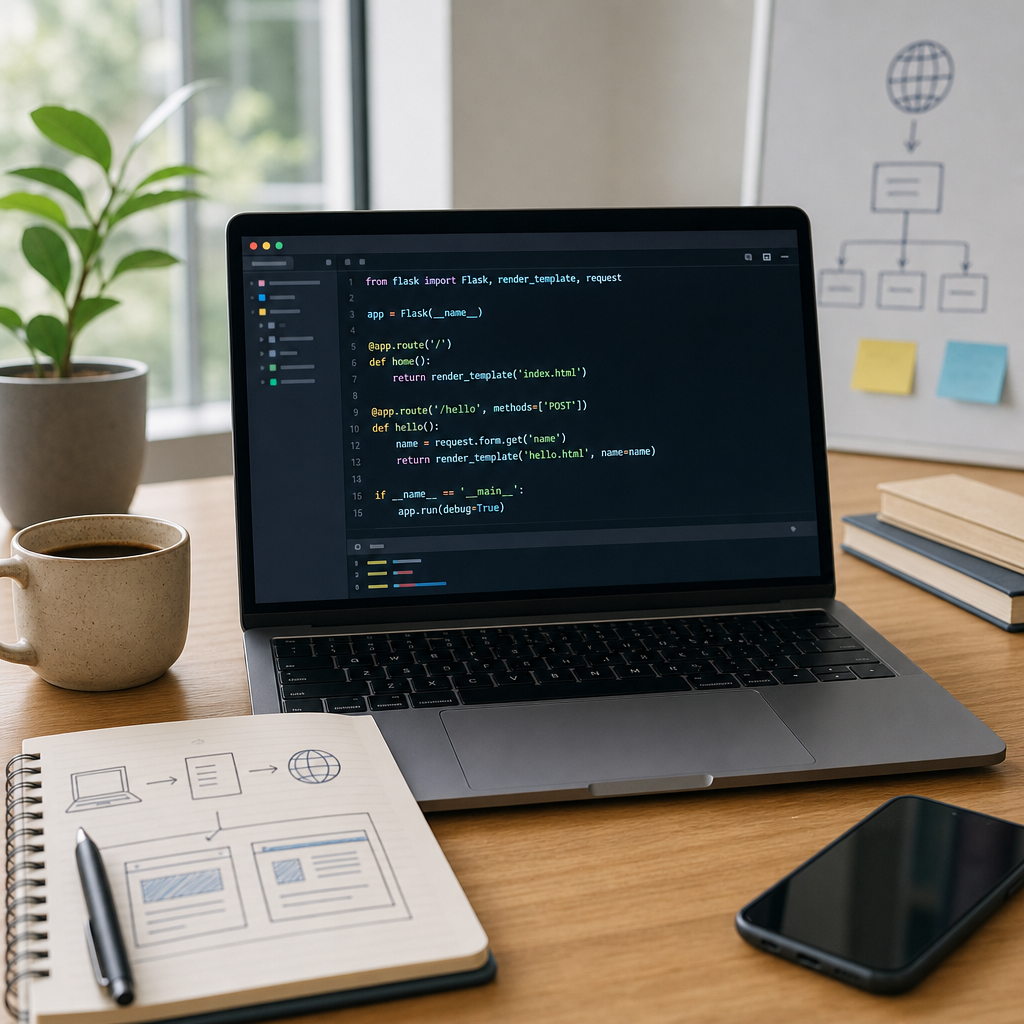
Python’s popularity in web development is driven by its readability, extensive libraries, and active community. It simplifies complex coding tasks, making it ideal for beginners. Python web development supports a range of applications—from simple blogs to complex AI-powered platforms. As of 2026, Python frameworks have evolved significantly, offering secure, scalable, and efficient tools that cater especially well to first-time web app builders.
Quick Comparison of Top Python Web Frameworks for Beginners (2026)
| Framework | Ideal For | Key Strengths | Learning Curve | AI/ML Integration |
|---|---|---|---|---|
| Django 5.2 LTS | Full-stack web apps, scalable projects | Built-in ORM, security, long-term support | Beginner-friendly | Good (via libraries) |
| FastAPI | APIs, AI/ML-powered web apps, async | High performance, modern async features | Moderate, very intuitive | Excellent |
| Flask | Lightweight apps, flexibility seekers | Minimalistic, modular extensions | Slightly steeper for beginners | Good with add-ons |
Getting Started: What You Need to Know
Before diving into code, it’s helpful to understand some basics:
- Programming Experience: You don’t need prior experience to start building a Python web app. Many resources and tutorials cater to absolute beginners.
- Tools and Software: Install Python (preferably Python 3.10+), a code editor like VS Code or PyCharm, and tools like pip to manage packages.
- Understanding Web Concepts: Learn simple concepts such as HTTP requests, client-server architecture, and databases to enhance your projects.
Step-by-Step Process to Build Your First Python Web Application
(Python install, virtual env, framework)
(Start project, run local server)
(Routes, templates, DB connections)
(Add ML models via APIs)
Choosing the Right Python Web Framework
One key step in building your first web application with Python is selecting a web framework. Frameworks provide pre-built components and structures to make web development faster and more efficient.
Best Python Frameworks for First Web App
As of 2026, here are the most beginner-friendly and popular frameworks:
- Django 5.2 LTS: Released in April 2025, Django is a full-featured framework ideal for building secure, scalable web apps. It’s great for projects that may grow in complexity and offers long-term support until 2028.
- FastAPI: A rising star for API development, FastAPI is known for its speed, asynchronous design, and easy integration with AI and machine learning libraries, making it perfect if you want to integrate intelligent features in your app.
- Flask: While Flask remains the minimalist go-to for lightweight applications, it is slightly more advanced but still accessible for beginners who prefer flexibility over built-in features.
If you’re specifically looking for a step-by-step guide to python web app development, starting with Django or FastAPI will give you a balance of ease and power, especially for integrating AI functionalities.
Building Your First Python Web App: Step by Step
Here’s a practical approach to kickstart your learning with a beginner python web app example:
Step 1: Set Up Your Environment
- Install Python and a virtual environment tool like
venv. - Create a new project folder and activate your virtual environment.
- Install the framework of your choice using pip, e.g.,
pip install djangoorpip install fastapi uvicorn.
Step 2: Create Your First App
For Django:
django-admin startproject myfirstapp
cd myfirstapp
python manage.py runserver
This will start a local server where you can see your running web app on http://127.0.0.1:8000/.
For FastAPI:
from fastapi import FastAPI

app = FastAPI()

@app.get("/")
async def read_root():
    return {"Hello": "World"}
Run with uvicorn main:app --reload and visit http://127.0.0.1:8000/.
Step 3: Add Features
Start adding routes, templates, and database connections. Django offers built-in ORM (Object-Relational Mapping) tools, while FastAPI integrates well with databases through external libraries like SQLAlchemy.
Step 4: Incorporate AI and Machine Learning (Optional)
One of the exciting features of modern python web development is AI integration. FastAPI, in particular, works beautifully with Python AI libraries such as TensorFlow or PyTorch. For bloggers or students interested in interactive or intelligent applications, integrating AI can be as straightforward as adding API endpoints that call ML models.
Check resources and tutorials that show how to combine AI with web apps effectively. This adds powerful functionality to your projects and keeps your skills up to date with industry trends.
Practical Tips for Beginners
Starting with simple, well-supported frameworks like Django or FastAPI will accelerate your learning curve. Build small, manageable projects first, make use of community resources, and gradually introduce advanced features like AI to keep your projects relevant and exciting.
- Start simple: Build a small project like a personal blog or a to-do app.
- Use tutorials and online courses, including those recommended by CodDesire.com for beginner-friendly Python web programming guides.
- Experiment with different frameworks to understand their strengths.
- Practice writing clean, readable code and document your process.
- Engage with the developer community to get help and feedback.
Frequently Asked Questions
What is the easiest way to build a web app with Python?
Using frameworks like Django or FastAPI is the easiest way, as they provide ready-to-use tools and structures that simplify setup and development.
Which Python framework is best for beginners?
Django 5.2 LTS and FastAPI are excellent choices. Django for its full-featured capabilities and long-term support, and FastAPI for modern, fast API development especially suited for AI integrations.
How long does it take to build a web application with Python?
The timeline varies by project complexity and learning pace. For a simple beginner python web app, it might take a few days to weeks to get a basic version running.
Do I need prior programming experience to build a Python web app?
No, many tutorials and resources are designed for beginners with little or no prior programming experience.
Framework Popularity & Beginner Suitability (Qualitative Guide)
Popularity & beginner-friendliness: High
Popularity & beginner-friendliness: High-Moderate
Popularity & beginner-friendliness: Moderate
Sources and further reading
- What Are the Best Full-stack Web App Frameworks in 2026?
- Best Python Web Frameworks in 2026: FastAPI, Django, Flask and When to Use Each
- Worrying open-source security issue ‘BadHost’ could affect millions of AI agents, experts warn
- Best Python online course of 2026
For more beginner-friendly programming tips and resources, explore CodDesire.com books and leverage AI support at Nexus AI by CodDesire.