
Generative AI for creators and bloggers is no longer a “nice to have”—it’s a practical way to think faster, produce smarter, and reach more readers without losing your authentic voice. In 2026, multimodal, long‑context models and simple agent workflows can help with ideation, outlines, first drafts, visuals, multilingual reach, and content repurposing. This guide shows beginners, students, solo creators, developers, and small businesses exactly how to use generative AI for content, with ready‑to‑copy prompt templates, a simple workflow, and clear ethical practices.
What is generative AI—and how does it work for content?
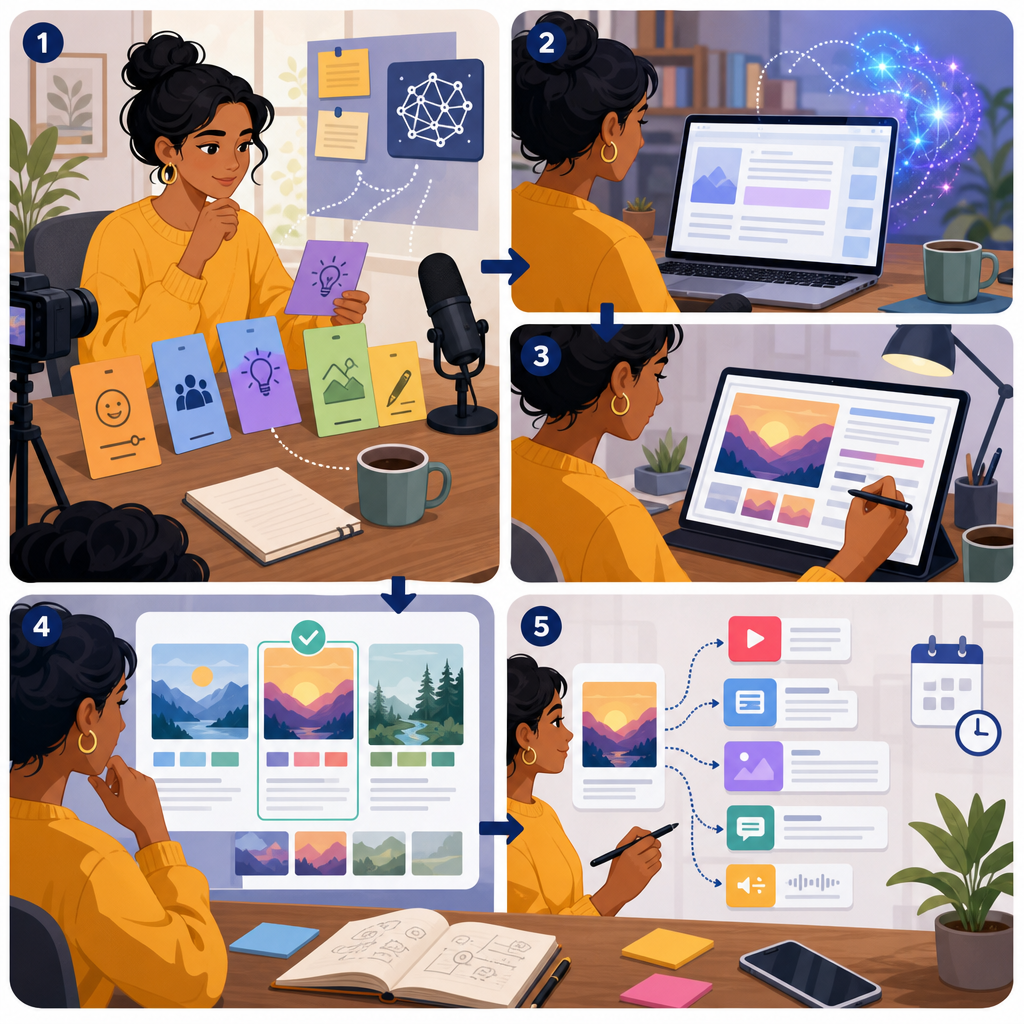
Generative AI tools produce text, images, audio, and video based on instructions (“prompts”). Today’s models can:
- Accept long context windows (entire briefs, PDFs, and transcripts) to stay on topic.
- Use multimodal inputs (text, images, sometimes audio/video) for richer outputs.
- Call tools and search in the background (agent workflows) to ground answers in real sources.
For creators and bloggers, this means you can feed research files, style guides, past posts, brand rules, and data tables to generate drafts that match your voice and purpose.
Why generative AI matters in 2026

Search and social platforms reward people‑first content. AI can accelerate your process, but scaled, low‑value output risks spam enforcement. The winning approach is “human + AI”:
- Use AI to structure research, brainstorm angles, outline, and propose drafts.
- Add original perspective, firsthand experience, and citations that build trust.
- Disclose synthetic media where required and maintain provenance records for transparency.
Approach comparison for generative AI for creators and bloggers
| Aspect | Human‑only | Human + AI (recommended) | AI‑only |
|---|---|---|---|
| Speed to publish | Slow–medium | Fast | Fastest |
| Originality & trust signals | Strong personal experience; easy E‑E‑A‑T | High when you add your experience + sources | Weak; risks generic output |
| Risk of factual errors | Lower with expertise; manual misses possible | Moderate‑low with retrieval + fact‑checks | Higher; needs review |
| SEO/platform alignment | Strong when helpful and cited | Best fit in 2026 (people‑first) | Weak; prone to spam if scaled |
| Compliance & labeling | Normal disclosures | Provenance notes; label when required | Higher labeling + provenance burden |
| Best for | Thought leadership; sensitive topics | Most blogging; repurposing; multilingual reach | Internal drafts/brainstorms; not for direct publishing |
Key use cases for creators and bloggers
- Topic ideation tied to audience intent and funnel stages
- SEO briefs, outlines, and schema suggestions
- Drafting and redrafting in your voice
- Fact‑checking with source suggestions
- Repurposing: shorts scripts, social posts, newsletter snippets
- Image concepting with alt text and provenance notes
- Translation and dubbing to reach new regions
Where AI helps most across the content lifecycle (qualitative)
Simple AI content workflow for solo creators
This is a lightweight, repeatable workflow that beginners, students, and busy founders can use.
Visual workflow: human + AI content loop
→
→
→
→
→
Tip: On mobile, scroll the workflow horizontally.
1) Define purpose and evidence
- Write 1–2 sentences: who is this for, and what action do you want?
- Collect 3–7 credible sources (primary where possible) you’ll verify against later.
2) Ground your research
- Use retrieval or built‑in search tools to bring fresh facts with citations into your workspace.
- Paste key quotes into your draft or attach files for the model to reference.
3) Generate structure, then draft
- Run the Outline prompt (below), then ask for a draft in your voice with headings and FAQs.
- Insert personal experience, photos you own, and original data (polls, screenshots, small tests).
4) Fact‑check and edit
- Run the Fact‑check prompt to flag unsupported claims and propose stronger sources.
- Manually verify health, finance, legal, or election content and add explicit citations.
5) Repurpose for channels
- Run the Repurposing prompt to create a short video script, social posts, and an email intro.
- Add alt text for images and accessibility notes.
6) Label and publish
- Disclose realistic synthetic media where platforms require it; attach Content Credentials (C2PA) if available.
- Keep a changelog: model version, prompts used, and source links for auditability.
Copy‑and‑paste AI prompt templates (beginner‑friendly)
Use these templates in your preferred assistant. Replace [brackets] with your details.
1) Ideation by funnel stage
You are an editor for [niche/audience]. Generate 20 blog ideas mapped to awareness/mid/decision stages.
Return in JSON with: title, angle, target query, and 3 evidence sources to verify.
Tone: [friendly/professional]. Exclude duplicates and generic listicles.
2) Outline with sources and FAQ
Draft a detailed outline for “[topic]” with H2/H3s, an FAQ section, and a schema.org FAQPage JSON outline.
Include a “sources-to-check” list and flag any claims needing primary sources.
Audience: [students/beginners/SMB owners]. Target query: [keyword].
3) SEO brief for people‑first content
Create an SEO brief for “[keyword]”: user intent, must-cover entities, related questions, competing pages,
internal links to consider ([site sections or slugs]), and opportunities for original data or images.
Return a short checklist to ensure E-E-A-T (experience, expertise, author, and trust signals).
4) Fact‑check with citations
Review this draft (paste below).
For each factual claim, add a source link or mark “needs source.” Suggest stronger primary sources where possible.
Highlight any medical/financial/legal/election claims that require human sign-off before publishing.
5) Repurposing for video, social, email
From this article (paste below), produce:
- a 60-second vertical video script with hook, 3 beats, CTA;
- 5 platform-specific social posts (include hashtags where natural);
- an email intro (40–60 words) with a clear benefit.
Keep tone and voice: [brand voice]. Add 1 alt text suggestion for the thumbnail image.
6) Image concept with provenance notes
Create an image concept for “[topic]” that avoids logos/faces without rights.
Return: (1) a creative brief with composition, style, color; (2) alt text (under 125 chars);
(3) Content Credentials notes: author, date, model/tool, edits. Include a variant for dark mode.
SEO in 2026: people‑first content that search can trust
Search is evolving, with AI Overviews and copilots summarizing answers and linking to sources. To earn visibility:
- Follow people‑first guidance. AI content is allowed when it’s useful and not spammy (see Google’s guidance in Sources below).
- Demonstrate E‑E‑A‑T: show your experience, add bylines, and cite high‑quality sources.
- Avoid scaled content abuse: don’t auto‑publish mass low‑value pages.
- Use internal links to relevant resources users will value, such as our Technology guides.
Ethical AI content creation: disclosures, provenance, and compliance
Ethics protect your reputation and your audience. In 2026, several rules and norms apply:
- Label realistic synthetic media and disclose AI use where platforms require it (e.g., YouTube and TikTok policies in Sources below).
- EU AI Act: Transparency obligations, including certain deepfake labels, begin rolling out in 2026. If your content targets or reaches EU users, add clear labels and keep provenance records.
- Provenance: Use C2PA Content Credentials or watermarking features when available to help audiences verify origins. Note: watermarks/metadata improve transparency but are not tamper‑proof.
- Copyright: In many jurisdictions, copyright protects human authorship. Don’t claim exclusive rights to AI‑only output. Keep a record of your human contributions.
- FTC‑style disclosures: Clearly disclose reviews, sponsorships, and affiliate links. Be honest about any AI assistance in drafting.
Bias, fairness, and safety
- Run spot checks for bias in examples, images, and translations. Ask the model to propose inclusive alternatives.
- For sensitive topics (health, finance, elections), implement a human editorial gate with a source checklist.
Reliability and maintenance for small teams
- Pin model versions for consistency. Re‑evaluate when the provider updates models.
- Keep a prompt library with a few test cases (good, bad, tricky) so you can compare outputs after changes.
- Run lightweight evals on accuracy, tone, and safety before batch publishing.
- Log sources and any tool calls (search, code, maps) so you can audit later.
AI tools for startups and small businesses: where to begin
Many platforms now bundle AI into writing, slides, email, and video editors. If you’re a student, beginner, or startup on a budget, start simple:
Categories to explore
- Writing/chat assistants with free or low‑cost tiers
- Image generation and editing tools with monthly free credits
- Transcription and automatic dubbing for short clips
- Open‑source or local models for privacy‑sensitive drafts
- Browser extensions for quick summaries, citations, and alt‑text suggestions
Selection checklist
- Citations: Can the tool show sources or integrate search?
- Versioning: Can you pin a model version?
- Provenance: Does it support Content Credentials (C2PA) or watermarking?
- Privacy: Can you opt out of training on your content? Is data encrypted?
- Cost control: Free tier limits, student discounts, or pay‑as‑you‑go pricing
Limitations and how to manage them
- Hallucinations: Always verify facts; use the Fact‑check prompt and add real citations.
- Bias and gaps: Ask the model to list uncertainties and counter‑arguments; review with a diverse lens.
- Copyright and rights of publicity: Avoid logos, trademarks, or real faces without permission.
- Privacy: Never paste sensitive personal data you can’t afford to share.
- Over‑automation risk: Keep human editorial review, especially on sensitive or regulated topics.
Practical examples: AI content tips for students and creators
- Students: Use AI to outline essays and generate reading lists; write the final arguments yourself and cite your sources.
- Bloggers: Combine AI Overviews research with unique reporting—quotes from interviews, screenshots of your tests, or small surveys.
- Creators: Draft a 60‑second script with the Repurposing prompt, then film; add subtitles and a short blog summary for SEO.
- Startups: Turn product FAQs into a support article library; translate top pages and auto‑dub your intro video to reach new markets.
2026–2027 trends to watch
- Long‑context and multimodal by default: Feed entire research packets and style guides.
- Agent workflows: Server‑side orchestration of tools like search, maps, and code improves reliability.
- Search changes: AI Overviews and copilots surface concise answers with links; content that adds unique value stands out.
- Provenance as standard: C2PA Content Credentials and watermarking are increasingly supported across tools.
- Automatic dubbing: Faster multilingual content with voice preservation and clearer labels.
FAQs: generative AI for creators and bloggers
What is generative AI and how can beginners use it for blogging?
It’s software that creates text, images, and media from prompts. Beginners can start with three steps: use the Ideation prompt to find topics, the Outline prompt to structure posts, and the Fact‑check prompt to verify claims before publishing.
How do I create effective AI prompt templates?
Be specific about audience, goal, tone, and format. Add constraints (word count, H2/H3s) and ask for sources to verify. Reuse your best prompts and keep variations for different content types.
What is a simple AI content workflow for solo creators?
Purpose → Grounded research → Outline → Draft → Fact‑check → Repurpose → Label and publish. Use the templates above to speed each step while keeping your unique insights.
How do I avoid plagiarism and bias when using AI?
Verify claims with credible sources, cite them, and rephrase in your own words. Run bias checks on examples and imagery, and add your personal experience or data to differentiate.
Which free AI tools are good for students and small startups in 2026?
Look for writing/chat assistants with free tiers, image tools with monthly credits, basic transcription/dubbing, and open‑source models you can run locally. Prioritize tools that support citations, model version pinning, and Content Credentials.
Checklist: publish with confidence
- Did you add original insight, examples, or data?
- Are claims verified with links to credible sources?
- Is the tone right for your audience and brand?
- Have you labeled and disclosed AI‑assisted or synthetic media where required?
- Did you save your prompts, model version, and sources for auditability?
Sources and further reading
- Google Search: Using generative AI content
- Google Web Search spam policies (May 2026)
- AI Overviews expansion (Google I/O 2025)
- YouTube: Disclosing altered or synthetic content
- YouTube: AI content disclosure updates (May 2026)
- TikTok: AI‑generated content labeling policy
- EU AI Act: Implementation timeline
- EU Council: AI Act timeline updates (2026)
Keep learning
Want more practical guides on tools, workflows, and ethics? Explore our latest in the Technology section at CodDesire Technology.