
Generative AI for small businesses is no longer experimental—it’s a practical way to save time, cut costs, and improve customer experience. This page is a beginner‑friendly, practical guide with real examples, tool tips, and a simple risk checklist you can use today. Whether you’re a student, creator, blogger, developer, founder, or running an established small company, you’ll learn how to start quickly and safely.
What is generative AI and how does it work?

Generative AI refers to models that can create new content—text, images, audio, code, and structured data—based on patterns learned from large datasets. Instead of building your own models from scratch, most small businesses use hosted AI inside familiar cloud products (email, docs, CRM, helpdesk, e‑commerce, design tools) or through simple APIs provided by major platforms.
How small businesses access it today
- Built‑in copilots in productivity suites for writing, summarizing, and analysis.
- Customer service and sales platforms with AI reply suggestions and chatbots.
- E‑commerce and CMS tools that generate product descriptions, FAQs, and blog drafts.
- Low‑code integrations that connect your documents, knowledge base, and inventory pages to AI for better answers.
- Developer tools that help with code snippets, documentation, and unit tests.
Most SMBs do not train their own large models. Instead, they configure the vendor’s models and guardrails, add their business content, and keep a human in the loop.
| Option | Best for | Setup time | Data control | Cost predictability | Notes |
|---|---|---|---|---|---|
| Built‑in AI in existing tools | Writing help, summaries, ticket replies inside suites you already use | Fast | Moderate–High (admin settings, data retention toggles) | High (per‑seat or add‑on pricing) | Easiest path to value; limited deep customization |
| No‑code/API RAG assistant | Grounded Q&A over your docs, FAQs, specs with citations | Moderate | High (you choose and curate sources) | Medium (usage‑based + storage) | Best accuracy for policies/specs; requires source hygiene |
| Custom fine‑tune or advanced agent | Niche style mimicry, domain workflows, or specialized formats | Slower | Varies (ensure clear vendor terms + isolation) | Variable (training + inference costs) | Only after simpler options deliver; maintain eval tests |
Why “RAG‑first” and lightweight agents matter
To improve accuracy, small businesses increasingly use retrieval‑augmented generation (RAG). With RAG, the AI retrieves your approved sources—like PDFs, policies, product specs—before generating an answer. You can also add lightweight AI agents that perform tasks such as drafting a proposal, creating a meeting summary, or updating a ticket, with clear boundaries and approvals.
Practical generative AI examples for small business
1) Marketing and content (great for creators and bloggers)
- Blog and newsletter drafting: Generate outlines, SEO‑friendly headings, meta descriptions, and first drafts. Then edit to add your voice and expertise.
- Social media calendars: Create themed posts across platforms with tailored tones and image suggestions.
- Product descriptions: Turn bullet features into engaging, on‑brand descriptions, including variants for marketplaces.
- Content repurposing: Summarize a webinar into a blog post, a short email, and 5 social snippets.
Tip: For higher quality, supply your brand voice, style guide, and 3–5 past “best‑performing” examples. Ask the AI to mirror the structure but fact‑check all claims and links.
2) Sales enablement and outreach
- Personalized emails at scale: Generate first‑touch and follow‑up messages with variable fields (industry, pain point, value prop).
- Proposal and RFP support: Build a base response using your approved library, then route to a human for customization and compliance review.
- Call notes and next steps: Auto‑summarize calls and meetings; extract action items and deadlines.
Tip: Keep a small library of approved proof points and case studies. Configure your tool to only use these sources via RAG for accuracy.
3) Customer support and service
- Self‑serve chatbot: Answer common questions from your knowledge base, return policies, and product specs with clear escalation to a human.
- Agent assist: Suggest replies in your helpdesk based on the ticket context and internal docs—a human clicks to send.
- Warranty and return triage: Extract order numbers, reasons, and next steps from emails and forms; draft replies.
Tip: Start with 20–50 high‑volume FAQs and monitor answer accuracy weekly. Add “confidence” badges and always show a human‑hand‑off option.
4) Back‑office and operations
- Document intake: Parse invoices, receipts, and contracts; extract key fields into your accounting or CRM.
- Policy and SOP drafts: Generate first drafts of internal procedures that managers then review and approve.
- Meeting and project summaries: Turn long threads or docs into concise briefs with tasks, owners, and due dates.
Tip: Use templates with consistent headings and required fields so your AI outputs are structured and easy to review.
5) Code and website help (for developers and no‑code builders)
- Website fixes: Generate HTML/CSS/JS snippets, accessibility alt text, and schema markup suggestions.
- Formulas and scripts: Create spreadsheet formulas, SQL queries, or small automations for repetitive tasks.
- Documentation: Draft readme files and “Getting Started” guides from code comments or examples.
Tip: Never paste secrets or private keys into public chat tools. Use enterprise or managed environments with data controls.
6) Search and knowledge over your content (RAG)
- Internal search: Ask natural‑language questions over handbooks, policies, and catalogs with citations.
- Inventory and compatibility: “Does Part A fit Model B?” Answer from your spec sheets with linked sources.
Tip: Keep your source library small, current, and curated. Archive outdated content so the AI doesn’t use it.
Beginner guide: how to start with generative AI
Pick beginner‑friendly tools with guardrails
Start with tools you already use so onboarding is quick and permissions are familiar. Look for these features:
- Data controls: Ability to turn off training on your inputs, control data retention, and select data region.
- Admin and safety settings: Content filters, PII redaction, and audit logs.
- Citations and source grounding: RAG or document‑based answers with links.
- Role‑based access: Separate personal vs. business use with least‑privilege access.
Examples to explore:
- Productivity copilots in your office suite for writing and summaries.
- Helpdesk and CRM AI features for reply suggestions and deal insights.
- Website and e‑commerce builders with AI product text and image tools.
- Developer tools that suggest code and documentation snippets.
Plan a 30‑day pilot
- Pick one process with measurable volume (e.g., weekly blog, 50 support tickets, 100 product descriptions).
- Define metrics: quality (acceptance rate), speed (cycle time), and cost (per output). Set success thresholds.
- Create a small style guide and “approved sources” folder to ground outputs.
- Run side‑by‑side for two weeks (AI‑assisted vs. current process), then roll out if quality improves and costs are stable.
Safe ways to try AI tools without risk
- Use business accounts, not personal ones, and disable data retention/training when possible.
- Never paste confidential, regulated, or customer‑identifiable data into public chatbots.
- Test with synthetic or anonymized data; remove names, addresses, and financial details.
- Turn on content filters and PII redaction if your platform offers them.
- Keep a human in the loop for any output that affects customers, finances, or compliance.
Control costs from day one
- Start with the smallest capable model; only scale up when quality demands it.
- Set usage limits and alerts in your admin console.
- Reuse prompts and context; store approved snippets to avoid regenerating from scratch.
- Batch similar tasks (e.g., generate 20 descriptions per run) to reduce overhead.
Benefits and limitations
Benefits
- Faster first drafts and responses without hiring new staff.
- More consistent tone and structure across emails, posts, and support replies.
- Better knowledge retrieval with citations for employees and customers.
- Lower busywork for your team so they focus on creative and strategic tasks.
Limitations to respect
- Possible inaccuracies or “hallucinations,” especially without good sources.
- Bias and fairness issues if prompts or sources are unbalanced.
- Data privacy risks if you use unmanaged tools or paste sensitive information.
- Vendor lock‑in and cost creep without clear contracts and usage oversight.
- Legal and regulatory exposure (advertising claims, consumer protection, IP) if outputs are unchecked.
AI risk checklist for small business (privacy, bias, and safety)
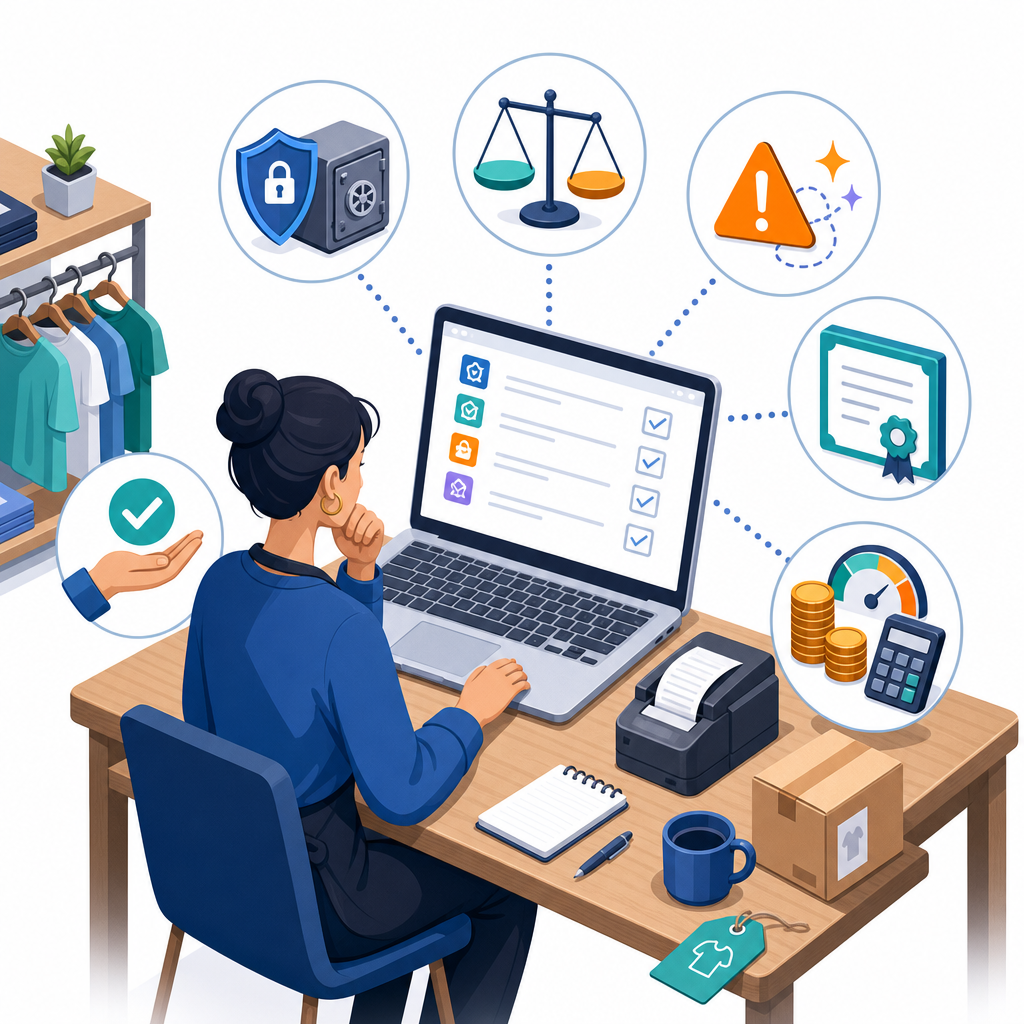
Use this plain‑English checklist aligned with the NIST AI Risk Management Framework and the NIST Cybersecurity Framework 2.0. It’s designed for small teams that want practical steps without heavy bureaucracy.
- Define the use and risk level. What decision or content will AI influence? Who is impacted? Classify as low/medium/high risk and note why. Use NIST’s AI RMF as your structure.
- Set data‑handling rules. Decide what may never be pasted or synced (e.g., PII, financials, health data). Turn off vendor training on your inputs where possible. Use PII redaction and DLP tools.
- Ground answers in approved sources. Enable RAG with your curated docs. Require citations and display sources so reviewers can verify.
- Keep humans in the loop. For customer‑facing or financial outputs, require human review and approval. Document who signs off and when.
- Test, evaluate, and monitor (TEVV). Create a small evaluation set (10–50 examples). Track accuracy, harmful content flags, and refusal rates. Re‑test after content updates or model changes.
- Harden security. Follow the OWASP Top 10 for LLM apps: defend against prompt injection (isolate tools, use allowlists), sanitize inputs/outputs, protect secrets, rate limit, and log access. Use vendor safety tools (e.g., content filters and guardrails) but don’t rely on them alone.
- Negotiate vendor terms. Clarify data retention, deletion, exportability, regional storage, IP/indemnity, availability SLAs, and cost controls. Ask for audit logs and admin controls.
- Meet compliance expectations. In the US, avoid deceptive claims and disclose AI use when relevant (FTC guidance). If you serve EU users, assess EU AI Act exposure and plan staged compliance. Consider content provenance (e.g., C2PA) where appropriate.
- User notices and feedback. Tell users when they’re interacting with AI and provide an easy way to reach a human and report issues.
- Incident response and fallback. Define how to disable or roll back an AI feature, and who investigates incidents or escalations.
- Review regularly. Revisit this checklist quarterly or when you change vendors, models, or data sources.
Beginner prompts you can copy
- Content: “You are a copy assistant for a small [industry] brand. Using this style guide: [paste brief], draft a 400‑word blog post on [topic] with 3 subheadings and a meta description. Ask me for facts you’re missing before writing.”
- Support: “Act as an agent assist bot. Based on these policies: [links], suggest a reply to this customer email. Include a short rationale and link the policy you used.”
- Sales: “Given this prospect note and our approved proof points [paste], write a 120‑word personalized follow‑up. Keep it factual and ask one clear question.”
Trends to watch next
- RAG‑first designs: Grounding answers in your docs becomes the default for accuracy and explainability.
- Small/on‑device models: Faster, cheaper, and more private for routine tasks and mobile use.
- Task‑based agents: Clearly scoped agents that execute steps (draft, check, file) with approvals.
- Stronger platform guardrails: Standardized filters, PII controls, and admin policies across major clouds.
- Content provenance and disclosure: Attaching origin signals to media where appropriate to combat deepfakes and increase trust.
FAQ
What is generative AI and how can a small business use it?
It’s software that creates new content—text, images, code—based on patterns in data. Small businesses typically use it inside tools they already have to write marketing copy, help agents answer tickets, summarize meetings, draft proposals, and extract data from documents.
Which beginner‑friendly AI tools should I try first?
Start with AI features in your office suite, helpdesk, CRM, or website builder because they include admin controls and guardrails. If you need a general writing assistant, use a business or enterprise plan that lets you turn off data retention and review logs.
How can creators and bloggers use AI without hurting quality?
Use AI for outlines, drafts, and repurposing, but add your voice, experience, and facts. Supply your style guide and best examples, require citations when facts are involved, and always edit for accuracy and originality before publishing.
What risks come with using generative AI in a business?
Inaccuracies, bias, privacy leaks, cost overruns, vendor lock‑in, and compliance issues (e.g., misleading claims). Manage them with data controls, grounded sources, human review, evaluation tests, and clear vendor terms.
Is there a simple checklist to use AI safely?
Yes—set data rules, ground answers in approved sources, keep a human in the loop, test and monitor, harden security per OWASP guidance, and clarify vendor contracts. See the checklist above for details.
Quick adoption snapshot
Formal use of AI is growing but uneven across sectors. Recent US government business surveys indicate roughly one in five firms have used AI for tasks like information search, analysis, and writing. The fastest wins for small teams typically come from marketing content, customer support, meeting summaries, and document intake—areas where AI can draft or organize information that a human then reviews.
Put it into practice with CodDesire
Want help scoping a 30‑day pilot, setting up a safe RAG assistant, or choosing the best AI tools for small business needs? Explore more resources on our Technology page, or reach out for a practical, guardrail‑first implementation plan.
Sources / Further reading
- NIST AI Risk Management Framework (AI RMF)
- NIST AI Resource Center (AIRC)
- NIST Releases Version 2.0 of the Cybersecurity Framework
- NIST CSF 2.0: Small Business Quick‑Start Guide
- OWASP Top 10 for LLM Applications (2025)
- Amazon Bedrock Guardrails
- U.S. SBA: AI for Small Business
- NIST AI 100‑2e2025: Adversarial ML Taxonomy and Mitigations